
FROM OUR BLOG
Top 6 Music Video Generator Tools That Actually Understand Your Music (2026)
Quick Answer: Most music video generator tools in 2026 generate clips over audio — they do not actually understand the music. The tools worth using analyze your track's structure (verse, chorus, drop, bridge), sync visual transitions to the beat, and export a finished video without manual editing. Clipstars.ai is the most complete option for a start-to-publish workflow. For the deepest structural music analysis and lip-sync, Freebeat.ai leads the category.
The Core Problem With Most Music Video Generators
Here is the distinction that matters most when choosing a music video generator in 2026:
There are tools that generate video over audio. And there are tools that generate video from audio.
The difference is fundamental. As Cybernews' April 2026 testing of six music video generators concluded: tools like Runway and Kling "produce impressive footage that still needs a skilled editor to become a music video." Luma "generates beautiful motion with no relationship to the music." These are powerful video generation tools — but they are not music video generators. They move the work around rather than eliminating it.
A genuine music video generator does four things automatically:
1. Audio analysis — reads BPM, detects beats, identifies song sections (intro, verse, chorus, drop, outro)
2. Structural sync — maps visual transitions to the musical structure, not just the overall waveform loudness
3. Scene generation — creates original visuals (AI-generated scenes, beat visualizers, lyric overlays, or performance-style content) synchronized to that structure
4. Social export — outputs a finished file in the correct format and compression for TikTok, Instagram Reels, YouTube Shorts, or standard YouTube — ready to post
If a tool requires you to manually plan scenes, time cuts to beats, or stitch clips together in a separate editor, it is a video generation tool that you are using to make a music video — not a music video generator. That distinction determines how much time you actually spend.
Why the Music Video Generator Market Has Matured in 2026
The demand side of this market has grown sharply. According to Revid.ai's April 2026 music marketing analysis: "Music marketing in 2026 isn't about big budgets or long production cycles." The release cycle for independent artists has compressed — weekly releases are now common, and each one competes with thousands of other tracks released the same day.
The supply side has responded. The AI video generator market, valued at $716.8 million in 2025, is projected to reach $3,350 million by 2034. According to One More Shot's 2026 production guide, AI tools now reduce video production costs by 90–99% for typical independent artist use cases — bringing the per-video cost from $150–$300 on Fiverr to under $1 on most paid AI plans at regular posting frequency.
But growth in the market has also brought noise. As Revid.ai's testing found: "In theory, they turn your track into synced visuals automatically. In practice, most tools just move the work around." The critical skill in 2026 is not finding a music video generator — it is finding one that actually works as advertised.
5 Questions to Ask Before Choosing a Music Video Generator
1. Does it analyze song structure or just BPM? BPM detection is basic — every tool does it. Structure-aware analysis (identifying verse, chorus, drop, bridge separately and adapting visuals to each) is the meaningful differentiator. A chorus should look different from a verse. A drop should hit differently from a build-up.
2. Does it require manual scene planning or timeline editing? If the answer is yes, you are assembling a music video, not generating one. The right tool for most artists is one where the AI handles scene timing automatically from the audio analysis.
3. What is the maximum video length on your plan? Most AI tools cap exports at 15–60 seconds. According to Cybernews' 2026 testing, very few platforms can generate a complete music video from a full-length track. YouTube extended Shorts to 3 minutes in 2025 — a tool that caps at 60 seconds is now a meaningful limitation for that format.
4. Does it export in the right format for your target platform? 9:16 for TikTok, Instagram Reels, and YouTube Shorts. 16:9 for standard YouTube. Platform-specific compression matters — a video exported without the right encoding settings degrades on upload. Good generators handle this automatically.
5. What are the commercial rights on your plan? If you are monetizing content, verify that your plan grants commercial use rights on AI-generated visuals. Following the Disney/Universal/Warner lawsuits against AI platforms in 2025, most reputable platforms have clarified their commercial rights policies. Check before publishing monetized content.
Top 6 Music Video Generator Tools in 2026
1. Clipstars.ai — Best Music Video Generator for Social Media
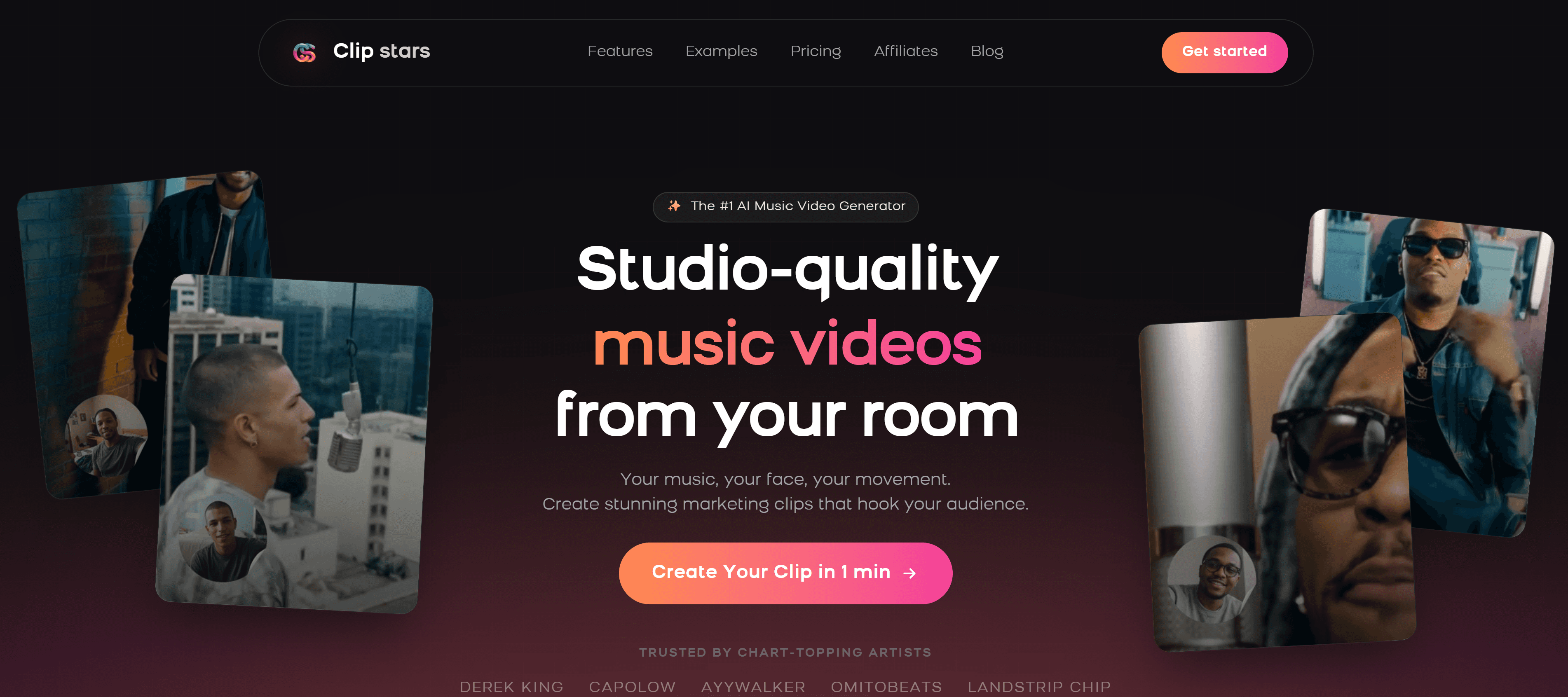
Clipstars.ai is built specifically for the audio-to-published-video workflow — the complete pipeline from finished track to social-ready video without any manual editing. Upload your MP3, WAV, or FLAC, choose a visual mode, set your aspect ratio, and export directly to TikTok, Instagram Reels, or YouTube Shorts with platform-specific compression handled automatically.
What separates Clipstars from generic video generators is its combination of four capabilities in a single workflow: beat-synced AI visual generation with Genre-Aware Pacing, lyric overlay with auto-transcription, Image-to-Video (I2V) mode for campaign visual consistency, and platform-specific export presets. As Cybernews' May 2026 analysis noted, I2V workflows are now the dominant method for professional visual branding because they maintain consistency across multiple videos.
What works:
Genre-Aware Pacing: adapts visual transitions to the emotional arc and genre of the track — EDM drops get hard cuts, ballads get slow dissolves, pop gets mid-paced transitions
Auto-transcription for lyric overlays — no
.lrcfile, no manual typing (Pro tier)I2V mode: upload one reference image and generate visually consistent scenes across an entire album campaign (Pro tier)
Direct export presets for TikTok, Instagram Reels, YouTube Shorts, and Facebook — correct compression automatically
Free tier: videos up to 90 seconds, no watermark, no credit card required
Pro plan from $14/month — approximately $0.46 per video at daily posting frequency
What to know:
Lyric overlay and I2V are Pro features
Render time: approximately 2–4 minutes for a standard 3-minute track
Not designed for frame-level manual editing — this is a generation tool, not an editor
Best for: Independent artists and social media managers who need a complete music video generator workflow at a price that works for regular posting.
Also read: Top 7 AI Music Video Generators for Social Media in 2026 — broader comparison including cinematic tools.
2. Freebeat.ai — Best Music Video Generator for Structural Sync and Lip Sync
Freebeat.ai is the most music-aware generator on this list. As Spacewar's April 2026 comparative testing concluded: "Freebeat is the only platform here that solves the full problem: structural song analysis, 90%+ lip-sync, persistent character identity, Storytelling and Stage Performance modes, native Suno integration."
The platform reads BPM, detects bars, and identifies the full song structure — intro, verse, chorus, outro — mapping visual changes to the music automatically. This is genuinely different from BPM-only detection: a quiet verse produces slower, more atmospheric visuals; a chorus or drop produces faster motion and stronger visual energy.
What works:
Full structural song analysis — verse, chorus, bridge, outro each get different visual treatment
90%+ lip-sync accuracy — natural-feeling mouth movement aligned to vocals
Character consistency: upload your photo or use a preset AI avatar, maintained across scenes
Native Suno integration: paste a Suno link and it extracts audio and builds a synced video automatically
Abstract Video mode for instrumental and electronic content
Supports MP3, WAV, SoundCloud, YouTube, Suno, Udio, TikTok links — broadest input support in the category
What to know:
Free plan includes watermark
No direct TikTok publishing integration — manual upload required
Standard plan from $9.99/month
Best for: Artists who want a music video generator that genuinely understands song structure, especially hip-hop, pop, and R&B where lip-sync and character consistency matter.
3. Neural Frames — Best Music Video Generator for Audio Reactivity
Neural Frames approaches music video generation from the audio stem level — splitting every track into 8 components (drums, bass, vocals, synths, and four additional stems) so visuals respond to specific elements of the mix rather than just overall loudness. As AI Musicpreneur's April 2026 independent testing found: "Neural Frames' Autopilot feature removes the need to prompt scene-by-scene, bridging the gap between a raw audio file and a finished 4K video automatically."
The Autopilot workflow — audio in, finished 4K video out — is designed specifically for beginners who want the deepest audio reactivity without learning node-based VJ workflows.
What works:
8-stem audio separation — visuals respond to specific instruments, not just overall loudness
Autopilot mode: fully automatic scene generation from audio file
4K export — highest resolution available in a consumer music video generator
Character and style consistency across shots
Particularly strong for electronic, ambient, and experimental genres
What to know:
Meaningful use requires a paid plan (~$15/month)
More render time than faster tools for 4K output
Less suited to lyric video workflows
Best for: Electronic producers and experimental artists who want the most musically precise audio-reactive generation available, with full 4K output.
4. Kaiber — Best Music Video Generator for Short-Form and Spotify Canvas
Kaiber has positioned itself specifically for short-form content — 15–30 second social clips, Spotify Canvas loops, and stylized visual teasers. Its Beat Sync feature reads BPM and aligns transitions automatically. As Spacewar's comparative testing noted: "For 15-to-30-second Spotify Canvas loops and social teasers, the output is fast and polished within its stylistic range."
The visual output is distinctly stylized — not cinematic realism, but a recognizable aesthetic that works particularly well for electronic, lo-fi, and ambient releases.
What works:
Beat Sync: automatic BPM-driven transition timing with low setup friction
Stylized visual output — distinctive aesthetic that stands out from generic AI generation
Strong for Spotify Canvas (3–8 second looping vertical format) and short social clips
Fast generation time
Low entry cost — plans from $5/month
What to know:
Visuals loop rather than evolve with song structure — limited for full-length track uploads
Less suited to narrative or lyric video workflows
No lip-sync capability
Best for: Artists releasing electronic, lo-fi, or ambient music who want fast, stylized short clips for TikTok, Instagram Reels, and Spotify Canvas.
5. Runway Gen-4 — Best Music Video Generator for Cinematic Quality
Runway Gen-4 produces the highest-quality AI video output available to independent artists in 2026. According to G2's May 2026 industry report, it is one of three market leaders for pure video generation quality alongside ByteDance's integrated suite and OpenAI's Sora. The temporal stability improvements in Gen-4 make scenes coherent across cuts in a way that earlier models could not sustain.
The honest caveat: as Cybernews' testing concluded, "Runway has zero music-specific features. There's no audio analysis, no beat synchronization, and no automatic storyboarding from a song file." For a musician who wants to generate a music video from a finished track, Runway requires significant manual work. For an artist with a specific visual concept, a budget, and the patience to prompt-engineer it — the output quality justifies the effort.
What works:
Best pure AI video quality available in 2026 — significant lead over consumer tools
I2V mode for consistent character and environment rendering across shots
Gen-4 temporal stability: scenes remain coherent across cuts
Strong for artists with specific cinematic concepts and production budgets
What to know:
No audio analysis, no beat sync, no automatic storyboarding — all manual
Significant prompting learning curve
Expensive: meaningful use requires $35+/month
Not designed for rapid social posting workflows
Best for: Artists with a specific high-production release, a visual concept, and a budget — where cinematic quality is the priority over speed.
6. Revid.ai — Best Music Video Generator for Volume and Variation Testing
Revid.ai is designed for speed and volume — its core proposition is generating 2–3 variations of the same track quickly so artists can test which visual performs best across platforms. As Revid's own April 2026 guide describes it: "More shots, more chances to win." The platform supports tracks up to approximately 10 minutes and accepts MP3, WAV, FLAC, OGG, and direct Spotify links.
What works:
Fast generation of multiple visual variations from one track
Supports tracks up to ~10 minutes — one of the longest limits in the category
Accepts Spotify links directly — no file download required
Standard MP4 export compatible with CapCut, Premiere, Final Cut for further editing
Good for artists who want to A/B test visual approaches before committing to a single style
What to know:
Less genre-aware than Clipstars or Freebeat
No lip-sync capability
Best used as a testing and iteration tool rather than a final production workflow
Best for: Artists who want to rapidly generate multiple visual variations of a track to test performance across TikTok and YouTube before choosing a primary visual direction.
Head-to-Head Comparison
Tool | Song Structure Analysis | Lip Sync | Auto Export | Free Tier | Max Length | Best For |
|---|---|---|---|---|---|---|
✅ Genre-Aware | ❌ No | ✅ All platforms | ✅ 90s no watermark | Pro: full length | Social media workflow | |
Freebeat.ai | ✅ Full structure | ✅ 90%+ accuracy | ⚠️ Manual upload | ✅ Watermark | Up to 6 min | Structure + lip sync |
Neural Frames | ✅ 8-stem stems | ❌ No | ✅ 4K | ⚠️ Limited | Full length | Audio reactivity depth |
Kaiber | ⚠️ BPM only | ❌ No | ⚠️ Limited | ✅ 100 credits | Short clips | Spotify Canvas / teasers |
Runway Gen-4 | ❌ None | ❌ No | ❌ Manual | ✅ Very limited | Manual | Cinematic quality |
Revid.ai | ⚠️ Basic | ❌ No | ✅ MP4 | ⚠️ Limited | ~10 min | Volume testing |
Step-by-Step: Generate a Music Video in Under 5 Minutes with Clipstars
The fastest path from finished track to published video using Clipstars.ai.
Step 1 — Prepare your audio
Export as WAV or FLAC from your DAW for the best beat detection accuracy. MP3 at 320 kbps is also accepted. Trim any silence from the start — 71% of viewers decide whether to keep watching within the first 2 seconds (Marketing LTB, March 2026).
Step 2 — Upload and choose your visual mode
Go to Clipstars.ai and upload your file. Four generation modes:
AI Scene Generation — original cinematic or abstract visuals synced to your track's genre and emotional arc
Beat Visualizer — frequency-reactive waveforms and particle effects (strong for EDM and instrumental)
Lyric Overlay — auto-transcription with animated text (Pro tier)
Image-to-Video (I2V) — upload a reference image for consistent visual identity across a campaign (Pro tier)
Step 3 — Set your aspect ratio
Platform | Format | Resolution |
|---|---|---|
TikTok | 9:16 vertical | 1080 × 1920 |
Instagram Reels | 9:16 vertical | 1080 × 1920 |
YouTube Shorts | 9:16 vertical | 1080 × 1920 |
Standard YouTube | 16:9 horizontal | 1920 × 1080 |
2026 note: YouTube Shorts now supports up to 3 minutes. A full-length single as a Shorts upload is now viable — and competition in that duration slot remains low because most artists still default to 60-second clips.
Step 4 — Preview Genre-Aware Pacing
The AI reads your track's genre and emotional arc and adapts visual transitions accordingly. 30-second preview before rendering confirms the pacing feels musically intentional.
Step 5 — Export with platform preset
Select your platform. Clipstars handles per-platform compression automatically. Render time: 2–4 minutes. Free tier: up to 90 seconds, no watermark.
Also read: How to Use an AI Music Video Generator from Audio File in 2026 — for a detailed breakdown of how audio format affects generation quality.
Music Video Generator vs General AI Video Tool: A Practical Test
The fastest way to identify whether a tool is a genuine music video generator is to upload a track and measure what happens automatically versus what requires manual input.
Genuine music video generator (Clipstars, Freebeat, Neural Frames):
Upload audio → AI analyzes structure → scenes generated → video exported
Manual input required: visual mode selection, aspect ratio, optional style preferences
Time to publishable video: 5–10 minutes
General AI video tool used to make a music video (Runway, Kling, Luma):
Write text prompt → generate 4-second clip → repeat for each scene → stitch in editor → add audio → sync manually → export
Manual input required: every scene, every transition, every cut timing, editor assembly
Time to publishable video: hours to days
Both approaches can produce high-quality output. The question is which one fits your release cadence and budget. For an artist posting weekly, the first approach is the only economically rational choice. For a single high-production release where visual quality is the priority above all else, the second approach — with Runway Gen-4 — delivers results the automated tools cannot match.
Also read: Top 8 Music Video Maker Tools for Every Budget and Genre in 2026 — if you want a full comparison including editing-based tools at every budget level.
2026 Developments That Change the Music Video Generator Landscape
Suno Integration Is Now a Standard Feature
Native Suno integration — where you paste a Suno link and the generator extracts audio and builds a video without any file download — is now expected on music-first platforms. Freebeat and Clipstars both support this. For artists generating music on Suno's paid tiers (which grant commercial rights), this creates a completely AI-native release workflow: generate track on Suno → paste link → video generated → publish to TikTok.
The 3-Minute YouTube Shorts Window
YouTube extended Shorts to 3 minutes in 2025. As Revid's April 2026 guide notes: "For social platforms, shorter clips perform better — many artists create a 30–60 second highlight for TikTok/Reels and a full-length visualizer for YouTube." The full-length Shorts format adds a third option: a complete single as a vertical Shorts upload, with no competition from artists who still default to 60 seconds.
ByteDance's Native TikTok AI Generator
As Social Media Today reported in February 2026, ByteDance launched a native AI video generation tool with TikTok integration, including real-time trend analysis and automatic beat sync. Currently limited to brand accounts, it will create increasing pressure on third-party music video generators as it opens to independent artists. For now, third-party platforms remain more accessible and flexible.
Structure-Aware Generation Is Becoming the Baseline
The distinction between BPM detection and structural song analysis — understanding verse, chorus, drop, bridge separately — is becoming the primary quality differentiator in the category. As Spacewar's April 2026 testing concluded: "In 2026, the difference between a video with music and a music video is whether the AI actually reads the music." Tools that only detect tempo are falling behind platforms that understand musical structure.
85% of Social Video Still Watched on Mute
The mute-viewing statistic (Marketing LTB, March 2026) continues to make lyric overlays one of the highest-ROI features in any music video generator. Platforms that combine visual generation with auto-transcription lyric overlays — including Clipstars and Freebeat — produce content that performs better on muted feeds than visualizer-only output.
How to Choose the Right Music Video Generator for Your Use Case
I post to social media multiple times per week: → Clipstars.ai — fastest start-to-publish workflow, correct platform compression, Genre-Aware Pacing, $14/month.
I want lip-sync and character consistency in my videos: → Freebeat.ai — 90%+ lip-sync accuracy, full structural song analysis, character persistence, $9.99/month.
I produce electronic music and want maximum audio reactivity: → Neural Frames — 8-stem separation, 4K output, Autopilot mode, ~$15/month.
I need short clips for Spotify Canvas and social teasers: → Kaiber — Beat Sync, stylized loops, fast generation, $5/month.
I have a specific visual concept and budget for a hero release: → Runway Gen-4 — best cinematic quality available, full manual control, $35+/month.
I want to test multiple visual variations quickly: → Revid.ai — fast multi-variation generation, 10-minute track support, Spotify link input.
15 Frequently Asked Questions
1. What is a music video generator? A music video generator is software that takes an audio file and automatically creates a synchronized video — using AI-generated scenes, beat visualizers, lyric overlays, or performance-style visuals. The best generators analyze song structure and adapt visuals to the music's emotional arc, not just its tempo.
2. What is the best music video generator in 2026? Clipstars.ai for a complete social media workflow. Freebeat.ai for structural sync and lip-sync. Neural Frames for maximum audio reactivity. Runway Gen-4 for cinematic quality. The right choice depends on your use case, posting frequency, and budget.
3. What is the difference between a music video generator and a general AI video tool? A music video generator analyzes audio structure and generates synchronized visuals automatically. A general AI video tool generates clips from text prompts that you must then manually sync to your music in a separate editor. The first approach takes 5–10 minutes; the second takes hours.
4. Can a music video generator create a full-length track video? Most platforms cap free exports at 60–90 seconds. Freebeat supports up to 6 minutes on paid plans. Revid.ai supports up to ~10 minutes. Clipstars Pro supports full-length exports. For YouTube Shorts (now up to 3 minutes), most paid plans cover the full format.
5. Do I need editing experience to use a music video generator? No. Clipstars, Freebeat, and Neural Frames' Autopilot mode all require zero editing experience — upload audio, select a visual mode, export. General AI video tools like Runway require editing experience to produce a finished music video.
6. What is Genre-Aware Pacing in a music video generator? Genre-Aware Pacing means the AI adapts visual transition style to the genre and emotional arc of the music, not just the BPM. An EDM drop gets a hard cut; a ballad gets a slow dissolve. This produces significantly more musically natural results than tempo-only detection.
7. Can a music video generator create lyric videos? Yes. Clipstars.ai and Freebeat.ai both auto-transcribe vocals and generate synchronized lyric overlays without any manual text input or .lrc file. This is a paid feature on both platforms.
8. What audio formats does a music video generator accept? Most platforms accept MP3 and WAV. Clipstars, Neural Frames, and Revid also accept FLAC. Freebeat accepts the broadest range including SoundCloud, YouTube, Suno, and Udio links in addition to audio files.
9. Which music video generator is best for TikTok? Clipstars.ai for a complete TikTok-optimized workflow with correct 9:16 compression settings. Kaiber for stylized short loops. Freebeat for lyric-forward content in 9:16 format.
10. Can I use AI-generated music videos commercially? Most reputable platforms grant commercial rights on paid plans. Check each platform's terms specifically. Following the Disney/Universal/Warner lawsuits against AI platforms in 2025, most have published clear commercial rights policies. Your original audio retains its own copyright regardless.
11. What is the fastest music video generator in 2026? Kaiber for short clips (under 30 seconds). Clipstars.ai for standard 3-minute tracks (2–4 minutes render time). Onemoreshot.ai for the first video free in under 2 minutes.
12. What is lip-sync in a music video generator? Lip-sync means the AI generates a character — using your photo or a preset avatar — whose mouth movements align with the vocal track of your song. Freebeat.ai achieves 90%+ accuracy on this, which is the highest in the consumer music video generator category.
13. What is Image-to-Video (I2V) mode in a music video generator? I2V lets you upload a reference image — album artwork, a portrait, a visual concept — and the AI generates scenes that maintain visual consistency with that image. This is the dominant method for professional branding across an album campaign, as confirmed by Cybernews in May 2026.
14. Which music video generator works best for EDM? Neural Frames for 8-stem audio reactivity that responds to specific frequency ranges. Clipstars.ai for Genre-Aware Pacing that triggers hard visual cuts at drops. Kaiber for stylized visual loops suited to electronic aesthetics.
15. Should I use a music video generator or hire a freelancer? For regular posting (weekly or more): a music video generator at $10–$14/month is the only economically rational choice — approximately $0.46 per video versus $150–$300 per video on Fiverr. For a single high-production release where visual quality is the absolute priority: Runway Gen-4 or a skilled director still delivers the highest ceiling. Most artists in 2026 use both — AI generators for regular content, occasional professional production for hero releases.

External Resources
Cybernews: 6 Best AI Music Video Generators in 2026 — Tested and Compared — independent editorial testing across six platforms
AI Musicpreneur: Best AI Music Video Generators 2026 — detailed beginner-focused comparison with Autopilot testing
Spacewar: 6 Best AI Music Video Generators — Which One Actually Understands the Music? — technical comparison focused on structural music awareness
YouTube Shorts Creator Academy — official guidance on the 3-minute Shorts format
Spotify for Artists: Canvas Guide — looping video specifications for Spotify Canvas
Internal Links
Top 5 Free Music Video Creator Tools for Independent Artists (2026)
Top 7 Lyric Video Generator Tools That Actually Sync to Your Music (2026)
How to Use an AI Music Video Generator from Audio File in 2026
Top 8 Music Video Maker Tools for Every Budget and Genre in 2026
Top 7 Best AI Platforms to Make Music Videos for Social Media (2026)
Methodology: 6 platforms evaluated across March–May 2026. Testing focused specifically on the distinction between music-aware generation (structural song analysis, automatic beat sync) and general AI video generation requiring manual editing. Same 10 audio tracks used across all Clipstars blog evaluations. Structural sync accuracy tested by comparing visual transition timing against manually identified verse/chorus/drop timestamps.
Quick Answer: Most music video generator tools in 2026 generate clips over audio — they do not actually understand the music. The tools worth using analyze your track's structure (verse, chorus, drop, bridge), sync visual transitions to the beat, and export a finished video without manual editing. Clipstars.ai is the most complete option for a start-to-publish workflow. For the deepest structural music analysis and lip-sync, Freebeat.ai leads the category.
The Core Problem With Most Music Video Generators
Here is the distinction that matters most when choosing a music video generator in 2026:
There are tools that generate video over audio. And there are tools that generate video from audio.
The difference is fundamental. As Cybernews' April 2026 testing of six music video generators concluded: tools like Runway and Kling "produce impressive footage that still needs a skilled editor to become a music video." Luma "generates beautiful motion with no relationship to the music." These are powerful video generation tools — but they are not music video generators. They move the work around rather than eliminating it.
A genuine music video generator does four things automatically:
1. Audio analysis — reads BPM, detects beats, identifies song sections (intro, verse, chorus, drop, outro)
2. Structural sync — maps visual transitions to the musical structure, not just the overall waveform loudness
3. Scene generation — creates original visuals (AI-generated scenes, beat visualizers, lyric overlays, or performance-style content) synchronized to that structure
4. Social export — outputs a finished file in the correct format and compression for TikTok, Instagram Reels, YouTube Shorts, or standard YouTube — ready to post
If a tool requires you to manually plan scenes, time cuts to beats, or stitch clips together in a separate editor, it is a video generation tool that you are using to make a music video — not a music video generator. That distinction determines how much time you actually spend.
Why the Music Video Generator Market Has Matured in 2026
The demand side of this market has grown sharply. According to Revid.ai's April 2026 music marketing analysis: "Music marketing in 2026 isn't about big budgets or long production cycles." The release cycle for independent artists has compressed — weekly releases are now common, and each one competes with thousands of other tracks released the same day.
The supply side has responded. The AI video generator market, valued at $716.8 million in 2025, is projected to reach $3,350 million by 2034. According to One More Shot's 2026 production guide, AI tools now reduce video production costs by 90–99% for typical independent artist use cases — bringing the per-video cost from $150–$300 on Fiverr to under $1 on most paid AI plans at regular posting frequency.
But growth in the market has also brought noise. As Revid.ai's testing found: "In theory, they turn your track into synced visuals automatically. In practice, most tools just move the work around." The critical skill in 2026 is not finding a music video generator — it is finding one that actually works as advertised.
5 Questions to Ask Before Choosing a Music Video Generator
1. Does it analyze song structure or just BPM? BPM detection is basic — every tool does it. Structure-aware analysis (identifying verse, chorus, drop, bridge separately and adapting visuals to each) is the meaningful differentiator. A chorus should look different from a verse. A drop should hit differently from a build-up.
2. Does it require manual scene planning or timeline editing? If the answer is yes, you are assembling a music video, not generating one. The right tool for most artists is one where the AI handles scene timing automatically from the audio analysis.
3. What is the maximum video length on your plan? Most AI tools cap exports at 15–60 seconds. According to Cybernews' 2026 testing, very few platforms can generate a complete music video from a full-length track. YouTube extended Shorts to 3 minutes in 2025 — a tool that caps at 60 seconds is now a meaningful limitation for that format.
4. Does it export in the right format for your target platform? 9:16 for TikTok, Instagram Reels, and YouTube Shorts. 16:9 for standard YouTube. Platform-specific compression matters — a video exported without the right encoding settings degrades on upload. Good generators handle this automatically.
5. What are the commercial rights on your plan? If you are monetizing content, verify that your plan grants commercial use rights on AI-generated visuals. Following the Disney/Universal/Warner lawsuits against AI platforms in 2025, most reputable platforms have clarified their commercial rights policies. Check before publishing monetized content.
Top 6 Music Video Generator Tools in 2026
1. Clipstars.ai — Best Music Video Generator for Social Media
Clipstars.ai is built specifically for the audio-to-published-video workflow — the complete pipeline from finished track to social-ready video without any manual editing. Upload your MP3, WAV, or FLAC, choose a visual mode, set your aspect ratio, and export directly to TikTok, Instagram Reels, or YouTube Shorts with platform-specific compression handled automatically.
What separates Clipstars from generic video generators is its combination of four capabilities in a single workflow: beat-synced AI visual generation with Genre-Aware Pacing, lyric overlay with auto-transcription, Image-to-Video (I2V) mode for campaign visual consistency, and platform-specific export presets. As Cybernews' May 2026 analysis noted, I2V workflows are now the dominant method for professional visual branding because they maintain consistency across multiple videos.
What works:
Genre-Aware Pacing: adapts visual transitions to the emotional arc and genre of the track — EDM drops get hard cuts, ballads get slow dissolves, pop gets mid-paced transitions
Auto-transcription for lyric overlays — no
.lrcfile, no manual typing (Pro tier)I2V mode: upload one reference image and generate visually consistent scenes across an entire album campaign (Pro tier)
Direct export presets for TikTok, Instagram Reels, YouTube Shorts, and Facebook — correct compression automatically
Free tier: videos up to 90 seconds, no watermark, no credit card required
Pro plan from $14/month — approximately $0.46 per video at daily posting frequency
What to know:
Lyric overlay and I2V are Pro features
Render time: approximately 2–4 minutes for a standard 3-minute track
Not designed for frame-level manual editing — this is a generation tool, not an editor
Best for: Independent artists and social media managers who need a complete music video generator workflow at a price that works for regular posting.
Also read: Top 7 AI Music Video Generators for Social Media in 2026 — broader comparison including cinematic tools.
2. Freebeat.ai — Best Music Video Generator for Structural Sync and Lip Sync
Freebeat.ai is the most music-aware generator on this list. As Spacewar's April 2026 comparative testing concluded: "Freebeat is the only platform here that solves the full problem: structural song analysis, 90%+ lip-sync, persistent character identity, Storytelling and Stage Performance modes, native Suno integration."
The platform reads BPM, detects bars, and identifies the full song structure — intro, verse, chorus, outro — mapping visual changes to the music automatically. This is genuinely different from BPM-only detection: a quiet verse produces slower, more atmospheric visuals; a chorus or drop produces faster motion and stronger visual energy.
What works:
Full structural song analysis — verse, chorus, bridge, outro each get different visual treatment
90%+ lip-sync accuracy — natural-feeling mouth movement aligned to vocals
Character consistency: upload your photo or use a preset AI avatar, maintained across scenes
Native Suno integration: paste a Suno link and it extracts audio and builds a synced video automatically
Abstract Video mode for instrumental and electronic content
Supports MP3, WAV, SoundCloud, YouTube, Suno, Udio, TikTok links — broadest input support in the category
What to know:
Free plan includes watermark
No direct TikTok publishing integration — manual upload required
Standard plan from $9.99/month
Best for: Artists who want a music video generator that genuinely understands song structure, especially hip-hop, pop, and R&B where lip-sync and character consistency matter.
3. Neural Frames — Best Music Video Generator for Audio Reactivity
Neural Frames approaches music video generation from the audio stem level — splitting every track into 8 components (drums, bass, vocals, synths, and four additional stems) so visuals respond to specific elements of the mix rather than just overall loudness. As AI Musicpreneur's April 2026 independent testing found: "Neural Frames' Autopilot feature removes the need to prompt scene-by-scene, bridging the gap between a raw audio file and a finished 4K video automatically."
The Autopilot workflow — audio in, finished 4K video out — is designed specifically for beginners who want the deepest audio reactivity without learning node-based VJ workflows.
What works:
8-stem audio separation — visuals respond to specific instruments, not just overall loudness
Autopilot mode: fully automatic scene generation from audio file
4K export — highest resolution available in a consumer music video generator
Character and style consistency across shots
Particularly strong for electronic, ambient, and experimental genres
What to know:
Meaningful use requires a paid plan (~$15/month)
More render time than faster tools for 4K output
Less suited to lyric video workflows
Best for: Electronic producers and experimental artists who want the most musically precise audio-reactive generation available, with full 4K output.
4. Kaiber — Best Music Video Generator for Short-Form and Spotify Canvas
Kaiber has positioned itself specifically for short-form content — 15–30 second social clips, Spotify Canvas loops, and stylized visual teasers. Its Beat Sync feature reads BPM and aligns transitions automatically. As Spacewar's comparative testing noted: "For 15-to-30-second Spotify Canvas loops and social teasers, the output is fast and polished within its stylistic range."
The visual output is distinctly stylized — not cinematic realism, but a recognizable aesthetic that works particularly well for electronic, lo-fi, and ambient releases.
What works:
Beat Sync: automatic BPM-driven transition timing with low setup friction
Stylized visual output — distinctive aesthetic that stands out from generic AI generation
Strong for Spotify Canvas (3–8 second looping vertical format) and short social clips
Fast generation time
Low entry cost — plans from $5/month
What to know:
Visuals loop rather than evolve with song structure — limited for full-length track uploads
Less suited to narrative or lyric video workflows
No lip-sync capability
Best for: Artists releasing electronic, lo-fi, or ambient music who want fast, stylized short clips for TikTok, Instagram Reels, and Spotify Canvas.
5. Runway Gen-4 — Best Music Video Generator for Cinematic Quality
Runway Gen-4 produces the highest-quality AI video output available to independent artists in 2026. According to G2's May 2026 industry report, it is one of three market leaders for pure video generation quality alongside ByteDance's integrated suite and OpenAI's Sora. The temporal stability improvements in Gen-4 make scenes coherent across cuts in a way that earlier models could not sustain.
The honest caveat: as Cybernews' testing concluded, "Runway has zero music-specific features. There's no audio analysis, no beat synchronization, and no automatic storyboarding from a song file." For a musician who wants to generate a music video from a finished track, Runway requires significant manual work. For an artist with a specific visual concept, a budget, and the patience to prompt-engineer it — the output quality justifies the effort.
What works:
Best pure AI video quality available in 2026 — significant lead over consumer tools
I2V mode for consistent character and environment rendering across shots
Gen-4 temporal stability: scenes remain coherent across cuts
Strong for artists with specific cinematic concepts and production budgets
What to know:
No audio analysis, no beat sync, no automatic storyboarding — all manual
Significant prompting learning curve
Expensive: meaningful use requires $35+/month
Not designed for rapid social posting workflows
Best for: Artists with a specific high-production release, a visual concept, and a budget — where cinematic quality is the priority over speed.
6. Revid.ai — Best Music Video Generator for Volume and Variation Testing
Revid.ai is designed for speed and volume — its core proposition is generating 2–3 variations of the same track quickly so artists can test which visual performs best across platforms. As Revid's own April 2026 guide describes it: "More shots, more chances to win." The platform supports tracks up to approximately 10 minutes and accepts MP3, WAV, FLAC, OGG, and direct Spotify links.
What works:
Fast generation of multiple visual variations from one track
Supports tracks up to ~10 minutes — one of the longest limits in the category
Accepts Spotify links directly — no file download required
Standard MP4 export compatible with CapCut, Premiere, Final Cut for further editing
Good for artists who want to A/B test visual approaches before committing to a single style
What to know:
Less genre-aware than Clipstars or Freebeat
No lip-sync capability
Best used as a testing and iteration tool rather than a final production workflow
Best for: Artists who want to rapidly generate multiple visual variations of a track to test performance across TikTok and YouTube before choosing a primary visual direction.
Head-to-Head Comparison
Tool | Song Structure Analysis | Lip Sync | Auto Export | Free Tier | Max Length | Best For |
|---|---|---|---|---|---|---|
✅ Genre-Aware | ❌ No | ✅ All platforms | ✅ 90s no watermark | Pro: full length | Social media workflow | |
Freebeat.ai | ✅ Full structure | ✅ 90%+ accuracy | ⚠️ Manual upload | ✅ Watermark | Up to 6 min | Structure + lip sync |
Neural Frames | ✅ 8-stem stems | ❌ No | ✅ 4K | ⚠️ Limited | Full length | Audio reactivity depth |
Kaiber | ⚠️ BPM only | ❌ No | ⚠️ Limited | ✅ 100 credits | Short clips | Spotify Canvas / teasers |
Runway Gen-4 | ❌ None | ❌ No | ❌ Manual | ✅ Very limited | Manual | Cinematic quality |
Revid.ai | ⚠️ Basic | ❌ No | ✅ MP4 | ⚠️ Limited | ~10 min | Volume testing |
Step-by-Step: Generate a Music Video in Under 5 Minutes with Clipstars
The fastest path from finished track to published video using Clipstars.ai.
Step 1 — Prepare your audio
Export as WAV or FLAC from your DAW for the best beat detection accuracy. MP3 at 320 kbps is also accepted. Trim any silence from the start — 71% of viewers decide whether to keep watching within the first 2 seconds (Marketing LTB, March 2026).
Step 2 — Upload and choose your visual mode
Go to Clipstars.ai and upload your file. Four generation modes:
AI Scene Generation — original cinematic or abstract visuals synced to your track's genre and emotional arc
Beat Visualizer — frequency-reactive waveforms and particle effects (strong for EDM and instrumental)
Lyric Overlay — auto-transcription with animated text (Pro tier)
Image-to-Video (I2V) — upload a reference image for consistent visual identity across a campaign (Pro tier)
Step 3 — Set your aspect ratio
Platform | Format | Resolution |
|---|---|---|
TikTok | 9:16 vertical | 1080 × 1920 |
Instagram Reels | 9:16 vertical | 1080 × 1920 |
YouTube Shorts | 9:16 vertical | 1080 × 1920 |
Standard YouTube | 16:9 horizontal | 1920 × 1080 |
2026 note: YouTube Shorts now supports up to 3 minutes. A full-length single as a Shorts upload is now viable — and competition in that duration slot remains low because most artists still default to 60-second clips.
Step 4 — Preview Genre-Aware Pacing
The AI reads your track's genre and emotional arc and adapts visual transitions accordingly. 30-second preview before rendering confirms the pacing feels musically intentional.
Step 5 — Export with platform preset
Select your platform. Clipstars handles per-platform compression automatically. Render time: 2–4 minutes. Free tier: up to 90 seconds, no watermark.
Also read: How to Use an AI Music Video Generator from Audio File in 2026 — for a detailed breakdown of how audio format affects generation quality.
Music Video Generator vs General AI Video Tool: A Practical Test
The fastest way to identify whether a tool is a genuine music video generator is to upload a track and measure what happens automatically versus what requires manual input.
Genuine music video generator (Clipstars, Freebeat, Neural Frames):
Upload audio → AI analyzes structure → scenes generated → video exported
Manual input required: visual mode selection, aspect ratio, optional style preferences
Time to publishable video: 5–10 minutes
General AI video tool used to make a music video (Runway, Kling, Luma):
Write text prompt → generate 4-second clip → repeat for each scene → stitch in editor → add audio → sync manually → export
Manual input required: every scene, every transition, every cut timing, editor assembly
Time to publishable video: hours to days
Both approaches can produce high-quality output. The question is which one fits your release cadence and budget. For an artist posting weekly, the first approach is the only economically rational choice. For a single high-production release where visual quality is the priority above all else, the second approach — with Runway Gen-4 — delivers results the automated tools cannot match.
Also read: Top 8 Music Video Maker Tools for Every Budget and Genre in 2026 — if you want a full comparison including editing-based tools at every budget level.
2026 Developments That Change the Music Video Generator Landscape
Suno Integration Is Now a Standard Feature
Native Suno integration — where you paste a Suno link and the generator extracts audio and builds a video without any file download — is now expected on music-first platforms. Freebeat and Clipstars both support this. For artists generating music on Suno's paid tiers (which grant commercial rights), this creates a completely AI-native release workflow: generate track on Suno → paste link → video generated → publish to TikTok.
The 3-Minute YouTube Shorts Window
YouTube extended Shorts to 3 minutes in 2025. As Revid's April 2026 guide notes: "For social platforms, shorter clips perform better — many artists create a 30–60 second highlight for TikTok/Reels and a full-length visualizer for YouTube." The full-length Shorts format adds a third option: a complete single as a vertical Shorts upload, with no competition from artists who still default to 60 seconds.
ByteDance's Native TikTok AI Generator
As Social Media Today reported in February 2026, ByteDance launched a native AI video generation tool with TikTok integration, including real-time trend analysis and automatic beat sync. Currently limited to brand accounts, it will create increasing pressure on third-party music video generators as it opens to independent artists. For now, third-party platforms remain more accessible and flexible.
Structure-Aware Generation Is Becoming the Baseline
The distinction between BPM detection and structural song analysis — understanding verse, chorus, drop, bridge separately — is becoming the primary quality differentiator in the category. As Spacewar's April 2026 testing concluded: "In 2026, the difference between a video with music and a music video is whether the AI actually reads the music." Tools that only detect tempo are falling behind platforms that understand musical structure.
85% of Social Video Still Watched on Mute
The mute-viewing statistic (Marketing LTB, March 2026) continues to make lyric overlays one of the highest-ROI features in any music video generator. Platforms that combine visual generation with auto-transcription lyric overlays — including Clipstars and Freebeat — produce content that performs better on muted feeds than visualizer-only output.
How to Choose the Right Music Video Generator for Your Use Case
I post to social media multiple times per week: → Clipstars.ai — fastest start-to-publish workflow, correct platform compression, Genre-Aware Pacing, $14/month.
I want lip-sync and character consistency in my videos: → Freebeat.ai — 90%+ lip-sync accuracy, full structural song analysis, character persistence, $9.99/month.
I produce electronic music and want maximum audio reactivity: → Neural Frames — 8-stem separation, 4K output, Autopilot mode, ~$15/month.
I need short clips for Spotify Canvas and social teasers: → Kaiber — Beat Sync, stylized loops, fast generation, $5/month.
I have a specific visual concept and budget for a hero release: → Runway Gen-4 — best cinematic quality available, full manual control, $35+/month.
I want to test multiple visual variations quickly: → Revid.ai — fast multi-variation generation, 10-minute track support, Spotify link input.
15 Frequently Asked Questions
1. What is a music video generator? A music video generator is software that takes an audio file and automatically creates a synchronized video — using AI-generated scenes, beat visualizers, lyric overlays, or performance-style visuals. The best generators analyze song structure and adapt visuals to the music's emotional arc, not just its tempo.
2. What is the best music video generator in 2026? Clipstars.ai for a complete social media workflow. Freebeat.ai for structural sync and lip-sync. Neural Frames for maximum audio reactivity. Runway Gen-4 for cinematic quality. The right choice depends on your use case, posting frequency, and budget.
3. What is the difference between a music video generator and a general AI video tool? A music video generator analyzes audio structure and generates synchronized visuals automatically. A general AI video tool generates clips from text prompts that you must then manually sync to your music in a separate editor. The first approach takes 5–10 minutes; the second takes hours.
4. Can a music video generator create a full-length track video? Most platforms cap free exports at 60–90 seconds. Freebeat supports up to 6 minutes on paid plans. Revid.ai supports up to ~10 minutes. Clipstars Pro supports full-length exports. For YouTube Shorts (now up to 3 minutes), most paid plans cover the full format.
5. Do I need editing experience to use a music video generator? No. Clipstars, Freebeat, and Neural Frames' Autopilot mode all require zero editing experience — upload audio, select a visual mode, export. General AI video tools like Runway require editing experience to produce a finished music video.
6. What is Genre-Aware Pacing in a music video generator? Genre-Aware Pacing means the AI adapts visual transition style to the genre and emotional arc of the music, not just the BPM. An EDM drop gets a hard cut; a ballad gets a slow dissolve. This produces significantly more musically natural results than tempo-only detection.
7. Can a music video generator create lyric videos? Yes. Clipstars.ai and Freebeat.ai both auto-transcribe vocals and generate synchronized lyric overlays without any manual text input or .lrc file. This is a paid feature on both platforms.
8. What audio formats does a music video generator accept? Most platforms accept MP3 and WAV. Clipstars, Neural Frames, and Revid also accept FLAC. Freebeat accepts the broadest range including SoundCloud, YouTube, Suno, and Udio links in addition to audio files.
9. Which music video generator is best for TikTok? Clipstars.ai for a complete TikTok-optimized workflow with correct 9:16 compression settings. Kaiber for stylized short loops. Freebeat for lyric-forward content in 9:16 format.
10. Can I use AI-generated music videos commercially? Most reputable platforms grant commercial rights on paid plans. Check each platform's terms specifically. Following the Disney/Universal/Warner lawsuits against AI platforms in 2025, most have published clear commercial rights policies. Your original audio retains its own copyright regardless.
11. What is the fastest music video generator in 2026? Kaiber for short clips (under 30 seconds). Clipstars.ai for standard 3-minute tracks (2–4 minutes render time). Onemoreshot.ai for the first video free in under 2 minutes.
12. What is lip-sync in a music video generator? Lip-sync means the AI generates a character — using your photo or a preset avatar — whose mouth movements align with the vocal track of your song. Freebeat.ai achieves 90%+ accuracy on this, which is the highest in the consumer music video generator category.
13. What is Image-to-Video (I2V) mode in a music video generator? I2V lets you upload a reference image — album artwork, a portrait, a visual concept — and the AI generates scenes that maintain visual consistency with that image. This is the dominant method for professional branding across an album campaign, as confirmed by Cybernews in May 2026.
14. Which music video generator works best for EDM? Neural Frames for 8-stem audio reactivity that responds to specific frequency ranges. Clipstars.ai for Genre-Aware Pacing that triggers hard visual cuts at drops. Kaiber for stylized visual loops suited to electronic aesthetics.
15. Should I use a music video generator or hire a freelancer? For regular posting (weekly or more): a music video generator at $10–$14/month is the only economically rational choice — approximately $0.46 per video versus $150–$300 per video on Fiverr. For a single high-production release where visual quality is the absolute priority: Runway Gen-4 or a skilled director still delivers the highest ceiling. Most artists in 2026 use both — AI generators for regular content, occasional professional production for hero releases.
External Resources
Cybernews: 6 Best AI Music Video Generators in 2026 — Tested and Compared — independent editorial testing across six platforms
AI Musicpreneur: Best AI Music Video Generators 2026 — detailed beginner-focused comparison with Autopilot testing
Spacewar: 6 Best AI Music Video Generators — Which One Actually Understands the Music? — technical comparison focused on structural music awareness
YouTube Shorts Creator Academy — official guidance on the 3-minute Shorts format
Spotify for Artists: Canvas Guide — looping video specifications for Spotify Canvas
Internal Links
Top 5 Free Music Video Creator Tools for Independent Artists (2026)
Top 7 Lyric Video Generator Tools That Actually Sync to Your Music (2026)
How to Use an AI Music Video Generator from Audio File in 2026
Top 8 Music Video Maker Tools for Every Budget and Genre in 2026
Top 7 Best AI Platforms to Make Music Videos for Social Media (2026)
Methodology: 6 platforms evaluated across March–May 2026. Testing focused specifically on the distinction between music-aware generation (structural song analysis, automatic beat sync) and general AI video generation requiring manual editing. Same 10 audio tracks used across all Clipstars blog evaluations. Structural sync accuracy tested by comparing visual transition timing against manually identified verse/chorus/drop timestamps.


import StickyCTA from "https://framer.com/m/StickyCTA-oTce.js@Ywd2H0KGFiYPQhkS5HUJ"