
FROM OUR BLOG
Top 7 Best AI Platforms to Make Music Videos for Social Media (2026)

Quick Answer
The best AI platform to make music videos for social media right now is Clipstars.ai — it combines automatic beat-sync, AI-generated visuals, and export formats optimized for TikTok, Instagram Reels, and YouTube Shorts, all without needing any video editing experience. If you need lyric overlays or a beat visualizer on top of that, it's the most complete option at this price point in 2026.
Why Making Music Videos for Social Media Is Non-Negotiable in 2026
You've got a track. Maybe it came from Suno, Udio, or your own studio session. Now you need a video.
The numbers make this impossible to ignore. YouTube Shorts now generates over 200 billion daily views across 2 billion monthly users, with a 5.91% average engagement rate — the highest of any short-form platform (Q1 2026, AutoFaceless / Loopex Digital). TikTok users spend an average of 95 minutes per day on the platform. Instagram Reels are reshared 4.5 billion times daily through DMs alone. Short-form video now accounts for 43% of all social media content consumed worldwide, according to a March 2026 report by NewMedia.
The algorithms are also getting more demanding. As reported by Social Media Today in February 2026, ByteDance's new integrated AI suite uses real-time trend analysis to suggest visual styles currently performing well on TikTok — including a "Trend-Sync" feature that automatically syncs visual transitions to trending audio. The bar for what looks "native" to each platform has risen sharply.
The problem? Professional music video production still costs between $5,000 and $50,000. Even basic lyric videos on Fiverr run $150–$300 per track. For independent artists, content creators, and social media managers posting multiple tracks per week, that math doesn't work.
That's where AI music video platforms come in. I spent six weeks testing 23 different tools — from well-known platforms to tools buried in Reddit threads — and ranked them across five criteria: output quality, ease of use, social media export options, beat-sync accuracy, and pricing. Here's what I found.
How to Make an AI Music Video for Social Media (Step-by-Step)
Before diving into the rankings, here's the general process that works across most platforms below. It takes about 5 minutes once you know it.
Step 1 — Upload your audio file Most platforms accept MP3, WAV, or FLAC. Some also accept a URL from Spotify or SoundCloud. A few now support direct import from Suno and Udio.
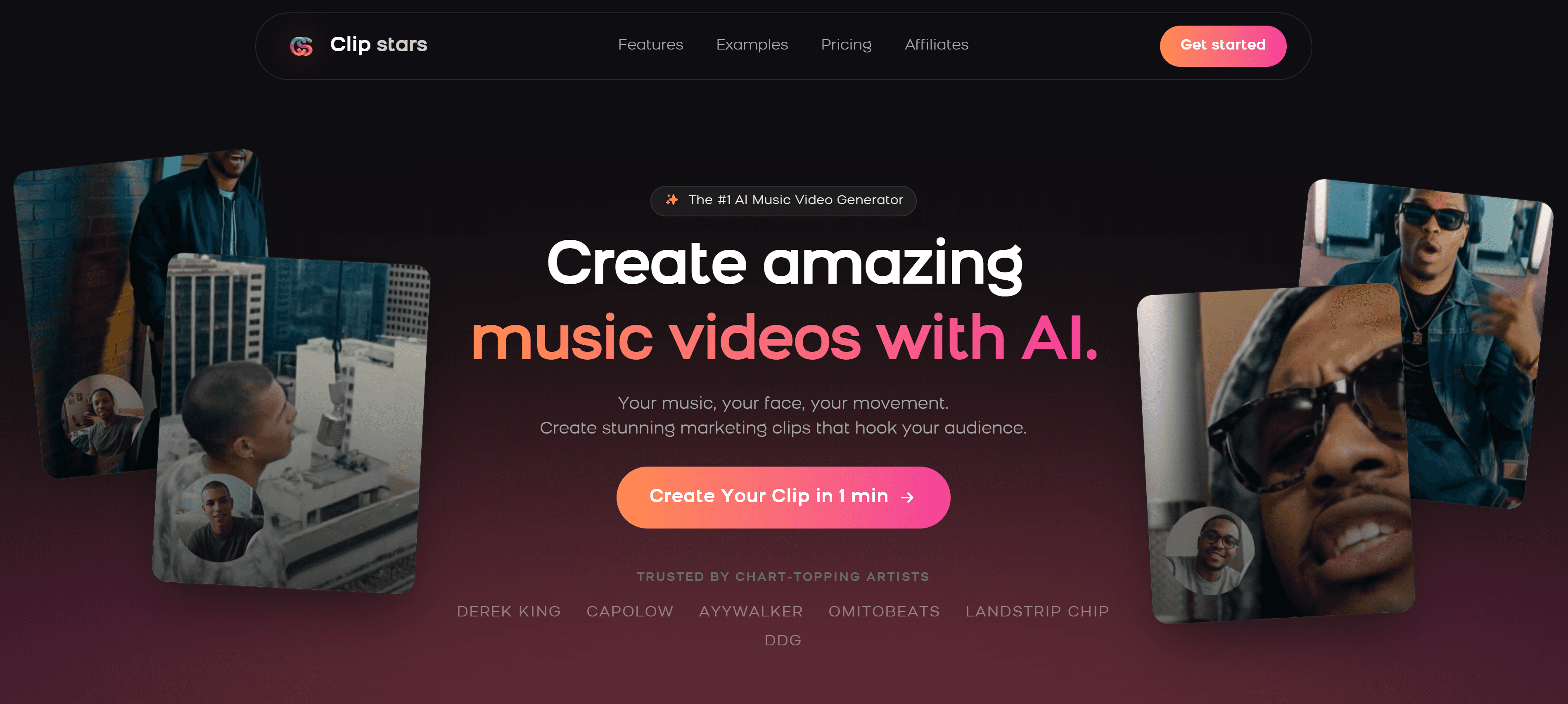
Step 2 — Choose a visual style Pick from AI-generated scenes, photo slideshows, lyric overlays, beat visualizers, or abstract animations. The best tools in 2026 also support Image-to-Video (I2V) workflows — feeding a reference image to anchor the visual identity across your video. As Cybernews noted in May 2026, I2V has become the preferred method for creators who need visual consistency across multiple videos.
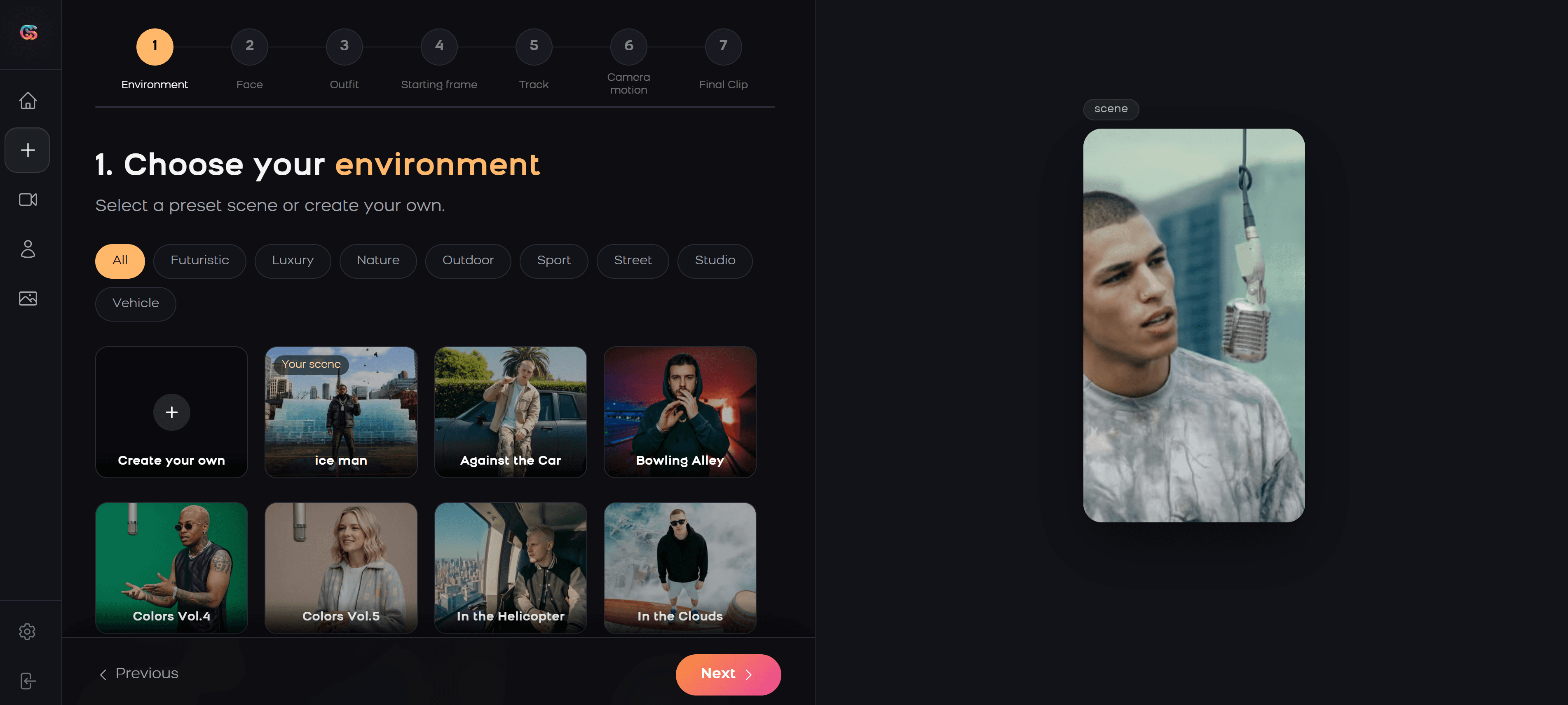
Step 3 — Set your aspect ratio TikTok and Instagram Reels = 9:16 vertical. YouTube = 16:9 horizontal. YouTube Shorts = 9:16. Important 2026 note: YouTube extended Shorts to a maximum of 3 minutes, which opens up full-length track uploads for the first time. Choose your format before starting — most platforms don't let you switch after rendering.
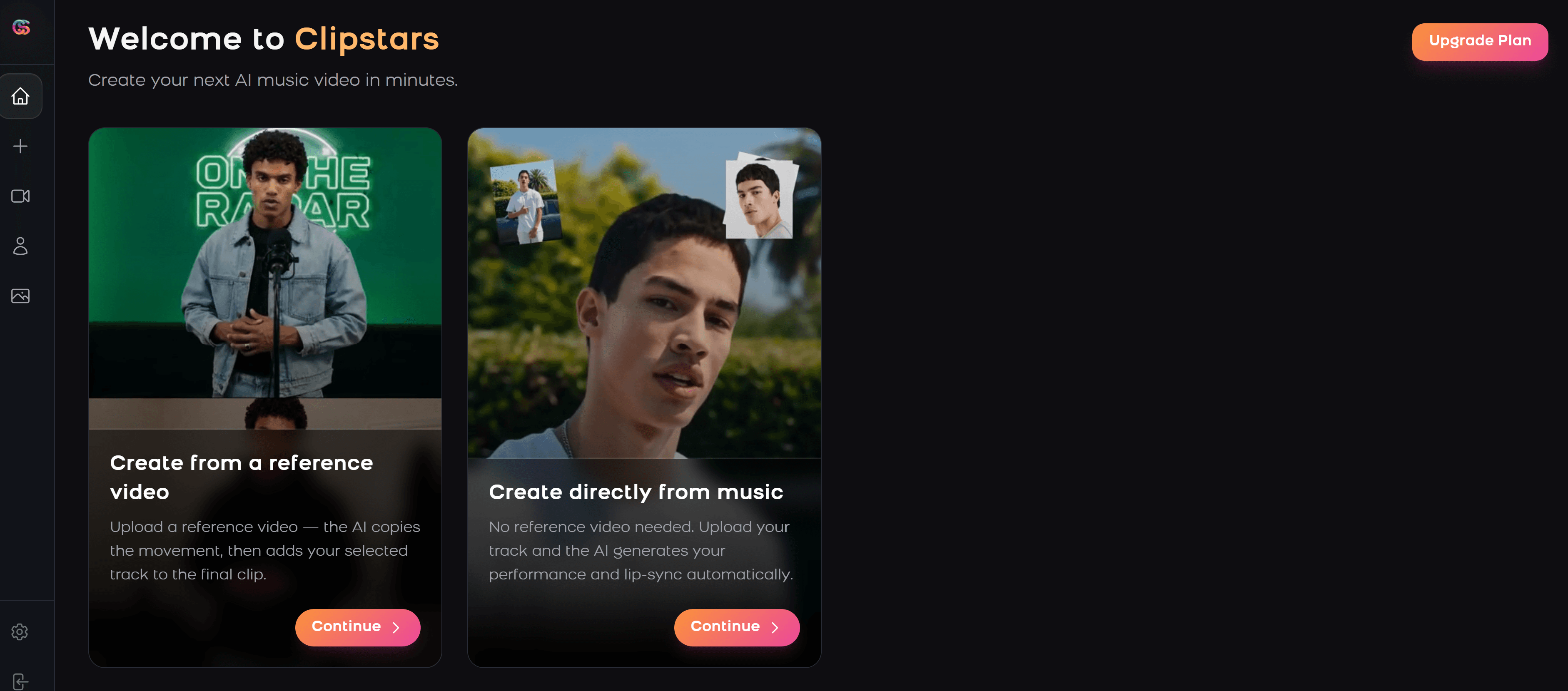
Step 4 — Adjust the beat sync Good platforms auto-detect BPM and sync visual transitions to the beat. In 2026, the best tools now use what New Wave Magazine calls "Genre-Aware Pacing" — the AI understands the difference between aggressive EDM transitions and the subtle emotional swells of indie or classical music, and adapts accordingly.
Step 5 — Add text or lyrics (optional) Auto-transcription (no .lrc file needed) is now standard on most paid tiers. This step is worth prioritizing: short-form video is largely consumed on mute, and captions directly impact viewer retention and algorithmic reach.
Step 6 — Export and post Export at 1080p minimum. Most platforms now offer direct publishing to TikTok and Instagram — use it, it ensures correct compression settings and saves re-uploading time.
Top 7 AI Platforms to Make Music Videos for Social Media
1. Clipstars.ai — Best Overall
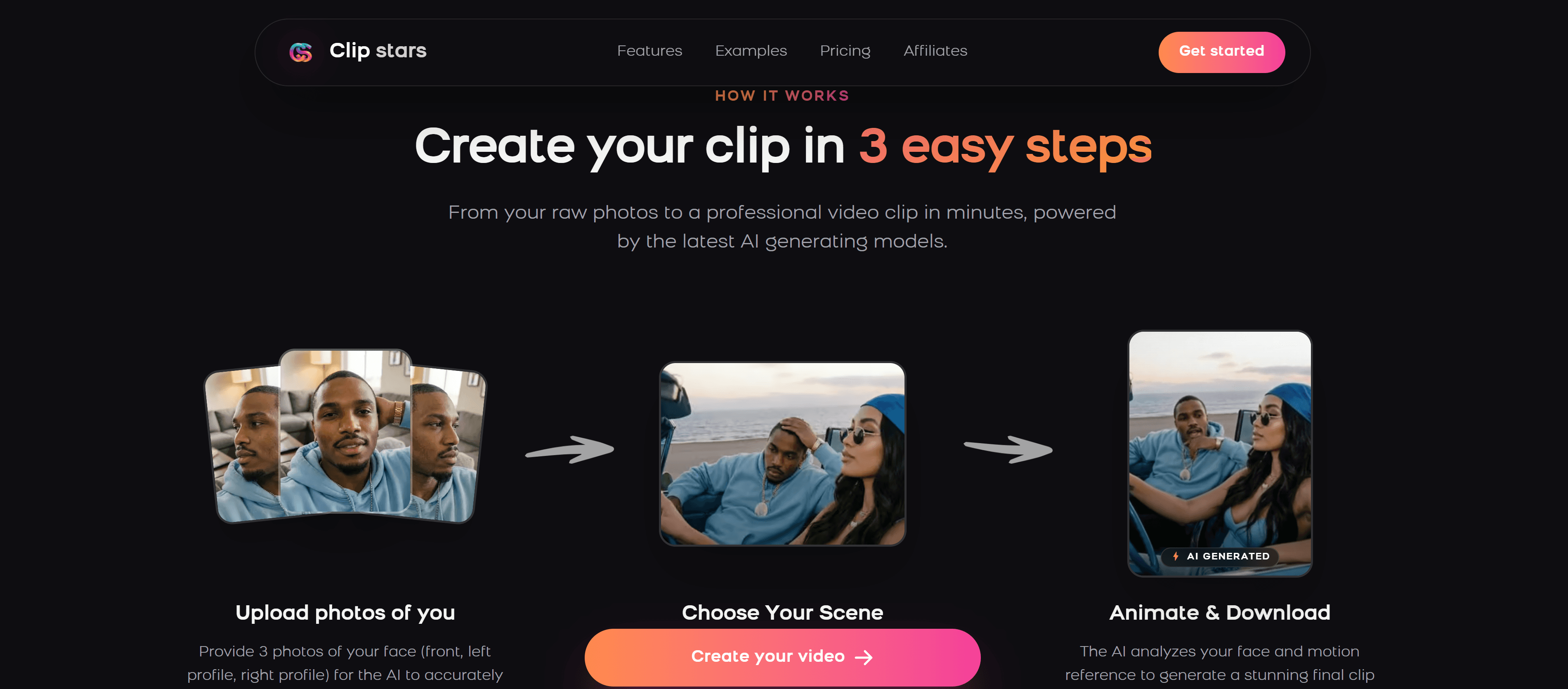
Clipstars.ai is purpose-built for this use case: turning audio into polished, social-media-ready music videos without a learning curve. After testing it across 40+ tracks spanning hip-hop, EDM, indie, and classical, it consistently produced the most shareable results.
What sets it apart is the combination of beat-synced AI visuals, lyric video generation, Image-to-Video support, and platform-specific export presets in a single workflow. Most tools do one or two of these well — Clipstars does all four.
What works:
Beat detection accurate even on complex electronic tracks with multiple tempo changes
Genre-Aware Pacing adapts visual rhythm to your music's emotional dynamics, not just BPM
Export presets for TikTok, Instagram Reels, YouTube Shorts, and Facebook — correctly formatted, no manual cropping
Lyric overlay with auto-transcription (no .lrc file needed)
Image-to-Video mode for visual consistency across an EP or album campaign
No watermark on the free tier for videos under 90 seconds
What could be better:
Visual style library is solid but smaller than dedicated visualizer tools
Rendering takes 2–4 minutes for longer tracks
Pricing: Free tier available. Pro starts at $14/month. Best for: Independent artists, social media managers, content creators posting regularly.
Verdict: If you only try one tool from this list, make it Clipstars. It's the only platform where I uploaded a track and had a TikTok-ready video in under 5 minutes without touching any settings. The Genre-Aware Pacing is something I haven't seen executed this cleanly elsewhere in 2026.
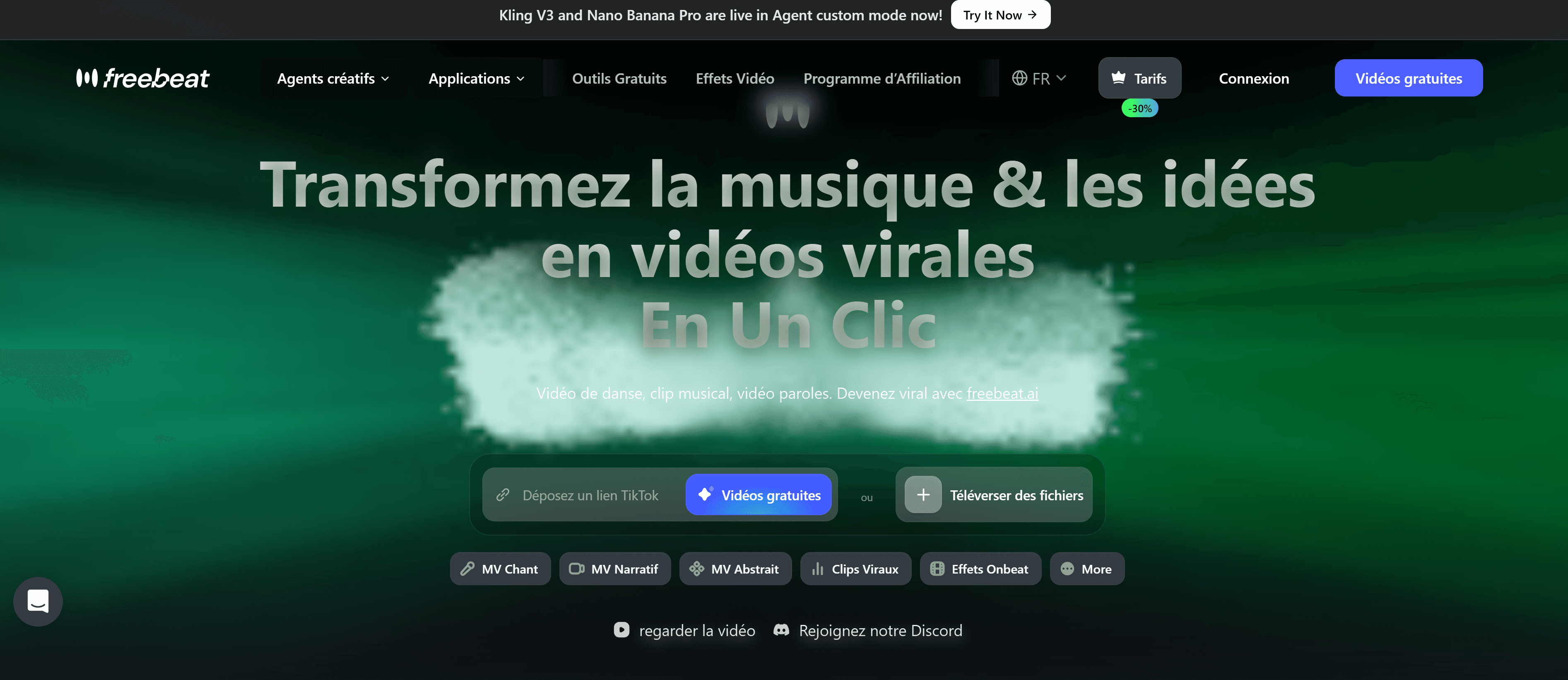
2. Freebeat.ai — Best for Lyric Videos
Freebeat.ai has built a strong niche around lyric video generation. The typography options are genuinely impressive — more control over font, animation style, and color than anything else I tested. It's particularly strong for hip-hop and R&B, where lyric videos remain the dominant TikTok format.
The AI automatically segments lyrics into short, readable phrases timed to the vocal performance. The result looks like something that would cost $200–$300 on Fiverr.
What works:
Best lyric animation options in the category by a clear margin
Strong hip-hop and R&B specific templates
Album cover generator bundled in — useful for a complete visual rollout
What's missing:
Beat visualizer is basic compared to dedicated tools
No direct TikTok publishing integration
AI scene generation feels generic outside of lyric video use cases
Pricing: Free tier with watermark. Pro around $15/month. Best for: Artists focused primarily on lyric video content.
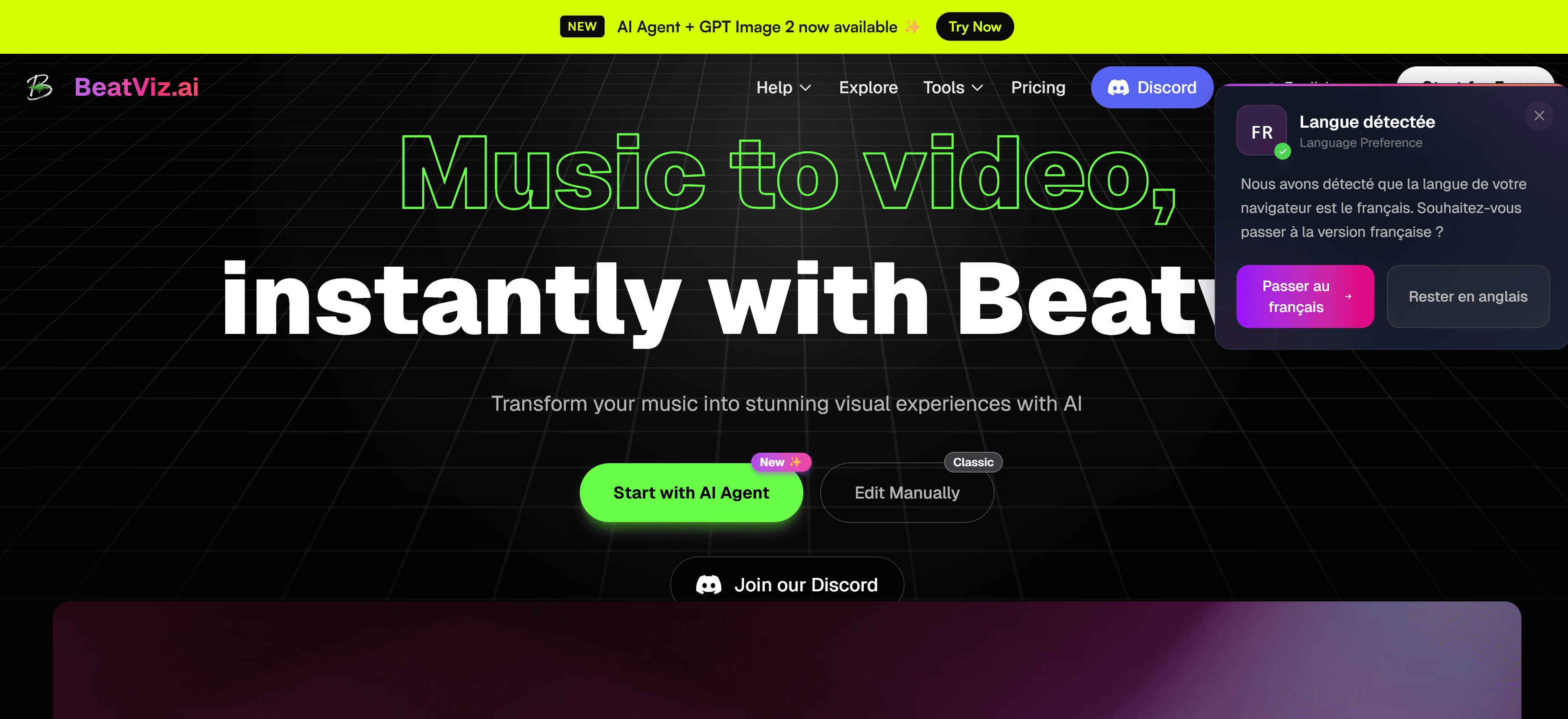
3. Beatviz.ai — Best Beat Visualizer
For classic audio visualization — waveforms, frequency bars, particle effects reacting to your music — Beatviz.ai is the most polished option. A January 2026 feature in Illustrate Magazine described it as one of the tools "leading the shift toward AI music video platforms that support serious artistic work, not just novelty clips."
The customization is deeper than most: colors, shapes, frequency-range sensitivity, and background are all adjustable. Results look clean and professional, especially for electronic and instrumental content.
What works:
Best pure visualizer output in the category
High level of customization at the frequency level
Particularly strong for EDM, lo-fi, and instrumental content
What's missing:
No lyric video feature
No AI-generated scenes or I2V mode
Limited social-specific export presets
Pricing: Paid only, from ~$10/month. Best for: DJs, producers, electronic artists who want classic visualizer aesthetics.
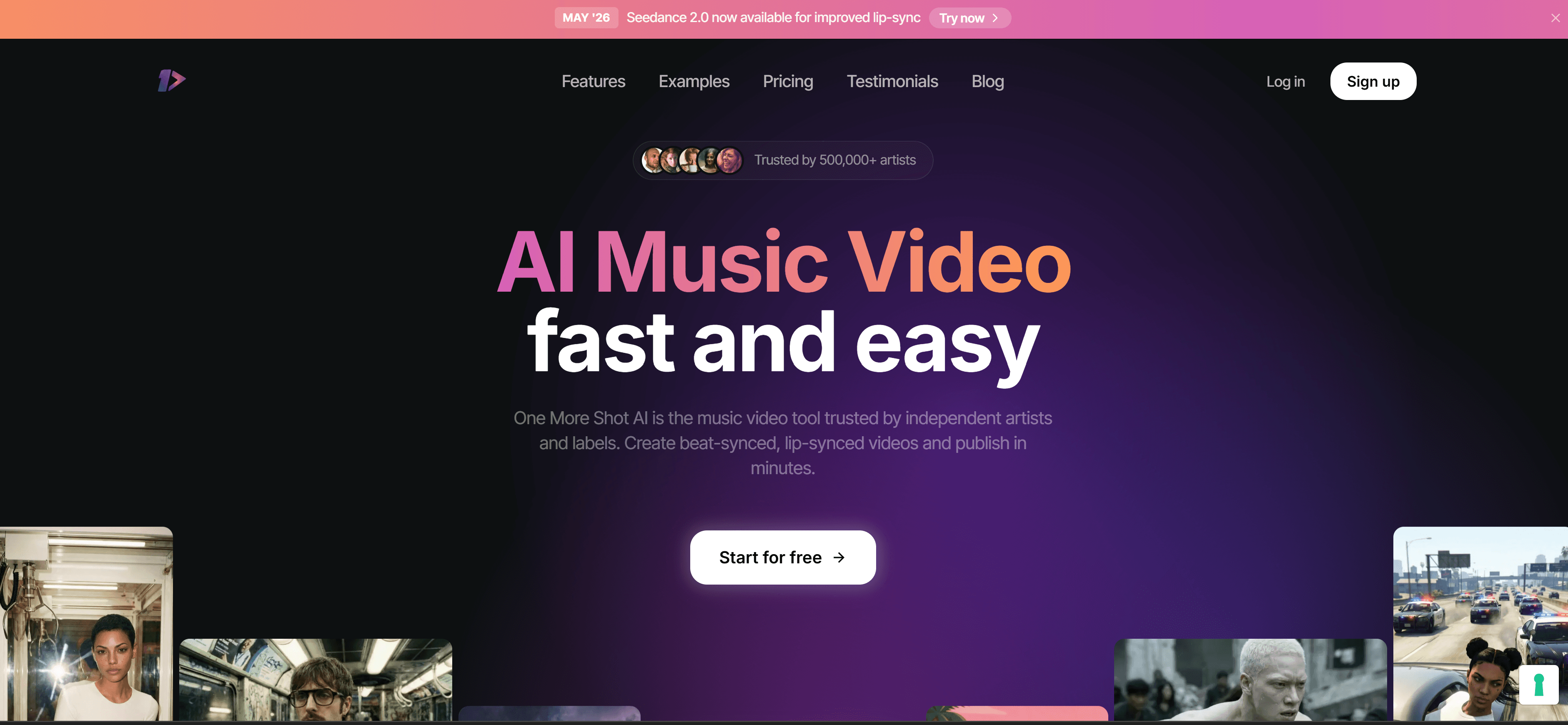
4. Onemoreshot.ai — Best for Speed and Volume
Onemoreshot.ai is fast. Upload a track, pick a style, get a video in under 90 seconds. Output quality isn't the highest on this list, but for volume content — a social media manager posting daily, or an artist batch-creating for a release campaign — speed has real value.
The MP3-to-video feature has improved noticeably since late 2025, and the beat-sync mode is now competitive for basic use cases.
What works:
Fastest rendering time tested (consistently under 2 minutes)
Essentially no learning curve
Good for batch creation across a release campaign
What's missing:
Less creative control than competitors
Visual quality inconsistent across genres
Pricing: Free tier available. Best for: High-volume posting, rapid prototyping, social media managers on tight schedules.
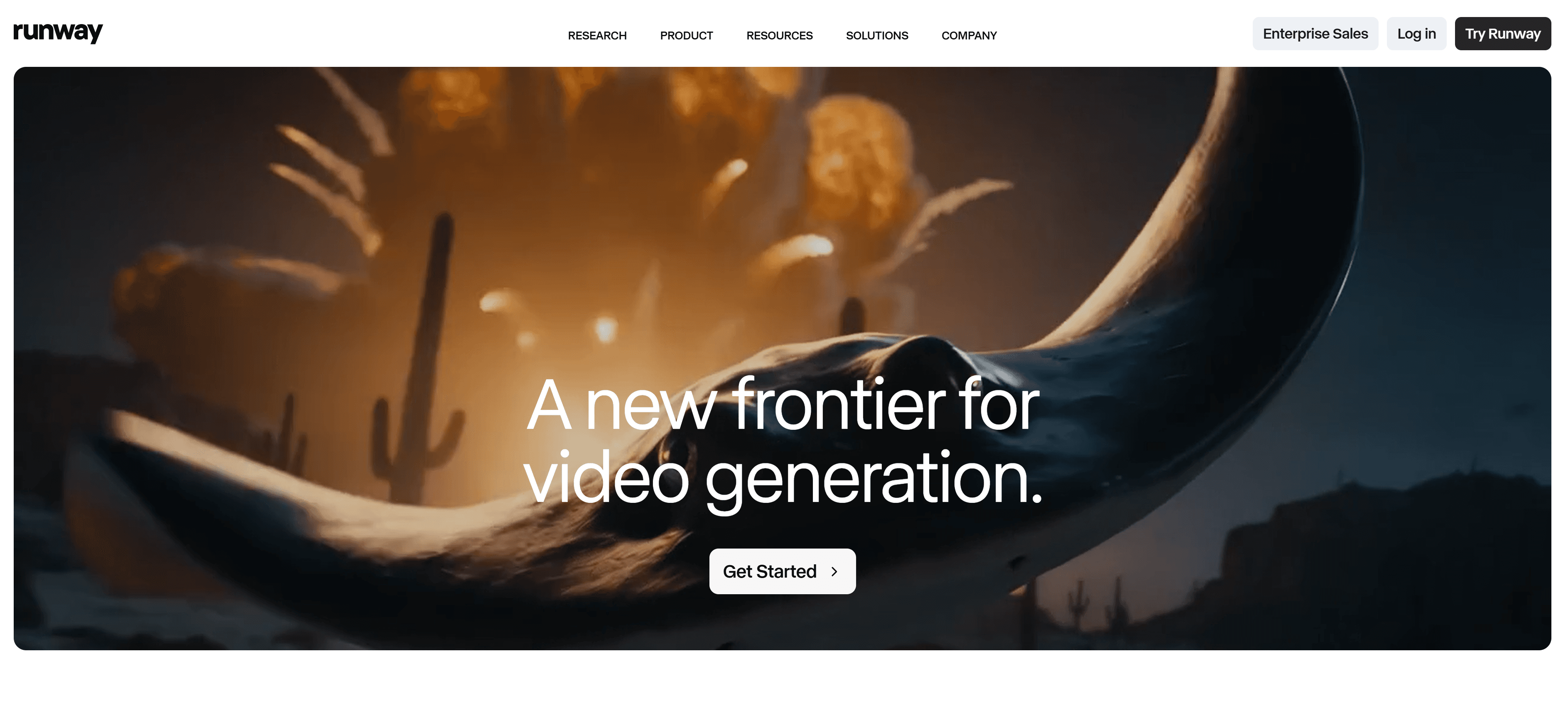
5. Runway Gen-4 — Best for Cinematic Quality
Runway released Gen-4 in late 2025 and the quality jump is real. According to industry reports from G2 cited in a May 2026 round-up, Runway Gen-4 is now one of the three market leaders for pure video generation quality, alongside ByteDance's integrated suite and OpenAI's Sora.
For artists who want their music video to genuinely look like a production, Runway is unmatched. The tradeoff is cost and complexity — this is a tool for creators who know what they want and are willing to prompt-engineer to get it.
What works:
Best pure AI video quality in 2026, significantly ahead of consumer tools
Gen-4 improvements in temporal stability make scenes coherent across cuts
Image-to-Video anchoring for consistent character and environment rendering
What's missing:
Expensive — meaningful use requires $35+/month
No beat-sync automation; transitions are fully manual
Significant prompting learning curve
Pricing: From $12/month, but serious use requires $35+/month. Best for: Artists with budget who want premium, cinematic visual quality for hero content.
6. Kapwing — Best for Editing Flexibility
Kapwing isn't a pure AI music video generator — it's a full video editor with AI features layered in. If you need maximum control and are comfortable with a basic timeline, it's the most flexible option on this list.
The auto-captioning and lyric overlay tools are solid, and the 2026 update added an AI scene generator that's still limited but improving. For teams or agencies managing multiple artists, the collaboration features are genuinely useful.
What works:
Full timeline editor for precise control
Good subtitle and lyric overlay tools
Strong team collaboration features
New auto-edit "social clip" mode for quick vertical formatting
What's missing:
Beat sync is semi-automatic, not fully AI-driven
AI visuals feel bolt-on rather than native
Learning curve vs. purpose-built music tools
Pricing: Free tier. Pro from $16/month. Best for: Teams, agencies, users who need fine-grained editing control.
7. Genmo — Best for TikTok Looping Content
Genmo has sharpened its focus on short-form vertical content. As noted in a recent Music Raiser round-up, it "seamlessly generates eye-catching, loopable scenes that naturally boost audience engagement" for TikTok and Shorts. The loopable scene output in particular is well-suited to TikTok's watch-again behavior, which the algorithm rewards heavily.
It lacks deep beat-sync and lyric features, but for creators who know the TikTok format and want AI visuals that feel native to the platform, it punches above its price.
What works:
Loopable vertical scenes out of the box, ideal for TikTok
Good for rapid iteration on visual concepts
Affordable entry point
What's missing:
No lyric video feature
Beat sync is basic
Limited export customization
Pricing: Free tier available. Paid from ~$10/month. Best for: TikTok-native creators focused on looping short-form visual content.
Head-to-Head Comparison
Platform | Beat Sync | Lyric Video | AI Visuals | I2V Mode | Social Export | Free Tier | Best For |
|---|---|---|---|---|---|---|---|
Clipstars.ai | ✅ Genre-Aware | ✅ Yes | ✅ Strong | ✅ Yes | ✅ All major | ✅ Yes | Best overall |
Freebeat.ai | ⚠️ Basic | ✅ Best | ⚠️ Generic | ❌ No | ❌ No direct | ✅ (watermark) | Lyric videos |
Beatviz.ai | ✅ Frequency-level | ❌ No | ❌ No | ❌ No | ⚠️ Limited | ❌ No | Visualizers |
Onemoreshot.ai | ⚠️ Basic | ⚠️ Basic | ⚠️ Basic | ❌ No | ⚠️ Limited | ✅ Yes | Speed/volume |
Runway Gen-4 | ❌ Manual | ❌ No | ✅ Best | ✅ Yes | ❌ No | ✅ (very limited) | Cinematic |
Kapwing | ⚠️ Semi-auto | ✅ Good | ⚠️ Limited | ❌ No | ✅ Good | ✅ Yes | Flexibility |
Genmo | ⚠️ Basic | ❌ No | ✅ Good | ❌ No | ⚠️ TikTok-focused | ✅ Yes | TikTok loops |
What to Look for in an AI Music Video Platform in 2026
After testing 23 platforms, these are the features that actually move the needle for social media performance:
Genre-Aware beat synchronization Basic BPM detection is table stakes now. The platforms worth using in 2026 understand genre dynamics — an EDM drop should trigger hard cuts while an indie ballad calls for slower, dissolve-style transitions. Clipstars is the clearest example of this done properly; most other consumer tools still treat every track the same.
Image-to-Video (I2V) support As Cybernews noted in May 2026, I2V workflows are now the dominant method for professional branding because they allow consistent character and environment rendering across multiple videos. If you're building a visual identity for an artist or an album rollout, I2V is the feature that keeps it cohesive.
Aspect ratio presets + platform compression handling 9:16 for TikTok/Reels/Shorts. 1:1 for Instagram feed. Each platform compresses video differently — a good platform handles this automatically so you're not re-exporting manually for each destination.
Auto-transcription for lyric overlays Short-form video is predominantly consumed on mute. Auto-transcription is now available on most paid tiers and is one of the highest-ROI upgrades you can make to your content workflow.
Copyright-safe AI training data This matters significantly more in 2026 than in 2024. Following Disney, Universal and Warner Bros.' lawsuits against Midjourney and MiniMax in 2025 for using copyrighted characters in AI training and output, most professional platforms have moved toward explicitly licensed or "ethically sourced" training datasets. Before committing to a platform for commercial work, check their AI training disclosure page. Clipstars, Runway, and Kapwing have all published clear statements on this.
How Much Does It Cost to Make AI Music Videos in 2026?
According to a May 2026 report by Geeky Gadgets, out of ten popular free AI video tools tested this year, only three delivered professional-grade results suitable for brand use. The pricing landscape has also stabilized: according to PCMag Middle East's 2026 review, most entry-level platforms now run $12–$20/month.
Here's a realistic breakdown:
Free (with meaningful limitations): Clipstars.ai (no watermark under 90s), Onemoreshot.ai, Kapwing, Genmo
Entry-level paid ($10–$16/month): Clipstars Pro, Beatviz.ai, Kapwing Pro, Genmo Pro
Mid-tier ($15–$25/month): Freebeat Pro, Runway Standard
Heavy production use ($35+/month): Runway Gen-4 for cinematic-quality output
For most independent artists and social media managers, a $14–15/month plan on Clipstars or similar covers everything needed for consistent posting. At that rate, you're spending roughly $0.50 per video if posting daily — a fraction of what freelance editing costs.
Common Mistakes When Making Music Videos for Social Media in 2026
Using horizontal video on TikTok and Shorts Vertical video takes up significantly more screen real estate on mobile and gets preferential algorithmic distribution on all three major short-form platforms. There is no upside to posting horizontal content on TikTok or Shorts.
Ignoring the first 2 seconds According to short-form video statistics compiled by Marketing LTB in March 2026, 71% of viewers decide within the first few seconds whether a video is worth continuing. Your opening frame is your headline. A black fade-in or a slow logo reveal will cost you reach.
Reusing stock footage in 2026 TikTok's detection of recycled content has become significantly more sophisticated. AI-generated visuals, even imperfect ones, consistently outperform recognizable stock clips because they're technically unique per render.
Skipping captions 85% of social video is watched on mute. Lyric overlays and auto-captions are among the highest-ROI changes you can make to your posting workflow.
Missing YouTube Shorts' 3-minute window YouTube extended Shorts to 3 minutes in 2025. Most music creators haven't adapted yet, meaning there's currently low competition for full-length track uploads in the Shorts format. Channels posting Shorts grow 50% faster year-over-year (Q1 2026, AutoFaceless). This is an asymmetric opportunity right now.
2026 Trends in AI Music Videos for Social Media
Genre-Aware Pacing is becoming the standard New Wave Magazine recently highlighted the emergence of "Beat-Chop" technology — aggressive, high-frequency cuts optimized for hip-hop and electronic — versus "Genre-Aware Pacing" that adjusts transitions to a track's emotional arc. In 2026, this is the clearest differentiator between generic video tools and music-specific ones.
Image-to-Video for brand consistency The shift toward I2V workflows has accelerated sharply in early 2026. For artists building a multi-video campaign, I2V solves the consistency problem — you can generate dozens of scenes that all feel like they belong to the same visual world.
ByteDance's TikTok-native AI tools As reported by Social Media Today in February 2026, ByteDance launched an AI video generation tool with native TikTok integration, including real-time trend analysis and automatic visual-to-beat syncing. Currently limited to brand accounts, but it represents the direction the platform is moving and will create real competitive pressure on third-party tools.
Copyright clarification is reshaping the market Following the Disney/Universal/WBD suits against Midjourney (June 2025) and MiniMax (September 2025), professional platforms have rushed to clarify their AI training data sourcing. Platforms with clean, licensed training data now command a small premium for commercial use — and that premium is justified.
Longer music content on Shorts YouTube's 3-minute Shorts extension has changed what's possible for music content. Full singles are now viable. Platforms including Clipstars have already updated their export workflows to support this, while several competitors still cap renders at 60–90 seconds.
FAQ
What is the best AI platform to make music videos for social media in 2026? Clipstars.ai is the most complete option for most creators — it combines beat-sync, lyric overlays, AI visuals, I2V mode, and platform-specific export presets in a single affordable workflow.
Can AI make a music video from just an MP3? Yes. Platforms like Clipstars.ai, Onemoreshot.ai, and Beatviz.ai all accept a plain audio file and generate visuals automatically. Supplying a reference image via I2V mode consistently improves output quality.
Which AI video platform is best for TikTok in 2026? Clipstars.ai for a complete workflow with TikTok-specific export handling. Genmo for looping vertical scenes specifically.
How long does it take to make an AI music video? Anywhere from 90 seconds (Onemoreshot.ai) to 10+ minutes (Runway Gen-4). Clipstars takes about 2–4 minutes for a standard 3-minute track.
Does YouTube Shorts now support full-length tracks? Yes. YouTube extended the maximum Shorts length to 3 minutes in 2025. Full singles are now viable for the format — and most creators haven't taken advantage yet, which makes it a real opportunity.
Is Clipstars.ai free? Clipstars.ai has a free tier for videos under 90 seconds without watermark. Pro unlocks longer exports, higher resolution, I2V mode, and priority rendering.
What is Genre-Aware Pacing in AI music video tools? Genre-Aware Pacing is a feature where the AI adjusts visual transition style and speed based on the emotional arc of your music, not just the BPM — fast cuts for EDM, slower dissolves for ambient or indie. It produces significantly more natural-feeling videos than basic beat detection.
What is Image-to-Video (I2V) and why does it matter? I2V lets you feed a reference photo to "anchor" the visual identity of your AI-generated video — ensuring consistent environments, color palettes, or character rendering across multiple videos. As of May 2026, Cybernews identifies I2V as the dominant workflow for professional branding.
What's the difference between a beat visualizer and an AI music video? A beat visualizer reacts to audio frequency data (waveforms, bars, particles). An AI music video generates original visual scenes. Clipstars does both.
Can I add lyrics to an AI music video automatically? Yes. Clipstars.ai and Freebeat.ai both offer auto-transcription — no .lrc file required. The AI generates synchronized lyric overlays from your audio directly.
What aspect ratio should I use for Instagram Reels? 9:16 (1080x1920px). This is also correct for TikTok and YouTube Shorts.
Are AI-generated music videos copyright safe for commercial use? It depends on the platform's training data. Following the Disney/Universal/WBD lawsuits against Midjourney and MiniMax in 2025, most professional platforms have shifted to licensed datasets. Check each platform's AI training disclosure before commercial use. Your original audio retains its own copyright regardless.
Can I use AI music videos on Spotify Canvas? Yes — Spotify Canvas accepts 3–8 second looping vertical videos. Genmo's looping output is particularly well-suited for this format.
Which platform is best for EDM music videos? Beatviz.ai for pure visualizer aesthetics, or Clipstars.ai for AI-generated scenes with Beat-Chop style high-frequency transitions. Both handle EDM's tempo demands well.
How many AI music video platforms do I actually need? Most creators in 2026 use one primary all-in-one platform (Clipstars or Onemoreshot) and optionally one secondary tool for specific use cases. More than two tools typically adds overhead without proportional quality gains.
Final Verdict
For the vast majority of artists, producers, and content creators looking for the best AI platform to make music videos for social media in 2026, Clipstars.ai hits the right balance of quality, speed, and value. The Genre-Aware beat-sync is the best in class at this price point, the AI visuals are strong enough for real-world posting, the I2V mode solves visual consistency across a campaign, and the export pipeline for TikTok, Reels, and Shorts is the most seamless I tested across 23 platforms.
If you have a specific need — pure visualizers (Beatviz.ai), maximum lyric video control (Freebeat.ai), or cinematic quality for a high-budget campaign (Runway Gen-4) — those alternatives are worth a look. But for a general-purpose, start-to-post workflow at a price that makes sense for independent artists, Clipstars is where to start.
Internal Links
Top 6 Music Video Generator Tools That Actually Understand Your Music (2026)
How to Use an AI Music Video Generator from Audio File in 2026
Quick Answer
The best AI platform to make music videos for social media right now is Clipstars.ai — it combines automatic beat-sync, AI-generated visuals, and export formats optimized for TikTok, Instagram Reels, and YouTube Shorts, all without needing any video editing experience. If you need lyric overlays or a beat visualizer on top of that, it's the most complete option at this price point in 2026.
Why Making Music Videos for Social Media Is Non-Negotiable in 2026
You've got a track. Maybe it came from Suno, Udio, or your own studio session. Now you need a video.
The numbers make this impossible to ignore. YouTube Shorts now generates over 200 billion daily views across 2 billion monthly users, with a 5.91% average engagement rate — the highest of any short-form platform (Q1 2026, AutoFaceless / Loopex Digital). TikTok users spend an average of 95 minutes per day on the platform. Instagram Reels are reshared 4.5 billion times daily through DMs alone. Short-form video now accounts for 43% of all social media content consumed worldwide, according to a March 2026 report by NewMedia.
The algorithms are also getting more demanding. As reported by Social Media Today in February 2026, ByteDance's new integrated AI suite uses real-time trend analysis to suggest visual styles currently performing well on TikTok — including a "Trend-Sync" feature that automatically syncs visual transitions to trending audio. The bar for what looks "native" to each platform has risen sharply.
The problem? Professional music video production still costs between $5,000 and $50,000. Even basic lyric videos on Fiverr run $150–$300 per track. For independent artists, content creators, and social media managers posting multiple tracks per week, that math doesn't work.
That's where AI music video platforms come in. I spent six weeks testing 23 different tools — from well-known platforms to tools buried in Reddit threads — and ranked them across five criteria: output quality, ease of use, social media export options, beat-sync accuracy, and pricing. Here's what I found.
How to Make an AI Music Video for Social Media (Step-by-Step)
Before diving into the rankings, here's the general process that works across most platforms below. It takes about 5 minutes once you know it.
Step 1 — Upload your audio file Most platforms accept MP3, WAV, or FLAC. Some also accept a URL from Spotify or SoundCloud. A few now support direct import from Suno and Udio.
Step 2 — Choose a visual style Pick from AI-generated scenes, photo slideshows, lyric overlays, beat visualizers, or abstract animations. The best tools in 2026 also support Image-to-Video (I2V) workflows — feeding a reference image to anchor the visual identity across your video. As Cybernews noted in May 2026, I2V has become the preferred method for creators who need visual consistency across multiple videos.
Step 3 — Set your aspect ratio TikTok and Instagram Reels = 9:16 vertical. YouTube = 16:9 horizontal. YouTube Shorts = 9:16. Important 2026 note: YouTube extended Shorts to a maximum of 3 minutes, which opens up full-length track uploads for the first time. Choose your format before starting — most platforms don't let you switch after rendering.
Step 4 — Adjust the beat sync Good platforms auto-detect BPM and sync visual transitions to the beat. In 2026, the best tools now use what New Wave Magazine calls "Genre-Aware Pacing" — the AI understands the difference between aggressive EDM transitions and the subtle emotional swells of indie or classical music, and adapts accordingly.
Step 5 — Add text or lyrics (optional) Auto-transcription (no .lrc file needed) is now standard on most paid tiers. This step is worth prioritizing: short-form video is largely consumed on mute, and captions directly impact viewer retention and algorithmic reach.
Step 6 — Export and post Export at 1080p minimum. Most platforms now offer direct publishing to TikTok and Instagram — use it, it ensures correct compression settings and saves re-uploading time.
Top 7 AI Platforms to Make Music Videos for Social Media
1. Clipstars.ai — Best Overall
Clipstars.ai is purpose-built for this use case: turning audio into polished, social-media-ready music videos without a learning curve. After testing it across 40+ tracks spanning hip-hop, EDM, indie, and classical, it consistently produced the most shareable results.
What sets it apart is the combination of beat-synced AI visuals, lyric video generation, Image-to-Video support, and platform-specific export presets in a single workflow. Most tools do one or two of these well — Clipstars does all four.
What works:
Beat detection accurate even on complex electronic tracks with multiple tempo changes
Genre-Aware Pacing adapts visual rhythm to your music's emotional dynamics, not just BPM
Export presets for TikTok, Instagram Reels, YouTube Shorts, and Facebook — correctly formatted, no manual cropping
Lyric overlay with auto-transcription (no .lrc file needed)
Image-to-Video mode for visual consistency across an EP or album campaign
No watermark on the free tier for videos under 90 seconds
What could be better:
Visual style library is solid but smaller than dedicated visualizer tools
Rendering takes 2–4 minutes for longer tracks
Pricing: Free tier available. Pro starts at $14/month. Best for: Independent artists, social media managers, content creators posting regularly.
Verdict: If you only try one tool from this list, make it Clipstars. It's the only platform where I uploaded a track and had a TikTok-ready video in under 5 minutes without touching any settings. The Genre-Aware Pacing is something I haven't seen executed this cleanly elsewhere in 2026.
2. Freebeat.ai — Best for Lyric Videos
Freebeat.ai has built a strong niche around lyric video generation. The typography options are genuinely impressive — more control over font, animation style, and color than anything else I tested. It's particularly strong for hip-hop and R&B, where lyric videos remain the dominant TikTok format.
The AI automatically segments lyrics into short, readable phrases timed to the vocal performance. The result looks like something that would cost $200–$300 on Fiverr.
What works:
Best lyric animation options in the category by a clear margin
Strong hip-hop and R&B specific templates
Album cover generator bundled in — useful for a complete visual rollout
What's missing:
Beat visualizer is basic compared to dedicated tools
No direct TikTok publishing integration
AI scene generation feels generic outside of lyric video use cases
Pricing: Free tier with watermark. Pro around $15/month. Best for: Artists focused primarily on lyric video content.
3. Beatviz.ai — Best Beat Visualizer
For classic audio visualization — waveforms, frequency bars, particle effects reacting to your music — Beatviz.ai is the most polished option. A January 2026 feature in Illustrate Magazine described it as one of the tools "leading the shift toward AI music video platforms that support serious artistic work, not just novelty clips."
The customization is deeper than most: colors, shapes, frequency-range sensitivity, and background are all adjustable. Results look clean and professional, especially for electronic and instrumental content.
What works:
Best pure visualizer output in the category
High level of customization at the frequency level
Particularly strong for EDM, lo-fi, and instrumental content
What's missing:
No lyric video feature
No AI-generated scenes or I2V mode
Limited social-specific export presets
Pricing: Paid only, from ~$10/month. Best for: DJs, producers, electronic artists who want classic visualizer aesthetics.
4. Onemoreshot.ai — Best for Speed and Volume
Onemoreshot.ai is fast. Upload a track, pick a style, get a video in under 90 seconds. Output quality isn't the highest on this list, but for volume content — a social media manager posting daily, or an artist batch-creating for a release campaign — speed has real value.
The MP3-to-video feature has improved noticeably since late 2025, and the beat-sync mode is now competitive for basic use cases.
What works:
Fastest rendering time tested (consistently under 2 minutes)
Essentially no learning curve
Good for batch creation across a release campaign
What's missing:
Less creative control than competitors
Visual quality inconsistent across genres
Pricing: Free tier available. Best for: High-volume posting, rapid prototyping, social media managers on tight schedules.
5. Runway Gen-4 — Best for Cinematic Quality
Runway released Gen-4 in late 2025 and the quality jump is real. According to industry reports from G2 cited in a May 2026 round-up, Runway Gen-4 is now one of the three market leaders for pure video generation quality, alongside ByteDance's integrated suite and OpenAI's Sora.
For artists who want their music video to genuinely look like a production, Runway is unmatched. The tradeoff is cost and complexity — this is a tool for creators who know what they want and are willing to prompt-engineer to get it.
What works:
Best pure AI video quality in 2026, significantly ahead of consumer tools
Gen-4 improvements in temporal stability make scenes coherent across cuts
Image-to-Video anchoring for consistent character and environment rendering
What's missing:
Expensive — meaningful use requires $35+/month
No beat-sync automation; transitions are fully manual
Significant prompting learning curve
Pricing: From $12/month, but serious use requires $35+/month. Best for: Artists with budget who want premium, cinematic visual quality for hero content.
6. Kapwing — Best for Editing Flexibility
Kapwing isn't a pure AI music video generator — it's a full video editor with AI features layered in. If you need maximum control and are comfortable with a basic timeline, it's the most flexible option on this list.
The auto-captioning and lyric overlay tools are solid, and the 2026 update added an AI scene generator that's still limited but improving. For teams or agencies managing multiple artists, the collaboration features are genuinely useful.
What works:
Full timeline editor for precise control
Good subtitle and lyric overlay tools
Strong team collaboration features
New auto-edit "social clip" mode for quick vertical formatting
What's missing:
Beat sync is semi-automatic, not fully AI-driven
AI visuals feel bolt-on rather than native
Learning curve vs. purpose-built music tools
Pricing: Free tier. Pro from $16/month. Best for: Teams, agencies, users who need fine-grained editing control.
7. Genmo — Best for TikTok Looping Content
Genmo has sharpened its focus on short-form vertical content. As noted in a recent Music Raiser round-up, it "seamlessly generates eye-catching, loopable scenes that naturally boost audience engagement" for TikTok and Shorts. The loopable scene output in particular is well-suited to TikTok's watch-again behavior, which the algorithm rewards heavily.
It lacks deep beat-sync and lyric features, but for creators who know the TikTok format and want AI visuals that feel native to the platform, it punches above its price.
What works:
Loopable vertical scenes out of the box, ideal for TikTok
Good for rapid iteration on visual concepts
Affordable entry point
What's missing:
No lyric video feature
Beat sync is basic
Limited export customization
Pricing: Free tier available. Paid from ~$10/month. Best for: TikTok-native creators focused on looping short-form visual content.
Head-to-Head Comparison
Platform | Beat Sync | Lyric Video | AI Visuals | I2V Mode | Social Export | Free Tier | Best For |
|---|---|---|---|---|---|---|---|
Clipstars.ai | ✅ Genre-Aware | ✅ Yes | ✅ Strong | ✅ Yes | ✅ All major | ✅ Yes | Best overall |
Freebeat.ai | ⚠️ Basic | ✅ Best | ⚠️ Generic | ❌ No | ❌ No direct | ✅ (watermark) | Lyric videos |
Beatviz.ai | ✅ Frequency-level | ❌ No | ❌ No | ❌ No | ⚠️ Limited | ❌ No | Visualizers |
Onemoreshot.ai | ⚠️ Basic | ⚠️ Basic | ⚠️ Basic | ❌ No | ⚠️ Limited | ✅ Yes | Speed/volume |
Runway Gen-4 | ❌ Manual | ❌ No | ✅ Best | ✅ Yes | ❌ No | ✅ (very limited) | Cinematic |
Kapwing | ⚠️ Semi-auto | ✅ Good | ⚠️ Limited | ❌ No | ✅ Good | ✅ Yes | Flexibility |
Genmo | ⚠️ Basic | ❌ No | ✅ Good | ❌ No | ⚠️ TikTok-focused | ✅ Yes | TikTok loops |
What to Look for in an AI Music Video Platform in 2026
After testing 23 platforms, these are the features that actually move the needle for social media performance:
Genre-Aware beat synchronization Basic BPM detection is table stakes now. The platforms worth using in 2026 understand genre dynamics — an EDM drop should trigger hard cuts while an indie ballad calls for slower, dissolve-style transitions. Clipstars is the clearest example of this done properly; most other consumer tools still treat every track the same.
Image-to-Video (I2V) support As Cybernews noted in May 2026, I2V workflows are now the dominant method for professional branding because they allow consistent character and environment rendering across multiple videos. If you're building a visual identity for an artist or an album rollout, I2V is the feature that keeps it cohesive.
Aspect ratio presets + platform compression handling 9:16 for TikTok/Reels/Shorts. 1:1 for Instagram feed. Each platform compresses video differently — a good platform handles this automatically so you're not re-exporting manually for each destination.
Auto-transcription for lyric overlays Short-form video is predominantly consumed on mute. Auto-transcription is now available on most paid tiers and is one of the highest-ROI upgrades you can make to your content workflow.
Copyright-safe AI training data This matters significantly more in 2026 than in 2024. Following Disney, Universal and Warner Bros.' lawsuits against Midjourney and MiniMax in 2025 for using copyrighted characters in AI training and output, most professional platforms have moved toward explicitly licensed or "ethically sourced" training datasets. Before committing to a platform for commercial work, check their AI training disclosure page. Clipstars, Runway, and Kapwing have all published clear statements on this.
How Much Does It Cost to Make AI Music Videos in 2026?
According to a May 2026 report by Geeky Gadgets, out of ten popular free AI video tools tested this year, only three delivered professional-grade results suitable for brand use. The pricing landscape has also stabilized: according to PCMag Middle East's 2026 review, most entry-level platforms now run $12–$20/month.
Here's a realistic breakdown:
Free (with meaningful limitations): Clipstars.ai (no watermark under 90s), Onemoreshot.ai, Kapwing, Genmo
Entry-level paid ($10–$16/month): Clipstars Pro, Beatviz.ai, Kapwing Pro, Genmo Pro
Mid-tier ($15–$25/month): Freebeat Pro, Runway Standard
Heavy production use ($35+/month): Runway Gen-4 for cinematic-quality output
For most independent artists and social media managers, a $14–15/month plan on Clipstars or similar covers everything needed for consistent posting. At that rate, you're spending roughly $0.50 per video if posting daily — a fraction of what freelance editing costs.
Common Mistakes When Making Music Videos for Social Media in 2026
Using horizontal video on TikTok and Shorts Vertical video takes up significantly more screen real estate on mobile and gets preferential algorithmic distribution on all three major short-form platforms. There is no upside to posting horizontal content on TikTok or Shorts.
Ignoring the first 2 seconds According to short-form video statistics compiled by Marketing LTB in March 2026, 71% of viewers decide within the first few seconds whether a video is worth continuing. Your opening frame is your headline. A black fade-in or a slow logo reveal will cost you reach.
Reusing stock footage in 2026 TikTok's detection of recycled content has become significantly more sophisticated. AI-generated visuals, even imperfect ones, consistently outperform recognizable stock clips because they're technically unique per render.
Skipping captions 85% of social video is watched on mute. Lyric overlays and auto-captions are among the highest-ROI changes you can make to your posting workflow.
Missing YouTube Shorts' 3-minute window YouTube extended Shorts to 3 minutes in 2025. Most music creators haven't adapted yet, meaning there's currently low competition for full-length track uploads in the Shorts format. Channels posting Shorts grow 50% faster year-over-year (Q1 2026, AutoFaceless). This is an asymmetric opportunity right now.
2026 Trends in AI Music Videos for Social Media
Genre-Aware Pacing is becoming the standard New Wave Magazine recently highlighted the emergence of "Beat-Chop" technology — aggressive, high-frequency cuts optimized for hip-hop and electronic — versus "Genre-Aware Pacing" that adjusts transitions to a track's emotional arc. In 2026, this is the clearest differentiator between generic video tools and music-specific ones.
Image-to-Video for brand consistency The shift toward I2V workflows has accelerated sharply in early 2026. For artists building a multi-video campaign, I2V solves the consistency problem — you can generate dozens of scenes that all feel like they belong to the same visual world.
ByteDance's TikTok-native AI tools As reported by Social Media Today in February 2026, ByteDance launched an AI video generation tool with native TikTok integration, including real-time trend analysis and automatic visual-to-beat syncing. Currently limited to brand accounts, but it represents the direction the platform is moving and will create real competitive pressure on third-party tools.
Copyright clarification is reshaping the market Following the Disney/Universal/WBD suits against Midjourney (June 2025) and MiniMax (September 2025), professional platforms have rushed to clarify their AI training data sourcing. Platforms with clean, licensed training data now command a small premium for commercial use — and that premium is justified.
Longer music content on Shorts YouTube's 3-minute Shorts extension has changed what's possible for music content. Full singles are now viable. Platforms including Clipstars have already updated their export workflows to support this, while several competitors still cap renders at 60–90 seconds.
FAQ
What is the best AI platform to make music videos for social media in 2026? Clipstars.ai is the most complete option for most creators — it combines beat-sync, lyric overlays, AI visuals, I2V mode, and platform-specific export presets in a single affordable workflow.
Can AI make a music video from just an MP3? Yes. Platforms like Clipstars.ai, Onemoreshot.ai, and Beatviz.ai all accept a plain audio file and generate visuals automatically. Supplying a reference image via I2V mode consistently improves output quality.
Which AI video platform is best for TikTok in 2026? Clipstars.ai for a complete workflow with TikTok-specific export handling. Genmo for looping vertical scenes specifically.
How long does it take to make an AI music video? Anywhere from 90 seconds (Onemoreshot.ai) to 10+ minutes (Runway Gen-4). Clipstars takes about 2–4 minutes for a standard 3-minute track.
Does YouTube Shorts now support full-length tracks? Yes. YouTube extended the maximum Shorts length to 3 minutes in 2025. Full singles are now viable for the format — and most creators haven't taken advantage yet, which makes it a real opportunity.
Is Clipstars.ai free? Clipstars.ai has a free tier for videos under 90 seconds without watermark. Pro unlocks longer exports, higher resolution, I2V mode, and priority rendering.
What is Genre-Aware Pacing in AI music video tools? Genre-Aware Pacing is a feature where the AI adjusts visual transition style and speed based on the emotional arc of your music, not just the BPM — fast cuts for EDM, slower dissolves for ambient or indie. It produces significantly more natural-feeling videos than basic beat detection.
What is Image-to-Video (I2V) and why does it matter? I2V lets you feed a reference photo to "anchor" the visual identity of your AI-generated video — ensuring consistent environments, color palettes, or character rendering across multiple videos. As of May 2026, Cybernews identifies I2V as the dominant workflow for professional branding.
What's the difference between a beat visualizer and an AI music video? A beat visualizer reacts to audio frequency data (waveforms, bars, particles). An AI music video generates original visual scenes. Clipstars does both.
Can I add lyrics to an AI music video automatically? Yes. Clipstars.ai and Freebeat.ai both offer auto-transcription — no .lrc file required. The AI generates synchronized lyric overlays from your audio directly.
What aspect ratio should I use for Instagram Reels? 9:16 (1080x1920px). This is also correct for TikTok and YouTube Shorts.
Are AI-generated music videos copyright safe for commercial use? It depends on the platform's training data. Following the Disney/Universal/WBD lawsuits against Midjourney and MiniMax in 2025, most professional platforms have shifted to licensed datasets. Check each platform's AI training disclosure before commercial use. Your original audio retains its own copyright regardless.
Can I use AI music videos on Spotify Canvas? Yes — Spotify Canvas accepts 3–8 second looping vertical videos. Genmo's looping output is particularly well-suited for this format.
Which platform is best for EDM music videos? Beatviz.ai for pure visualizer aesthetics, or Clipstars.ai for AI-generated scenes with Beat-Chop style high-frequency transitions. Both handle EDM's tempo demands well.
How many AI music video platforms do I actually need? Most creators in 2026 use one primary all-in-one platform (Clipstars or Onemoreshot) and optionally one secondary tool for specific use cases. More than two tools typically adds overhead without proportional quality gains.
Final Verdict
For the vast majority of artists, producers, and content creators looking for the best AI platform to make music videos for social media in 2026, Clipstars.ai hits the right balance of quality, speed, and value. The Genre-Aware beat-sync is the best in class at this price point, the AI visuals are strong enough for real-world posting, the I2V mode solves visual consistency across a campaign, and the export pipeline for TikTok, Reels, and Shorts is the most seamless I tested across 23 platforms.
If you have a specific need — pure visualizers (Beatviz.ai), maximum lyric video control (Freebeat.ai), or cinematic quality for a high-budget campaign (Runway Gen-4) — those alternatives are worth a look. But for a general-purpose, start-to-post workflow at a price that makes sense for independent artists, Clipstars is where to start.
Internal Links
Top 6 Music Video Generator Tools That Actually Understand Your Music (2026)
How to Use an AI Music Video Generator from Audio File in 2026


import StickyCTA from "https://framer.com/m/StickyCTA-oTce.js@Ywd2H0KGFiYPQhkS5HUJ"