
FROM OUR BLOG
Top 5 Free Music Video Creator Tools for Independent Artists (2026)

Quick Answer: The best free music video creator for independent artists in 2026 is Clipstars.ai — it produces beat-synced, social-ready videos under 90 seconds with no watermark on the free tier, no editing experience needed, and direct export to TikTok, Instagram Reels, and YouTube Shorts. If your priority is specifically lyric videos on a free plan, Freebeat.ai is worth testing alongside it.
Why Free Music Video Creators Matter More Than Ever in 2026
A track without visuals barely registers on social platforms today. Algorithms on TikTok, Instagram, and YouTube actively favor video content — and the bar for what looks "native" to each platform has risen sharply in the past 12 months.
The problem for most independent artists remains unchanged: professional music video production still costs between $5,000 and $50,000. Even a basic lyric video on Fiverr runs $150–$300 per track. For a creator releasing music every few weeks, that is simply not sustainable.
This is the gap free music video creators are designed to fill. And in 2026, the best of them are genuinely good — not just "good for free."
According to a March 2026 analysis by One More Shot, AI-powered music video tools now reduce production costs by 90–99% for typical creator use cases. The global AI video generation market is projected to reach $18.6 billion by end of 2026, up from $5.1 billion in 2023 (34.2% compound annual growth rate). These numbers reflect a maturing ecosystem, not a novelty.
Meanwhile, the content demand is relentless:
YouTube Shorts generates over 200 billion daily views with a 5.91% average engagement rate — the highest of any short-form platform (Q1 2026, AutoFaceless / Loopex Digital)
Instagram Reels are reshared 4.5 billion times daily through DMs alone
Tracks with dynamic visuals see a 40% higher retention rate than static audio uploads (HitPaw, April 2026)
Posting consistently with visuals is no longer optional. The question is which free music video creator fits your workflow.
What to Look for in a Free Music Video Creator
Not all free tiers are created equal. Before committing time to any platform, check these five things:
1. Watermark policy on the free tier Some platforms render a large watermark on free exports that makes the video unusable for real releases. Others — including Clipstars.ai for videos under 90 seconds — produce clean, watermark-free exports on the free plan.
2. Output length on the free tier Many free plans cap exports at 30–60 seconds, which works for short clips but rules out full singles. YouTube extended Shorts to 3 minutes in 2025, making longer exports increasingly valuable.
3. Beat synchronization quality Basic BPM detection is now table stakes. The platforms worth using in 2026 go further — they understand genre dynamics, adapting transition styles to the emotional arc of the music, not just its tempo. As New Wave Magazine noted in a 2026 feature, this "Genre-Aware Pacing" is the clearest differentiator between generic tools and music-specific ones.
4. Export format and platform compatibility 9:16 for TikTok, Reels, and Shorts. 16:9 for standard YouTube. Platforms that handle per-platform compression automatically save significant time and avoid quality degradation from manual re-exporting.
5. Copyright safety of AI-generated visuals Following the Disney, Universal, and Warner Bros. lawsuits against Midjourney and MiniMax in 2025 for using copyrighted assets in AI training, this is now a legitimate concern for commercial releases. Check each platform's AI training disclosure before using generated visuals for monetized content.
Top 5 Free Music Video Creator Tools in 2026
1. Clipstars.ai — Best Free Music Video Creator Overall
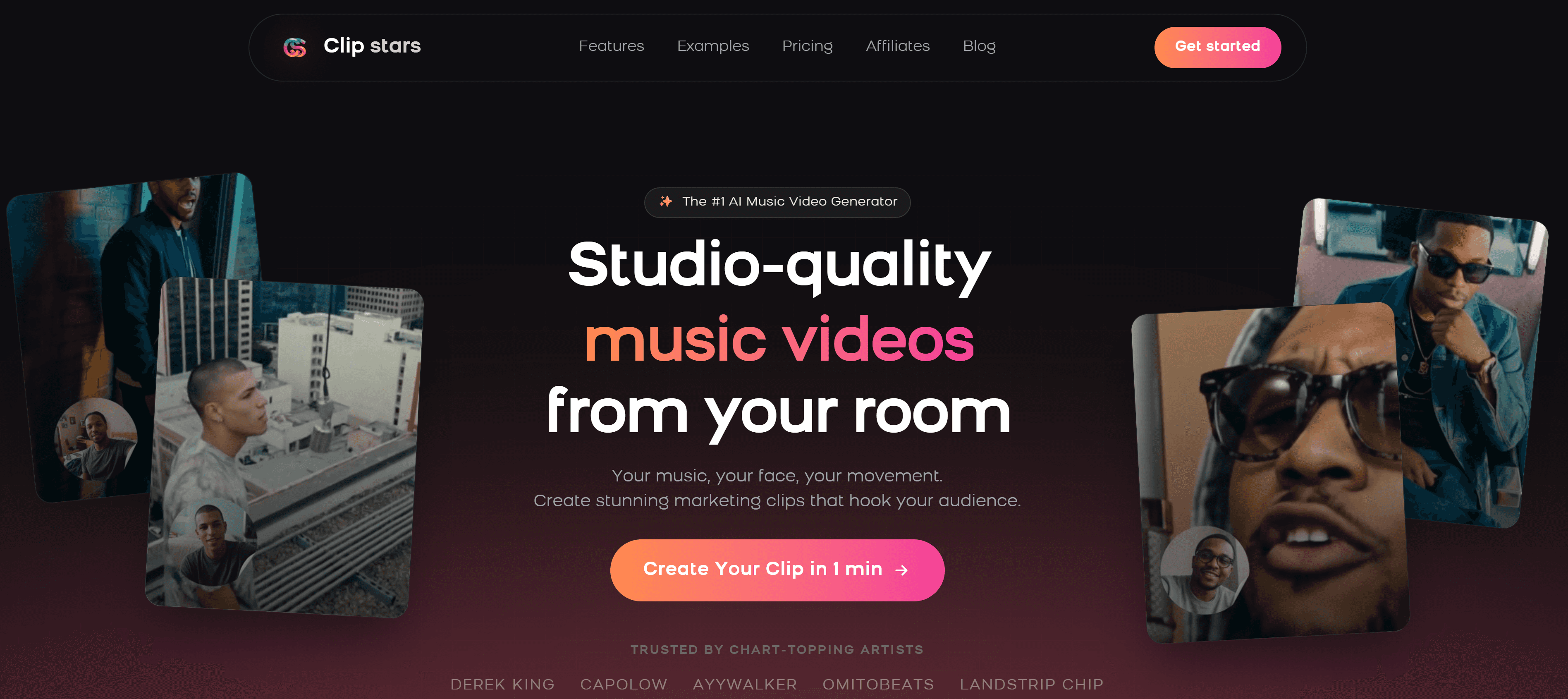
Clipstars.ai is purpose-built for exactly this use case: turning an audio file into a shareable, social-ready music video in minutes, without any editing experience. The free tier is genuinely functional — videos under 90 seconds export in clean 1080p with no watermark.
What works on the free tier:
Beat-synced AI visuals with Genre-Aware Pacing — adapts to EDM, hip-hop, indie, and classical differently
Direct export presets for TikTok, Instagram Reels, and YouTube Shorts with platform-specific compression
Lyric overlay with auto-transcription (no
.lrcfile needed) — works on paid tierImage-to-Video (I2V) mode for consistent visual identity across multiple releases — paid feature
Render time: approximately 2–4 minutes for a standard track
Limitations on the free tier:
90-second maximum export length
I2V mode and extended lyric overlays require a Pro plan ($14/month)
Best for: Independent artists who want a complete start-to-post workflow without touching any settings. According to Cybernews (May 2026), I2V workflows are now the dominant method for professional branding — available on Clipstars Pro.
Verdict: If you only test one platform, make it Clipstars. The free tier handles real use cases cleanly, and the upgrade path is the most logical in the category.
2. Freebeat.ai — Best Free Lyric Video Creator
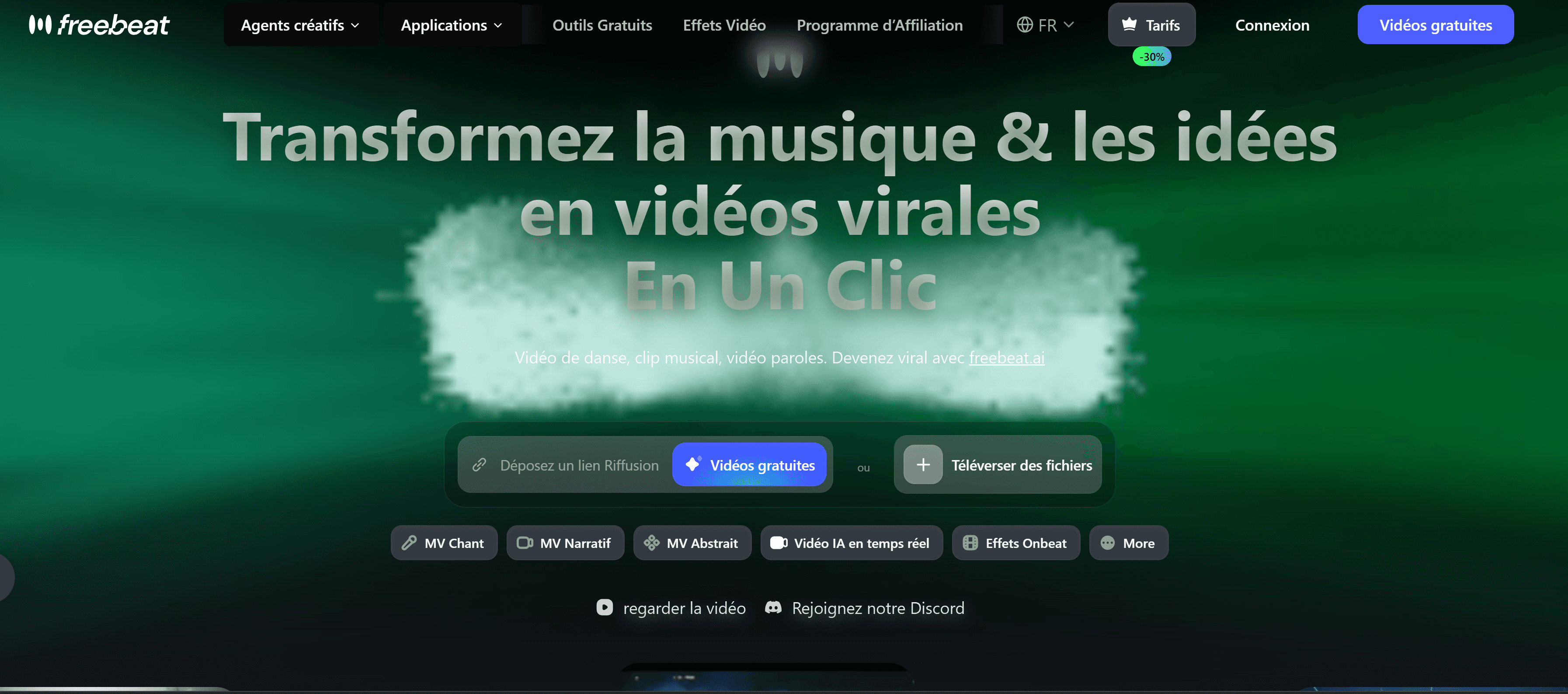
Freebeat.ai has carved out a strong niche around lyric video generation specifically. The typography control — font choices, animation styles, color schemes — is more developed than anything else in the free tier landscape. The free plan includes a watermark, but the lyric video quality is high enough that many artists use it for previews and social teasers.
What works:
Best lyric animation options in the category by a clear margin, particularly for hip-hop and R&B
Audio-reactive visuals that analyze BPM, beats, and song sections before generating
Storyboard-style planning with editable shot sequences — rare at this price point
Supports uploads from Suno, Udio, YouTube, and local audio files
You retain full commercial rights to videos created on the platform
Limitations:
Free plan outputs carry a watermark
No direct TikTok publishing integration
Beat visualizer is less developed than dedicated tools like Beatviz.ai
Best for: Artists focused on lyric-forward content, especially hip-hop, R&B, and pop where visible lyrics are the dominant TikTok format.
3. Kapwing — Best Free Music Video Creator for Editing Control
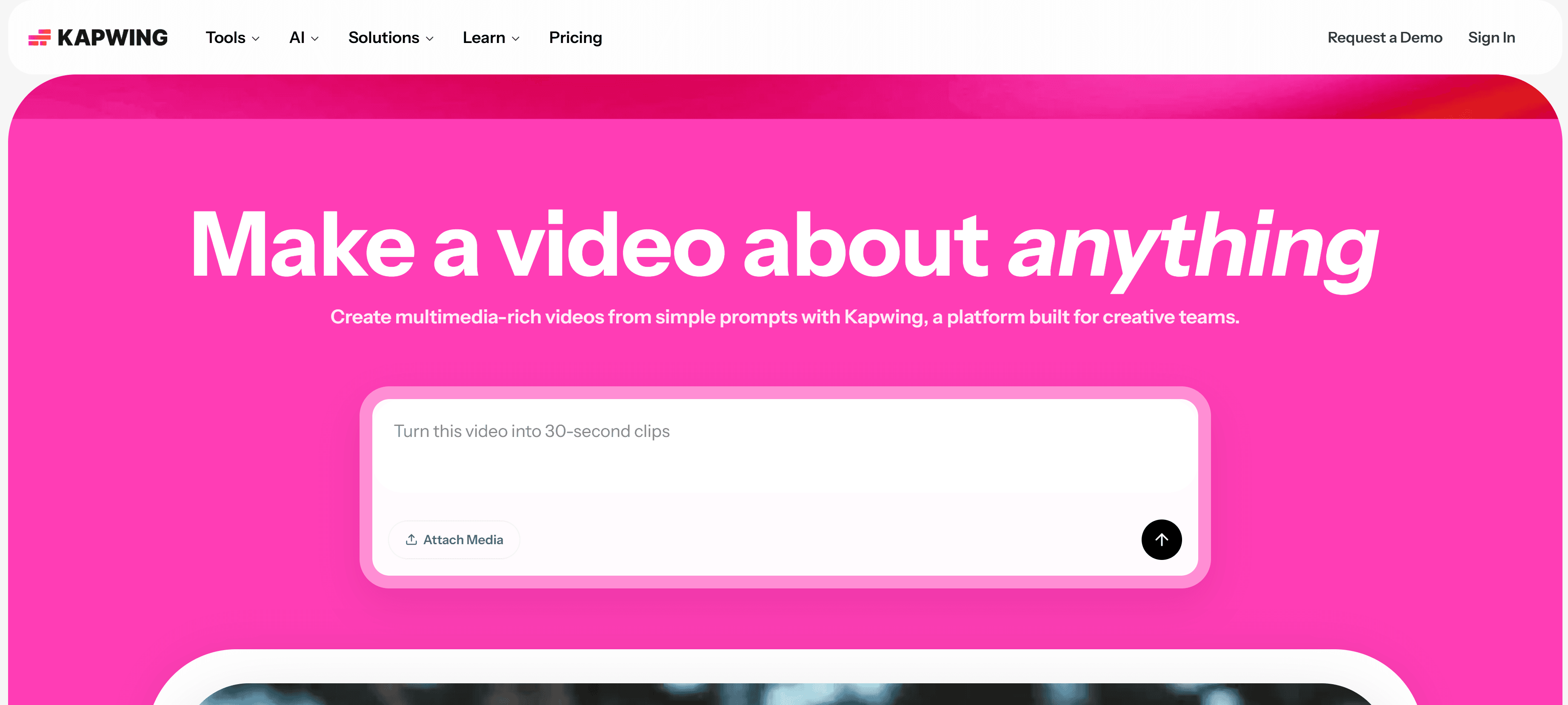
Kapwing is not a pure AI music video generator — it is a full browser-based video editor with AI features layered in, trusted by over 35 million creators. The free tier is genuinely capable, with access to millions of stock clips and images from Pexels and Pixabay, a timeline editor, auto-captioning, and basic audio sync tools.
What works:
Full timeline editor for frame-level control — no other free tool on this list offers this
Strong subtitle and lyric overlay tools, including auto-captioning
Real-time team collaboration — relevant for labels or artist/manager workflows
No ads in the product (Kapwing's stated policy)
New 2026 update added an "Auto-Edit social clip" mode for rapid vertical formatting
Limitations:
Beat sync is semi-automatic, not fully AI-driven — transitions require manual placement
AI visual generation is still limited compared to purpose-built music video tools
Free exports include a Kapwing watermark; removal requires a Pro plan ($16/month)
Best for: Creators who want precise editing control, teams managing multiple artists, or anyone comfortable with a basic timeline editor.
4. Onemoreshot.ai — Best Free Music Video Creator for Speed
One More Shot offers something rare: a first video in full HD with no watermark and no credit card required. The AI analyzes tempo, mood, and energy shifts to generate scenes and transitions, with a library of visual styles from cinematic live-action to abstract motion graphics.
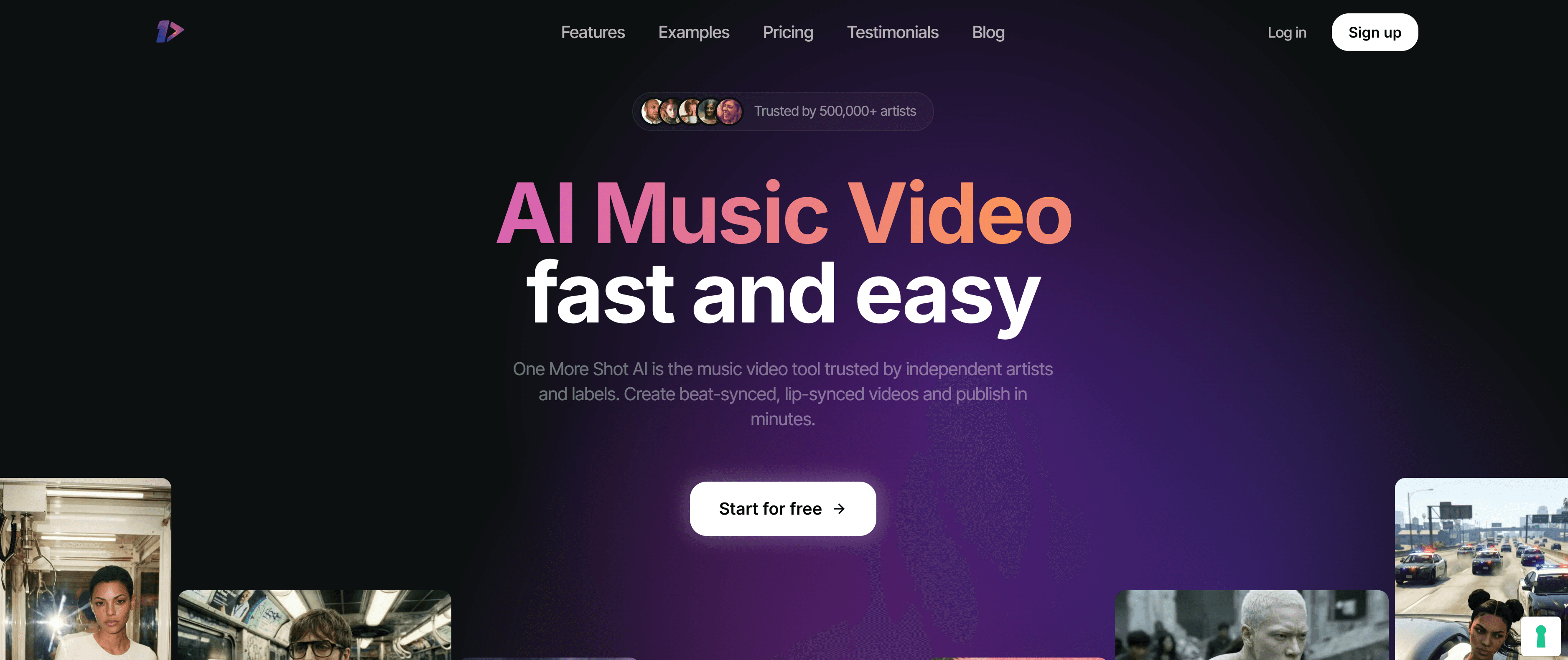
What works:
First video free, full HD, no watermark — genuinely no catch on the first export
Fastest render time tested across platforms (consistently under 2 minutes)
Beat-sync mode covers basic use cases competently
Supports MP3, WAV, FLAC, and AAC uploads
Lip-sync model for performance-style videos
Limitations:
One free video per account — subsequent videos require a paid plan
Less creative control than Clipstars or Freebeat for ongoing production
Visual quality is inconsistent across genres
Best for: Artists who want to test AI music video quality with zero commitment before choosing a primary platform. The first-video-free model is the most generous single trial in the category.
5. Genmo — Best Free Music Video Creator for TikTok Looping
Genmo has focused specifically on short-form vertical content optimized for TikTok's watch-again behavior — the looping mechanic that the algorithm rewards heavily. As noted in a recent Music Raiser round-up, Genmo "seamlessly generates eye-catching, loopable scenes that naturally boost audience engagement." The free tier is functional for this specific format.
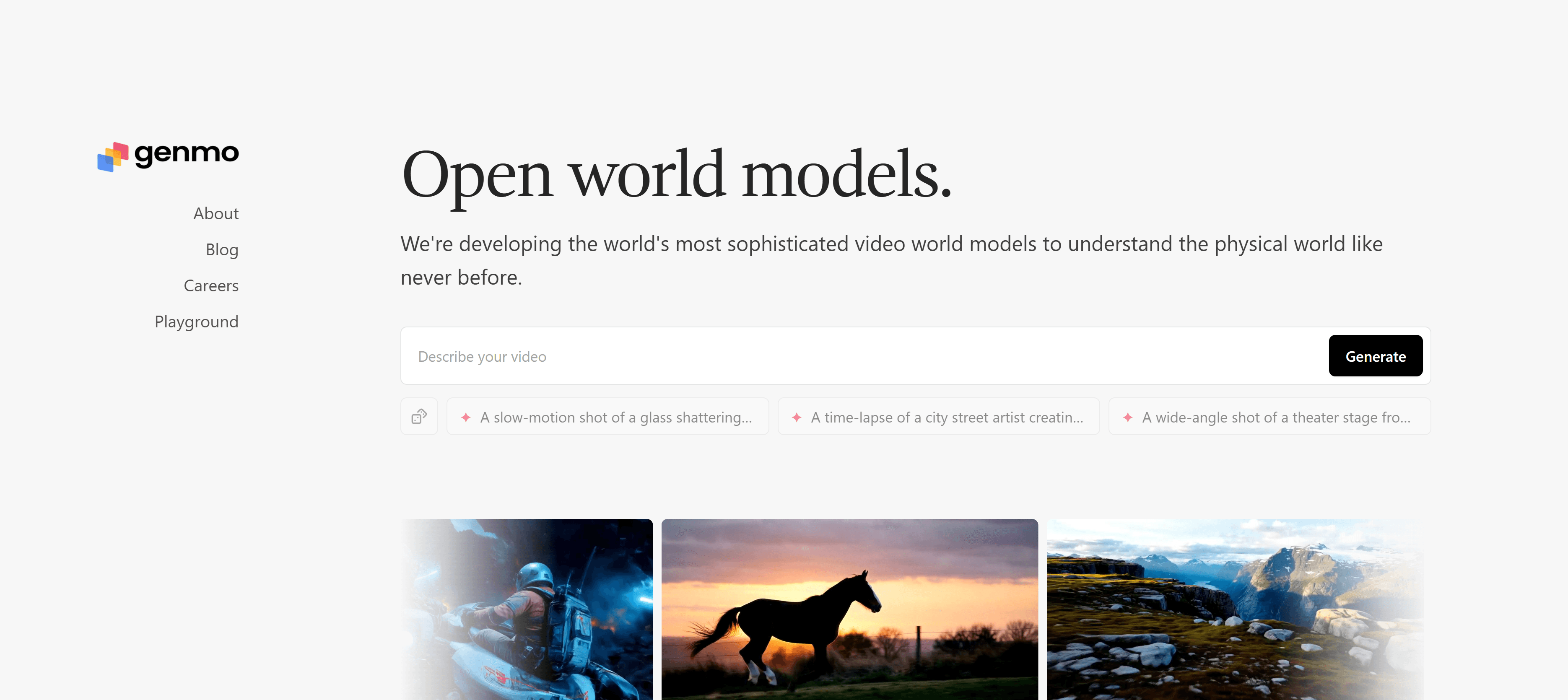
What works:
Loopable vertical scenes out of the box — the cleanest looping output in the free tier
Well-suited to TikTok's 9:16 format natively
Good for rapid iteration on visual concepts for a single track
Limitations:
No lyric video feature
Beat sync is basic — transitions are not genre-aware
Limited export customization beyond TikTok-focused output
Best for: TikTok-native creators focused exclusively on short looping clips, or artists testing Spotify Canvas visuals (Spotify Canvas accepts 3–8 second looping vertical videos).
Head-to-Head Comparison
Platform | Free Watermark | Max Free Length | Beat Sync | Lyric Video | Export Presets |
|---|---|---|---|---|---|
❌ None | 90 seconds | ✅ Genre-Aware | ✅ Paid tier | ✅ TikTok, Reels, Shorts | |
⚠️ Yes | Up to 6 min | ✅ BPM + structure | ✅ Best | ⚠️ Limited | |
Kapwing | ⚠️ Yes | Flexible | ⚠️ Semi-auto | ✅ Good | ✅ Good |
Onemoreshot.ai | ❌ None (1 video) | Full length | ⚠️ Basic | ⚠️ Basic | ⚠️ Limited |
Genmo | ❌ None | Short clips | ⚠️ Basic | ❌ No | ⚠️ TikTok-focused |
Step-by-Step: How to Use Clipstars as Your Free Music Video Creator
Here is the exact workflow to go from audio file to published video using Clipstars.ai's free tier — under 10 minutes from start to finish.
Step 1 — Create a free account at Clipstars.ai
Go to Clipstars.ai and sign up. No credit card required for the free tier. The free plan covers videos under 90 seconds with no watermark.
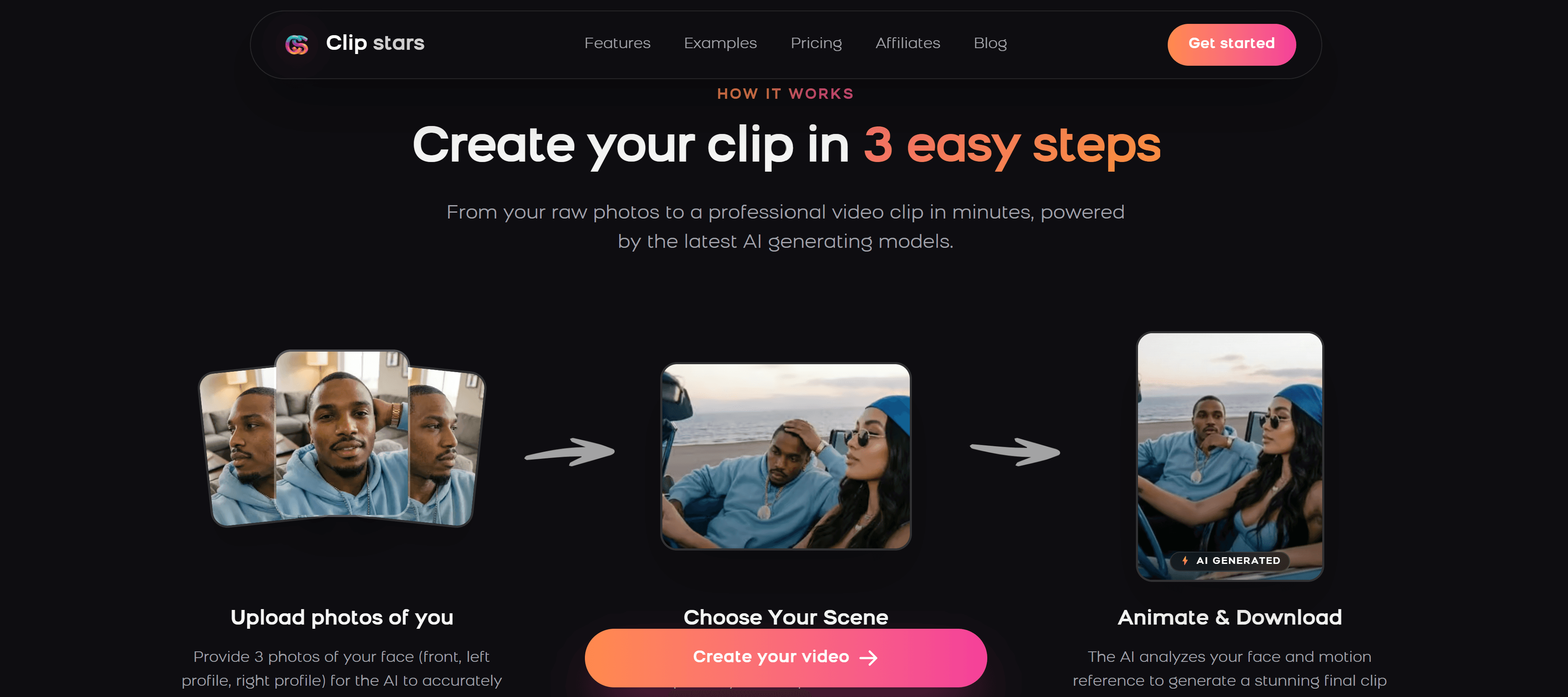
Step 2 — Upload your audio file
Drag and drop your MP3, WAV, or FLAC file. Clipstars reads the waveform immediately. If you are working with AI-generated music from Suno or Udio, direct import is supported.
Tip: Trim any silence from the start of your file before uploading. The most valuable real estate on any social platform is the opening 2 seconds — a silent intro wastes it entirely.
Step 3 — Choose your visual style
Select from:
AI Scene Generation — original cinematic or abstract visuals synced to your track
Beat Visualizer — frequency-reactive waveforms and particle effects (strong for EDM and lo-fi)
Lyric Overlay — auto-transcription with animated text (paid feature)
For the free tier, AI Scene Generation or Beat Visualizer will give you the cleanest result without any manual editing.
Step 4 — Set your aspect ratio
Choose before rendering — most platforms do not allow format changes after the fact.
TikTok / Instagram Reels / YouTube Shorts: 9:16 vertical
Standard YouTube: 16:9 horizontal
Instagram Feed: 1:1 square
2026 note: YouTube Shorts now supports up to 3 minutes. If your track runs under 90 seconds, the free tier covers you for a complete Shorts upload.
Step 5 — Preview the beat sync
Clipstars uses Genre-Aware Pacing — the AI adjusts visual transitions based on the emotional arc of your music, not just the BPM. An EDM track will get hard cuts at drops; a lo-fi beat will get slow, dissolve-style transitions. Preview before exporting to check the timing feels natural.
Step 6 — Export and publish
Click export and select your target platform preset. Clipstars handles platform-specific compression automatically. Render takes approximately 2–4 minutes. Download and publish directly — no additional editing required.
2026 Trends Every Music Creator Should Know
The 3-Minute YouTube Shorts Window Is Still Open
YouTube extended its Shorts maximum length to 3 minutes in 2025. Most artists still cap their Shorts at 60 seconds out of habit — meaning the 90-second to 3-minute slot has minimal competition. Channels posting Shorts grow 50% faster year-over-year (Q1 2026, AutoFaceless). A full single in Shorts format is now a real opportunity, and it costs nothing if your free video creator supports the length.
85% of Social Video Is Watched on Mute
Captions are not optional in 2026. Auto-transcription for lyric overlays — now available on most paid tiers, including Clipstars Pro — is one of the highest-return upgrades available in any posting workflow. If you are posting without captions, you are invisible to the majority of your viewers.
ByteDance's Native AI Tools Are Coming for Independent Creators
As reported by Social Media Today in February 2026, ByteDance launched a native TikTok AI video generation tool with real-time trend analysis and automatic beat-sync. Currently limited to brand accounts, it signals the direction the platform is moving. For now, third-party free music video creators remain more accessible and flexible for independent artists — but the competitive pressure will increase.
I2V Workflows Are the New Standard for Album Campaigns
As Cybernews noted in May 2026, Image-to-Video workflows have become the dominant method for professional visual branding because they maintain consistency across multiple videos. Upload one reference image — album artwork, a portrait, a location — and every video in your campaign shares the same visual identity. This feature is available on Clipstars Pro and Runway Gen-4 for creators ready to move beyond the free tier.
Copyright Disclosure Is Now a Real Buying Signal
Following the Disney/Universal/Warner lawsuits against AI platforms in 2025, professional artists are checking AI training data sourcing before using generated visuals for commercial releases. Platforms with clear, published disclosures on licensed training data are worth prioritizing for any monetized content.
Common Mistakes When Using a Free Music Video Creator
Ignoring the first 2 seconds. According to short-form video data compiled by Marketing LTB in March 2026, 71% of viewers decide whether to keep watching within the first few seconds. Start with the most visually arresting frame you can generate — never a black fade or static logo.
Posting horizontal video on TikTok. Vertical video (9:16) takes up the full mobile screen and receives preferential algorithmic distribution on TikTok, Instagram Reels, and YouTube Shorts. There is no upside to posting horizontal on any of these platforms.
Assuming free means unlimited. Most free tiers have meaningful constraints — length caps, watermarks, or single-use limits. Read the free tier terms before building a workflow around any platform.
Skipping the beat sync preview. Genre-Aware Pacing is only as good as the preview step. A 30-second check before export prevents jarring cuts or transitions that feel out of sync with the music's emotional arc.
Not checking copyright terms before commercial use. If you plan to monetize content using AI-generated visuals, verify the platform's commercial rights policy. Most reputable platforms in 2026 — including Clipstars and Freebeat — give creators full commercial rights to their outputs.
15 Frequently Asked Questions
1. What is the best free music video creator in 2026? Clipstars.ai for a complete, watermark-free workflow on videos under 90 seconds. Onemoreshot.ai for a single full-length video with no watermark and no credit card required.
2. Can I make a music video for free without a watermark? Yes. Clipstars.ai's free tier produces videos under 90 seconds with no watermark. Onemoreshot.ai offers one full-length video free with no watermark. Genmo's free tier is also watermark-free for short clips.
3. What is the maximum length I can export on a free plan? It varies by platform. Clipstars.ai: 90 seconds. Freebeat.ai: up to 6 minutes (with watermark). Onemoreshot.ai: full track length on the first free video. Kapwing: flexible with watermark.
4. Do I need video editing experience to use these tools? No. All five platforms on this list are designed for creators with no editing background. Upload your audio, choose a style, set the aspect ratio, and export. No timeline editing required on the AI-first tools.
5. Can I use a free music video creator for commercial releases? It depends on the platform's terms. Freebeat.ai explicitly states you retain full commercial rights to all videos created on the platform. Clipstars.ai and Onemoreshot.ai have similar policies. Always check the terms before monetizing.
6. Which free tool is best for TikTok specifically? Clipstars.ai for a complete TikTok-optimized workflow including correct compression settings. Genmo for looping vertical scenes that match TikTok's watch-again behavior.
7. Can I add lyrics to a music video for free? Freebeat.ai includes lyric video generation on its free plan (with watermark). Clipstars.ai includes auto-transcription lyric overlays on the paid tier ($14/month). Kapwing offers manual subtitle tools on the free tier.
8. Which free music video creator is fastest? Onemoreshot.ai consistently renders in under 2 minutes. Clipstars.ai takes approximately 2–4 minutes for a standard 3-minute track.
9. Can I upload my own audio file to these free tools? Yes — all five platforms accept MP3 and WAV uploads. Clipstars.ai, Freebeat.ai, and Onemoreshot.ai also support FLAC and AAC. Some platforms additionally accept imports from Suno and Udio.
10. Is there a free music video creator that works for full-length songs? Onemoreshot.ai offers one full-length video free. Freebeat.ai supports up to 6 minutes on its free plan. For the YouTube Shorts 3-minute format, Clipstars.ai's 90-second free tier covers a significant portion of tracks in that range.
11. What aspect ratio should I use for Instagram Reels? 9:16 vertical (1080 × 1920 pixels). This is also the correct ratio for TikTok and YouTube Shorts.
12. Can I use AI music videos on Spotify Canvas for free? Spotify Canvas accepts 3–8 second looping vertical videos. Genmo's looping output is the most naturally suited to this format and works on the free tier.
13. What is Genre-Aware Pacing and why does it matter? Genre-Aware Pacing means the AI adjusts visual transition style based on the emotional arc of your music, not just its BPM. EDM drops get hard cuts; indie ballads get slow dissolves. It produces significantly more natural-feeling results than standard beat detection.
14. Are the AI visuals generated by free tools copyright safe? Most reputable platforms — including those on this list — use licensed or ethically sourced training data. Following the 2025 lawsuits against Midjourney and MiniMax, this has become a standard disclosure practice. Check each platform's AI training terms before commercial use.
15. When should I upgrade from a free to a paid plan? When you are posting more than a few videos per month and hitting the length cap, or when you need features like I2V mode for visual consistency across a campaign. At $14/month for Clipstars Pro, the cost works out to roughly $0.50 per video at daily posting frequency — a fraction of freelance editing costs.
External Resources
YouTube Shorts Creator Academy — official specs and best practices for Shorts in 2026
TikTok Creator Center — platform video specs, trend data, and algorithm guidance
Spotify for Artists: Canvas Guide — looping video requirements for Spotify Canvas
Illustrate Magazine: Beatviz and the Rise of AI Music Video Generators (Jan 2026) — editorial perspective on where AI music video creation is heading artistically
One More Shot: Complete Guide to AI Music Videos 2026 — detailed breakdown of visual styles by genre and production cost analysis
Internal Links
Quick Answer: The best free music video creator for independent artists in 2026 is Clipstars.ai — it produces beat-synced, social-ready videos under 90 seconds with no watermark on the free tier, no editing experience needed, and direct export to TikTok, Instagram Reels, and YouTube Shorts. If your priority is specifically lyric videos on a free plan, Freebeat.ai is worth testing alongside it.
Why Free Music Video Creators Matter More Than Ever in 2026
A track without visuals barely registers on social platforms today. Algorithms on TikTok, Instagram, and YouTube actively favor video content — and the bar for what looks "native" to each platform has risen sharply in the past 12 months.
The problem for most independent artists remains unchanged: professional music video production still costs between $5,000 and $50,000. Even a basic lyric video on Fiverr runs $150–$300 per track. For a creator releasing music every few weeks, that is simply not sustainable.
This is the gap free music video creators are designed to fill. And in 2026, the best of them are genuinely good — not just "good for free."
According to a March 2026 analysis by One More Shot, AI-powered music video tools now reduce production costs by 90–99% for typical creator use cases. The global AI video generation market is projected to reach $18.6 billion by end of 2026, up from $5.1 billion in 2023 (34.2% compound annual growth rate). These numbers reflect a maturing ecosystem, not a novelty.
Meanwhile, the content demand is relentless:
YouTube Shorts generates over 200 billion daily views with a 5.91% average engagement rate — the highest of any short-form platform (Q1 2026, AutoFaceless / Loopex Digital)
Instagram Reels are reshared 4.5 billion times daily through DMs alone
Tracks with dynamic visuals see a 40% higher retention rate than static audio uploads (HitPaw, April 2026)
Posting consistently with visuals is no longer optional. The question is which free music video creator fits your workflow.
What to Look for in a Free Music Video Creator
Not all free tiers are created equal. Before committing time to any platform, check these five things:
1. Watermark policy on the free tier Some platforms render a large watermark on free exports that makes the video unusable for real releases. Others — including Clipstars.ai for videos under 90 seconds — produce clean, watermark-free exports on the free plan.
2. Output length on the free tier Many free plans cap exports at 30–60 seconds, which works for short clips but rules out full singles. YouTube extended Shorts to 3 minutes in 2025, making longer exports increasingly valuable.
3. Beat synchronization quality Basic BPM detection is now table stakes. The platforms worth using in 2026 go further — they understand genre dynamics, adapting transition styles to the emotional arc of the music, not just its tempo. As New Wave Magazine noted in a 2026 feature, this "Genre-Aware Pacing" is the clearest differentiator between generic tools and music-specific ones.
4. Export format and platform compatibility 9:16 for TikTok, Reels, and Shorts. 16:9 for standard YouTube. Platforms that handle per-platform compression automatically save significant time and avoid quality degradation from manual re-exporting.
5. Copyright safety of AI-generated visuals Following the Disney, Universal, and Warner Bros. lawsuits against Midjourney and MiniMax in 2025 for using copyrighted assets in AI training, this is now a legitimate concern for commercial releases. Check each platform's AI training disclosure before using generated visuals for monetized content.
Top 5 Free Music Video Creator Tools in 2026
1. Clipstars.ai — Best Free Music Video Creator Overall
Clipstars.ai is purpose-built for exactly this use case: turning an audio file into a shareable, social-ready music video in minutes, without any editing experience. The free tier is genuinely functional — videos under 90 seconds export in clean 1080p with no watermark.
What works on the free tier:
Beat-synced AI visuals with Genre-Aware Pacing — adapts to EDM, hip-hop, indie, and classical differently
Direct export presets for TikTok, Instagram Reels, and YouTube Shorts with platform-specific compression
Lyric overlay with auto-transcription (no
.lrcfile needed) — works on paid tierImage-to-Video (I2V) mode for consistent visual identity across multiple releases — paid feature
Render time: approximately 2–4 minutes for a standard track
Limitations on the free tier:
90-second maximum export length
I2V mode and extended lyric overlays require a Pro plan ($14/month)
Best for: Independent artists who want a complete start-to-post workflow without touching any settings. According to Cybernews (May 2026), I2V workflows are now the dominant method for professional branding — available on Clipstars Pro.
Verdict: If you only test one platform, make it Clipstars. The free tier handles real use cases cleanly, and the upgrade path is the most logical in the category.
2. Freebeat.ai — Best Free Lyric Video Creator
Freebeat.ai has carved out a strong niche around lyric video generation specifically. The typography control — font choices, animation styles, color schemes — is more developed than anything else in the free tier landscape. The free plan includes a watermark, but the lyric video quality is high enough that many artists use it for previews and social teasers.
What works:
Best lyric animation options in the category by a clear margin, particularly for hip-hop and R&B
Audio-reactive visuals that analyze BPM, beats, and song sections before generating
Storyboard-style planning with editable shot sequences — rare at this price point
Supports uploads from Suno, Udio, YouTube, and local audio files
You retain full commercial rights to videos created on the platform
Limitations:
Free plan outputs carry a watermark
No direct TikTok publishing integration
Beat visualizer is less developed than dedicated tools like Beatviz.ai
Best for: Artists focused on lyric-forward content, especially hip-hop, R&B, and pop where visible lyrics are the dominant TikTok format.
3. Kapwing — Best Free Music Video Creator for Editing Control
Kapwing is not a pure AI music video generator — it is a full browser-based video editor with AI features layered in, trusted by over 35 million creators. The free tier is genuinely capable, with access to millions of stock clips and images from Pexels and Pixabay, a timeline editor, auto-captioning, and basic audio sync tools.
What works:
Full timeline editor for frame-level control — no other free tool on this list offers this
Strong subtitle and lyric overlay tools, including auto-captioning
Real-time team collaboration — relevant for labels or artist/manager workflows
No ads in the product (Kapwing's stated policy)
New 2026 update added an "Auto-Edit social clip" mode for rapid vertical formatting
Limitations:
Beat sync is semi-automatic, not fully AI-driven — transitions require manual placement
AI visual generation is still limited compared to purpose-built music video tools
Free exports include a Kapwing watermark; removal requires a Pro plan ($16/month)
Best for: Creators who want precise editing control, teams managing multiple artists, or anyone comfortable with a basic timeline editor.
4. Onemoreshot.ai — Best Free Music Video Creator for Speed
One More Shot offers something rare: a first video in full HD with no watermark and no credit card required. The AI analyzes tempo, mood, and energy shifts to generate scenes and transitions, with a library of visual styles from cinematic live-action to abstract motion graphics.
What works:
First video free, full HD, no watermark — genuinely no catch on the first export
Fastest render time tested across platforms (consistently under 2 minutes)
Beat-sync mode covers basic use cases competently
Supports MP3, WAV, FLAC, and AAC uploads
Lip-sync model for performance-style videos
Limitations:
One free video per account — subsequent videos require a paid plan
Less creative control than Clipstars or Freebeat for ongoing production
Visual quality is inconsistent across genres
Best for: Artists who want to test AI music video quality with zero commitment before choosing a primary platform. The first-video-free model is the most generous single trial in the category.
5. Genmo — Best Free Music Video Creator for TikTok Looping
Genmo has focused specifically on short-form vertical content optimized for TikTok's watch-again behavior — the looping mechanic that the algorithm rewards heavily. As noted in a recent Music Raiser round-up, Genmo "seamlessly generates eye-catching, loopable scenes that naturally boost audience engagement." The free tier is functional for this specific format.
What works:
Loopable vertical scenes out of the box — the cleanest looping output in the free tier
Well-suited to TikTok's 9:16 format natively
Good for rapid iteration on visual concepts for a single track
Limitations:
No lyric video feature
Beat sync is basic — transitions are not genre-aware
Limited export customization beyond TikTok-focused output
Best for: TikTok-native creators focused exclusively on short looping clips, or artists testing Spotify Canvas visuals (Spotify Canvas accepts 3–8 second looping vertical videos).
Head-to-Head Comparison
Platform | Free Watermark | Max Free Length | Beat Sync | Lyric Video | Export Presets |
|---|---|---|---|---|---|
❌ None | 90 seconds | ✅ Genre-Aware | ✅ Paid tier | ✅ TikTok, Reels, Shorts | |
⚠️ Yes | Up to 6 min | ✅ BPM + structure | ✅ Best | ⚠️ Limited | |
Kapwing | ⚠️ Yes | Flexible | ⚠️ Semi-auto | ✅ Good | ✅ Good |
Onemoreshot.ai | ❌ None (1 video) | Full length | ⚠️ Basic | ⚠️ Basic | ⚠️ Limited |
Genmo | ❌ None | Short clips | ⚠️ Basic | ❌ No | ⚠️ TikTok-focused |
Step-by-Step: How to Use Clipstars as Your Free Music Video Creator
Here is the exact workflow to go from audio file to published video using Clipstars.ai's free tier — under 10 minutes from start to finish.
Step 1 — Create a free account at Clipstars.ai
Go to Clipstars.ai and sign up. No credit card required for the free tier. The free plan covers videos under 90 seconds with no watermark.
Step 2 — Upload your audio file
Drag and drop your MP3, WAV, or FLAC file. Clipstars reads the waveform immediately. If you are working with AI-generated music from Suno or Udio, direct import is supported.
Tip: Trim any silence from the start of your file before uploading. The most valuable real estate on any social platform is the opening 2 seconds — a silent intro wastes it entirely.
Step 3 — Choose your visual style
Select from:
AI Scene Generation — original cinematic or abstract visuals synced to your track
Beat Visualizer — frequency-reactive waveforms and particle effects (strong for EDM and lo-fi)
Lyric Overlay — auto-transcription with animated text (paid feature)
For the free tier, AI Scene Generation or Beat Visualizer will give you the cleanest result without any manual editing.
Step 4 — Set your aspect ratio
Choose before rendering — most platforms do not allow format changes after the fact.
TikTok / Instagram Reels / YouTube Shorts: 9:16 vertical
Standard YouTube: 16:9 horizontal
Instagram Feed: 1:1 square
2026 note: YouTube Shorts now supports up to 3 minutes. If your track runs under 90 seconds, the free tier covers you for a complete Shorts upload.
Step 5 — Preview the beat sync
Clipstars uses Genre-Aware Pacing — the AI adjusts visual transitions based on the emotional arc of your music, not just the BPM. An EDM track will get hard cuts at drops; a lo-fi beat will get slow, dissolve-style transitions. Preview before exporting to check the timing feels natural.
Step 6 — Export and publish
Click export and select your target platform preset. Clipstars handles platform-specific compression automatically. Render takes approximately 2–4 minutes. Download and publish directly — no additional editing required.
2026 Trends Every Music Creator Should Know
The 3-Minute YouTube Shorts Window Is Still Open
YouTube extended its Shorts maximum length to 3 minutes in 2025. Most artists still cap their Shorts at 60 seconds out of habit — meaning the 90-second to 3-minute slot has minimal competition. Channels posting Shorts grow 50% faster year-over-year (Q1 2026, AutoFaceless). A full single in Shorts format is now a real opportunity, and it costs nothing if your free video creator supports the length.
85% of Social Video Is Watched on Mute
Captions are not optional in 2026. Auto-transcription for lyric overlays — now available on most paid tiers, including Clipstars Pro — is one of the highest-return upgrades available in any posting workflow. If you are posting without captions, you are invisible to the majority of your viewers.
ByteDance's Native AI Tools Are Coming for Independent Creators
As reported by Social Media Today in February 2026, ByteDance launched a native TikTok AI video generation tool with real-time trend analysis and automatic beat-sync. Currently limited to brand accounts, it signals the direction the platform is moving. For now, third-party free music video creators remain more accessible and flexible for independent artists — but the competitive pressure will increase.
I2V Workflows Are the New Standard for Album Campaigns
As Cybernews noted in May 2026, Image-to-Video workflows have become the dominant method for professional visual branding because they maintain consistency across multiple videos. Upload one reference image — album artwork, a portrait, a location — and every video in your campaign shares the same visual identity. This feature is available on Clipstars Pro and Runway Gen-4 for creators ready to move beyond the free tier.
Copyright Disclosure Is Now a Real Buying Signal
Following the Disney/Universal/Warner lawsuits against AI platforms in 2025, professional artists are checking AI training data sourcing before using generated visuals for commercial releases. Platforms with clear, published disclosures on licensed training data are worth prioritizing for any monetized content.
Common Mistakes When Using a Free Music Video Creator
Ignoring the first 2 seconds. According to short-form video data compiled by Marketing LTB in March 2026, 71% of viewers decide whether to keep watching within the first few seconds. Start with the most visually arresting frame you can generate — never a black fade or static logo.
Posting horizontal video on TikTok. Vertical video (9:16) takes up the full mobile screen and receives preferential algorithmic distribution on TikTok, Instagram Reels, and YouTube Shorts. There is no upside to posting horizontal on any of these platforms.
Assuming free means unlimited. Most free tiers have meaningful constraints — length caps, watermarks, or single-use limits. Read the free tier terms before building a workflow around any platform.
Skipping the beat sync preview. Genre-Aware Pacing is only as good as the preview step. A 30-second check before export prevents jarring cuts or transitions that feel out of sync with the music's emotional arc.
Not checking copyright terms before commercial use. If you plan to monetize content using AI-generated visuals, verify the platform's commercial rights policy. Most reputable platforms in 2026 — including Clipstars and Freebeat — give creators full commercial rights to their outputs.
15 Frequently Asked Questions
1. What is the best free music video creator in 2026? Clipstars.ai for a complete, watermark-free workflow on videos under 90 seconds. Onemoreshot.ai for a single full-length video with no watermark and no credit card required.
2. Can I make a music video for free without a watermark? Yes. Clipstars.ai's free tier produces videos under 90 seconds with no watermark. Onemoreshot.ai offers one full-length video free with no watermark. Genmo's free tier is also watermark-free for short clips.
3. What is the maximum length I can export on a free plan? It varies by platform. Clipstars.ai: 90 seconds. Freebeat.ai: up to 6 minutes (with watermark). Onemoreshot.ai: full track length on the first free video. Kapwing: flexible with watermark.
4. Do I need video editing experience to use these tools? No. All five platforms on this list are designed for creators with no editing background. Upload your audio, choose a style, set the aspect ratio, and export. No timeline editing required on the AI-first tools.
5. Can I use a free music video creator for commercial releases? It depends on the platform's terms. Freebeat.ai explicitly states you retain full commercial rights to all videos created on the platform. Clipstars.ai and Onemoreshot.ai have similar policies. Always check the terms before monetizing.
6. Which free tool is best for TikTok specifically? Clipstars.ai for a complete TikTok-optimized workflow including correct compression settings. Genmo for looping vertical scenes that match TikTok's watch-again behavior.
7. Can I add lyrics to a music video for free? Freebeat.ai includes lyric video generation on its free plan (with watermark). Clipstars.ai includes auto-transcription lyric overlays on the paid tier ($14/month). Kapwing offers manual subtitle tools on the free tier.
8. Which free music video creator is fastest? Onemoreshot.ai consistently renders in under 2 minutes. Clipstars.ai takes approximately 2–4 minutes for a standard 3-minute track.
9. Can I upload my own audio file to these free tools? Yes — all five platforms accept MP3 and WAV uploads. Clipstars.ai, Freebeat.ai, and Onemoreshot.ai also support FLAC and AAC. Some platforms additionally accept imports from Suno and Udio.
10. Is there a free music video creator that works for full-length songs? Onemoreshot.ai offers one full-length video free. Freebeat.ai supports up to 6 minutes on its free plan. For the YouTube Shorts 3-minute format, Clipstars.ai's 90-second free tier covers a significant portion of tracks in that range.
11. What aspect ratio should I use for Instagram Reels? 9:16 vertical (1080 × 1920 pixels). This is also the correct ratio for TikTok and YouTube Shorts.
12. Can I use AI music videos on Spotify Canvas for free? Spotify Canvas accepts 3–8 second looping vertical videos. Genmo's looping output is the most naturally suited to this format and works on the free tier.
13. What is Genre-Aware Pacing and why does it matter? Genre-Aware Pacing means the AI adjusts visual transition style based on the emotional arc of your music, not just its BPM. EDM drops get hard cuts; indie ballads get slow dissolves. It produces significantly more natural-feeling results than standard beat detection.
14. Are the AI visuals generated by free tools copyright safe? Most reputable platforms — including those on this list — use licensed or ethically sourced training data. Following the 2025 lawsuits against Midjourney and MiniMax, this has become a standard disclosure practice. Check each platform's AI training terms before commercial use.
15. When should I upgrade from a free to a paid plan? When you are posting more than a few videos per month and hitting the length cap, or when you need features like I2V mode for visual consistency across a campaign. At $14/month for Clipstars Pro, the cost works out to roughly $0.50 per video at daily posting frequency — a fraction of freelance editing costs.
External Resources
YouTube Shorts Creator Academy — official specs and best practices for Shorts in 2026
TikTok Creator Center — platform video specs, trend data, and algorithm guidance
Spotify for Artists: Canvas Guide — looping video requirements for Spotify Canvas
Illustrate Magazine: Beatviz and the Rise of AI Music Video Generators (Jan 2026) — editorial perspective on where AI music video creation is heading artistically
One More Shot: Complete Guide to AI Music Videos 2026 — detailed breakdown of visual styles by genre and production cost analysis
Internal Links


import StickyCTA from "https://framer.com/m/StickyCTA-oTce.js@Ywd2H0KGFiYPQhkS5HUJ"