
FROM OUR BLOG
How to Make a Music Video With AI in 2026 Without a Film Crew

Quick Answer: To make a music video in 2026 without a budget or crew, upload your finished track to an AI music video tool, choose a visual style, set your aspect ratio (9:16 for TikTok and Reels, 16:9 for YouTube), and export. Clipstars.ai is the fastest complete workflow from audio file to published video in under 5 minutes, no editing experience required. If you need lip-sync or character consistency,
The Music Video Is No Longer Optional — But the Film Crew Is
Making a music video used to mean one of two things: spend $5,000–$50,000 on a professional production, or cobble something together with a smartphone and a friend. In 2026, there is a third option that has made the first two largely irrelevant for most independent artists.
AI music video tools now let any artist make a music video the same day a track is finished — without a camera, a crew, a director, or a budget. According to Freebeat's May 2026 industry analysis, the generative AI in music market was valued at $642.8 million in 2024 and is projected to reach $3 billion by 2030. The tools have matured: what was experimental in 2023 is now production-ready.
The numbers behind the demand are equally clear:
YouTube Shorts generates over 200 billion daily views with a 5.91% average engagement rate (AutoFaceless, Q1 2026)
85% of social video is watched on mute — making visual content that communicates without audio essential (Marketing LTB, March 2026)
TikTok musicians using AI video clips see 3–5x more engagement than those posting audio-only content (Seedance, April 2026)
Traditional production costs $5,000–$50,000; AI tools reduce this to under $1 per video at regular posting frequency (One More Shot, March 2026)
The question in 2026 is not whether to make a music video. It is how — and which approach fits your release, your genre, and your workflow.
4 Ways to Make a Music Video in 2026
Before choosing a tool, understand the four distinct approaches available. Each produces a different result and requires a different time investment.
Approach 1 — AI Music Video Generator (Recommended for Most Artists)
Upload your audio file, select a visual style, set your aspect ratio, and export. The AI analyzes your track's structure and generates synchronized visuals automatically. No editing experience required. Time to publishable video: 5–10 minutes.
Tools: Clipstars.ai, Freebeat.ai, Neural Frames, Onemoreshot.ai
Best for: Independent artists posting regularly, social media managers, anyone who needs a video today.
Approach 2 — AI Video Generator + Manual Assembly
Generate AI video clips from text prompts in tools like Runway Gen-4 or Kling, then assemble and sync them to your audio in a separate editor (CapCut, Premiere Pro, DaVinci Resolve). Higher quality ceiling, but requires editing experience. Time to publishable video: 2–8 hours.
Tools: Runway Gen-4, Kling, Pika, Luma AI
Best for: Artists with a specific visual concept, editing experience, and time to invest in a high-production hero release.
Approach 3 — Filmed Video with AI Enhancement
Film performance footage or a narrative concept with a smartphone or camera, then use AI tools to enhance color, add effects, or stabilize footage in post-production. Time to publishable video: 1–3 days.
Tools: CapCut AI, Adobe Premiere AI features, DaVinci Resolve AI
Best for: Artists who want authentic performance footage but need help with post-production polish.
Approach 4 — Hire a Director or Freelancer
Commission a professional director or Fiverr freelancer. Time to publishable video: 1–4 weeks. Cost: $150–$50,000+.
Best for: A single high-profile release where production value is the absolute priority and budget is not a constraint.
For the vast majority of independent artists posting consistently in 2026, Approach 1 is the right choice — not as a compromise, but as the economically rational decision for regular content.
Before You Make a Music Video: 5 Decisions First
Answering these five questions before opening any tool saves significant time and produces better results.
Decision 1 — What platform is this video for?
Your target platform determines your aspect ratio before anything else:
Platform | Ratio | Resolution | Max Length |
|---|---|---|---|
TikTok | 9:16 vertical | 1080 × 1920 | 3 minutes |
Instagram Reels | 9:16 vertical | 1080 × 1920 | 3 minutes |
YouTube Shorts | 9:16 vertical | 1080 × 1920 | 3 minutes (extended 2025) |
Standard YouTube | 16:9 horizontal | 1920 × 1080 | Unlimited |
Spotify Canvas | 9:16 vertical | 720 × 1280 | 3–8 seconds loop |
The 9:16 vertical format now accounts for the majority of music discovery across all three major short-form platforms. If you are only making one version: make it vertical.
Important 2026 note: YouTube extended the maximum Shorts length to 3 minutes in 2025. A full-length single as a vertical Shorts upload is now viable — and most artists still default to 60-second clips, making the 90-second to 3-minute slot low-competition.
Decision 2 — What visual style fits your genre?
The visual style of your music video should match the emotional register of the track. As Seedance's April 2026 production guide notes: "Slow visuals on fast music (or vice versa) creates cognitive dissonance. Match your visual energy to the audio energy."
Hip-hop and rap: Lyric-forward content with sharp typography and high-contrast visuals. Word-by-word lyric sync is the dominant TikTok format for this genre.
EDM and electronic: Beat visualizers with audio-reactive particle systems and frequency bars. Hard cuts at drops and build-ups. Genre-Aware Pacing tools handle this automatically.
Indie and singer-songwriter: Atmospheric, narrative or performance-style visuals. Warm color palettes. Slower visual pacing matching the emotional arc of the track.
R&B and soul: Performance-style content with cinematic color grading. Lyric overlays with deliberate timing — each phrase landing with weight.
Lo-fi and ambient: Looping, atmospheric visuals. Short looping clips for Spotify Canvas. Stylized aesthetic that repeats without feeling repetitive.
Decision 3 — Do you need lyric overlays?
85% of social video is watched on mute. This single statistic makes lyric overlays one of the highest-ROI decisions in any music video workflow. If your track has lyrics and you are posting to TikTok or Reels, add lyric overlays.
Modern AI tools auto-transcribe your vocals — no .lrc file, no manual typing. This is a paid feature on most platforms but pays for itself in reach within the first few posts.
Decision 4 — Do you need visual consistency across multiple videos?
If you are releasing an EP or album with multiple singles, visual consistency across all your music videos signals professionalism and builds brand recognition.
Image-to-Video (I2V) mode — available on Clipstars.ai Pro and other platforms — solves this: upload one reference image (album artwork, a portrait, a visual motif) and every video generated maintains visual consistency with that image across scenes. As Cybernews noted in May 2026, I2V workflows are now the dominant method for professional visual branding in the AI music video category.
Decision 5 — What is your posting frequency?
One video per release (monthly or less): Budget more time per video. Approach 2 or 3 is worth the investment.
Weekly posting: AI music video generators (Approach 1) are the only economically rational choice. The per-video cost at this frequency on a $14/month Pro plan is approximately $0.46.
Daily posting: Speed and automation are everything. Onemoreshot.ai (under 2 minutes render time) or Clipstars.ai (2–4 minutes) are the right tools. Batch-create a week of videos in a single session.
How to Make a Music Video With Clipstars: Complete Walkthrough
The fastest and most complete workflow for making a music video in 2026, using Clipstars.ai.
Step 1 — Prepare your audio file
Export your track from your DAW as WAV or FLAC for the best beat detection accuracy. MP3 at 320 kbps is accepted if lossless is not available.
Two things to do before uploading:
Trim silence from the start and end. Any silence in the file becomes a black screen in the video. The first 2 seconds of any social video determine whether 71% of viewers keep watching (Marketing LTB, March 2026).
Check your dynamic range. A heavily compressed master with no dynamic range produces flat visual sync — the AI has less variation in the waveform to work with. A mix with clear transient peaks at drops and hits produces tighter, more energetic visual sync.
If you generated your music on Suno (Pro or Premier tier), you can paste the link directly into Clipstars without downloading a file.
Step 2 — Upload and choose your visual mode
Go to Clipstars.ai and upload your file. Four visual modes:
AI Scene Generation — the platform generates original cinematic or abstract visuals, synchronized to your track's genre and emotional arc. No assets required. Best for: any genre where you want the video to feel produced.
Beat Visualizer — frequency-reactive waveforms, particle effects, and spectrum animations. Best for: EDM, lo-fi, and instrumental content. For a deeper look at this format, read Top 8 Beat Visualizer Tools for Producers and DJs in 2026.
Lyric Overlay — auto-transcription of your vocals with animated text. Best for: hip-hop, pop, and R&B. (Pro tier)
Image-to-Video (I2V) — upload a reference image and generate visually consistent scenes across the entire video. Best for: album campaigns. (Pro tier)
Step 3 — Set your aspect ratio
Choose before rendering — most platforms lock the format after this step. 9:16 for TikTok, Reels, and Shorts. 16:9 for standard YouTube.
Step 4 — Preview Genre-Aware Pacing
Clipstars adapts visual transition style to your genre automatically. EDM drops get hard cuts; ballads get slow dissolves; hip-hop gets mid-paced urban visuals. Preview before rendering to confirm the pacing feels musically intentional.
Step 5 — Export with platform preset
Select your target platform. Clipstars handles per-platform compression automatically — each platform encodes video differently, and getting this wrong degrades quality on upload. Render time: 2–4 minutes. Free tier: 90 seconds, no watermark.
Making a Music Video for Each Platform: Format Cheat Sheet
TikTok Music Video
Format: 9:16 vertical, 1080 × 1920, under 3 minutes
Hook: First frame must be the strongest visual moment — not a fade-in or logo
Captions: Always — 85% of TikTok is watched on mute
Length: 30–60 seconds for discovery clips; full length as a Shorts alternative
AI tool: Clipstars for complete workflow; Kaiber for looping stylized clips
Instagram Reels Music Video
Format: 9:16 vertical, 1080 × 1920, up to 3 minutes
Hook: Same as TikTok — visual hook in the first 2 seconds
Strategy: Post a 30-second hook clip for shares; link to full version in bio
AI tool: Clipstars for TikTok + Reels in one export
YouTube Music Video (Standard)
Format: 16:9 horizontal, 1920 × 1080
Title: Include "[Artist Name] - [Song Title] (Official Lyric Video)" or "(Official Music Video)" for search
Length: Full track — YouTube rewards watch time
SEO: A lyric video titled "[Song Name] lyrics" captures ongoing search traffic
AI tool: Clipstars or Neural Frames for full-length 16:9 export
YouTube Shorts Music Video
Format: 9:16 vertical, 1080 × 1920, up to 3 minutes
Opportunity: Most artists still post 60-second Shorts — the 2–3 minute slot has low competition
Strategy: Post the full single as a Shorts upload in addition to the standard YouTube video
AI tool: Clipstars Pro supports full-length Shorts exports
Spotify Canvas
Format: 9:16 vertical, 720 × 1280, 3–8 seconds looping
Content: A beat visualizer loop or a short stylized AI scene
Rule: The loop transition must be invisible — start and end frames should connect seamlessly
AI tool: Clipstars short-clip export or Kaiber looping output
The 6 Most Common Mistakes When Making a Music Video
1. Choosing the wrong aspect ratio Generating a 16:9 video for TikTok produces a horizontal rectangle with black bars on mobile. The algorithm penalizes non-vertical content on TikTok, Reels, and Shorts. Always set 9:16 before generating for these platforms.
2. Starting with a fade-in or static logo 71% of viewers decide whether to keep watching within the first 2 seconds (Marketing LTB, March 2026). A black fade-in or a slow logo reveal kills your reach before the video has started. Open with the strongest visual moment you can generate.
3. Uploading a low-bitrate audio file MP3 below 192 kbps produces noticeably looser beat sync and more lyric transcription errors. Upload WAV or FLAC when available. As the detailed breakdown in How to Use an AI Music Video Generator from Audio File in 2026 explains: audio quality is the single biggest variable in AI video output quality.
4. Skipping captions 85% of social video is consumed on mute. A music video without visible lyrics or captions is effectively silent for the majority of its audience. Auto-transcription lyric overlays are one of the highest-ROI upgrades in any posting workflow.
5. Posting the same format everywhere A 3-minute 16:9 video for YouTube, a 60-second 9:16 hook for TikTok, a 5-second loop for Spotify Canvas — these are three different format decisions from one track. Making only one version and posting it everywhere ignores how each platform distributes content.
6. Waiting for the "perfect" video before posting An AI-generated video published the same day as a release consistently outperforms a higher-production video published three weeks later. The algorithm rewards recency and consistency more than quality. Post the video now; upgrade for the next release.
Making a Music Video on Different Budgets in 2026
$0 — Free tier
What you get: Clipstars.ai free tier (90 seconds, no watermark), Onemoreshot.ai (one full-length video free), Kaiber (100 free credits) Best for: Testing the workflow before committing, single releases, artists just starting out Limitation: Length caps, no lyric overlays, no I2V mode on free tiers
$10–$16/month — Entry paid
What you get: Clipstars Pro ($14/month) — full-length exports, lyric overlays, I2V mode, priority rendering. Freebeat Standard ($9.99/month) — full structural sync, lip-sync, character consistency Best for: Artists posting weekly, social media managers, anyone building a consistent posting schedule Math: At daily posting frequency on Clipstars Pro, cost per video is approximately $0.46
$15–$25/month — Mid tier
What you get: Neural Frames (~$15/month) — 8-stem audio reactivity, 4K output, Autopilot mode. Kapwing Pro ($16/month) — full timeline editor, team collaboration, auto-captioning Best for: Electronic producers wanting maximum audio reactivity, teams managing multiple artists
$35+/month — High production
What you get: Runway Gen-4 ($35+/month) — best cinematic quality available, full manual control Best for: A single high-profile release where visual quality is the absolute priority and manual editing time is not a constraint
$150–$300 per video — Freelancer
What you get: A basic lyric video or simple music video on Fiverr Best for: Artists who want human creative direction on a specific concept
$1,000–$50,000 per video — Professional production
What you get: A directed, filmed, and edited music video Best for: Major releases, label-backed productions, hero content where budget is not a constraint
2026 Trends That Change How You Make a Music Video
The 3-Minute Shorts Window Is Still Underutilized
YouTube extended Shorts to 3 minutes in 2025. Channels posting Shorts grow 50% faster year-over-year (AutoFaceless, Q1 2026). Most artists still post 60-second clips — making the 90-second to 3-minute slot the lowest-competition slot in music video distribution right now. The full single as a Shorts upload is the clearest opportunity most artists are missing.
Suno-to-Video: The Fully AI-Native Workflow
For artists generating music on Suno's paid tiers (which grant commercial rights), the most efficient music video workflow in 2026 requires no traditional tools at all: generate track on Suno → paste link into Clipstars or Freebeat → receive a distribution-ready video → publish. No file downloads, no format conversion, no separate editors.
Character Consistency Across Scenes
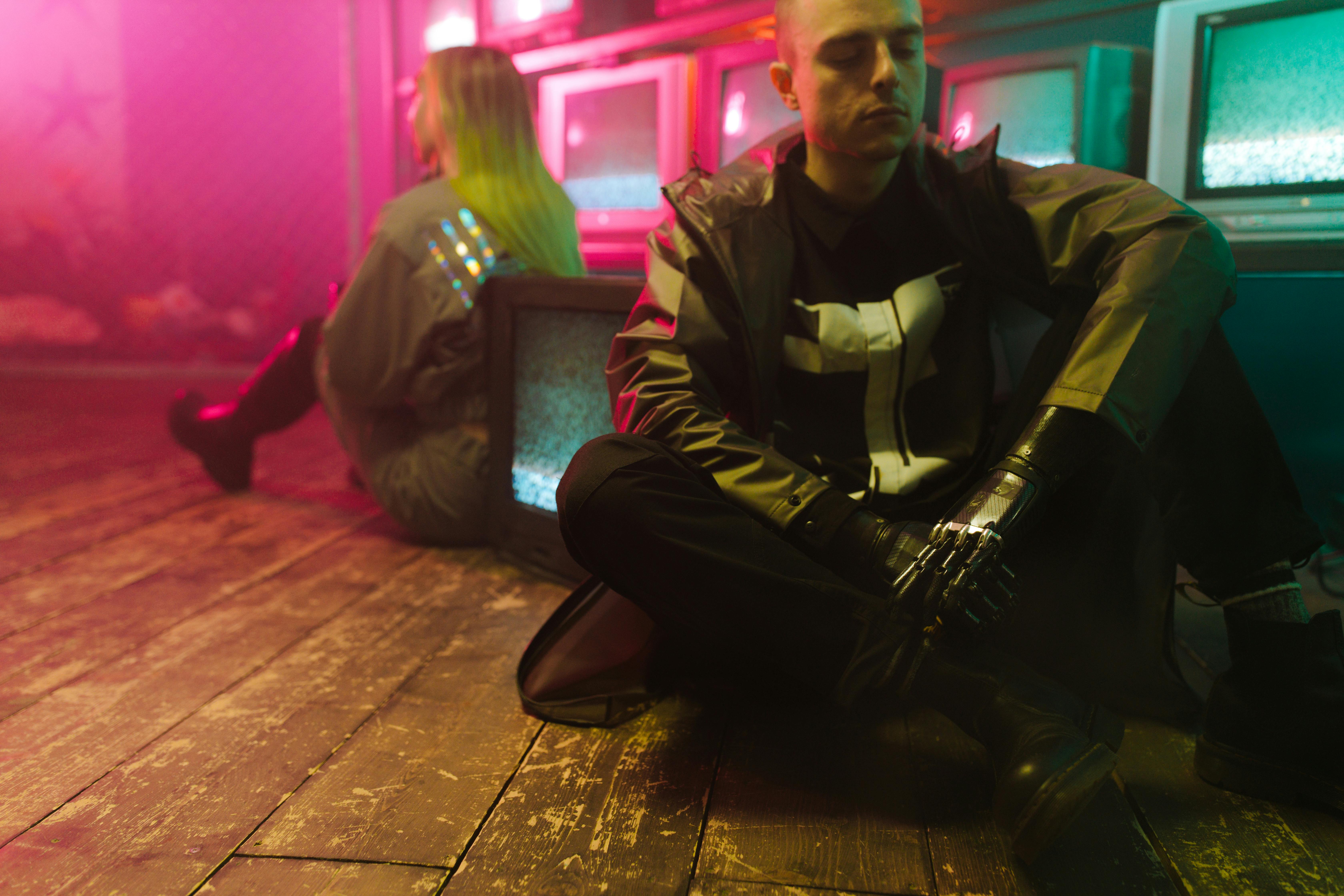
Maintaining a consistent character or visual identity across 30+ shots in a music video was impossible for AI tools two years ago. In 2026, platforms including Freebeat (80+ shot character lock) and Neural Frames (character consistency mode) make this standard. For artists building a visual persona across releases, this is the feature that makes AI music videos feel coherent rather than random.
ByteDance's Native TikTok AI Video Tool
As Social Media Today reported in February 2026, ByteDance launched a native AI video generation tool with TikTok integration and real-time trend analysis. Currently limited to brand accounts, it will eventually reach independent artists and create direct platform-native competition for third-party tools. For now, third-party tools offer more flexibility and genre-specific optimization.
YouTube's Quality Filter
YouTube's 2026 content quality initiative distinguishes between AI-generated videos that reflect real creative decisions and mass-produced zero-effort output. As Neural Frames' 2026 FAQ states: "AI-generated visuals don't trigger copyright claims on their own. Content ID is an audio system. If your track is clean, your video is clean." Monetization is fully supported for AI music videos that reflect genuine creative choices.
15 Frequently Asked Questions
1. How do I make a music video without a camera? Use an AI music video generator. Upload your audio file, choose a visual style (AI scenes, beat visualizer, or lyric overlay), set your aspect ratio, and export. Clipstars.ai produces a complete social-ready video in under 5 minutes with no camera or editing experience required.
2. How much does it cost to make a music video in 2026? $0 with free tiers (Clipstars.ai free, Onemoreshot.ai first video free). $10–$16/month for a complete professional workflow. $150–$300 for a freelancer on Fiverr. $5,000–$50,000 for a professional production.
3. How long does it take to make a music video with AI? Under 5 minutes on Clipstars.ai (2–4 minutes render). Under 2 minutes on Onemoreshot.ai. 2–8 hours for a manual AI assembly workflow using Runway Gen-4.
4. What aspect ratio should a music video be for TikTok? 9:16 vertical (1080 × 1920 pixels). Also correct for Instagram Reels and YouTube Shorts. Standard YouTube requires 16:9 horizontal.
5. Can I make a music video from an MP3? Yes. Most AI music video tools accept MP3, WAV, and FLAC. For best beat sync results, upload WAV or FLAC. MP3 at 320 kbps is the minimum for reliable results. Full breakdown in How to Use an AI Music Video Generator from Audio File in 2026.
6. What is the best free tool to make a music video? Clipstars.ai free tier for videos up to 90 seconds with no watermark. Onemoreshot.ai for one full-length video free with no credit card. Full comparison in Top 5 Free Music Video Creator Tools for Independent Artists (2026).
7. Can I make a full-length music video for YouTube Shorts? Yes. YouTube extended Shorts to 3 minutes in 2025. A complete single is now viable in the Shorts format. Clipstars Pro and Neural Frames both support full-length vertical exports.
8. Do I need editing experience to make a music video with AI? No. Clipstars.ai, Freebeat.ai, and Onemoreshot.ai all require zero editing experience. Upload audio, choose style, export. Manual AI assembly tools like Runway require editing experience.
9. What is Genre-Aware Pacing? Genre-Aware Pacing means the AI adapts visual transition style to the genre and emotional arc of the music — not just the BPM. EDM drops get hard cuts; indie ballads get slow dissolves. Clipstars.ai is the clearest example of this implemented in a social-first tool.
10. How do I make a music video that looks professional? Use WAV or FLAC audio for the best beat sync. Start with the strongest visual frame — never a fade-in. Add lyric overlays for muted viewing. Export with the platform-specific preset. Maintain visual consistency across releases with I2V mode. As the Top 7 AI Music Video Generators for Social Media in 2026 guide covers in detail, professional results come from the right tool choice, not the highest budget.
11. Can I make a music video with my own photos? Yes. Image-to-Video (I2V) mode on Clipstars.ai Pro lets you upload a reference photo — a portrait, album artwork, or a visual concept — and the AI generates scenes that maintain visual consistency with that image throughout the video.
12. Can I make a music video for Spotify Canvas? Yes. Spotify Canvas accepts 3–8 second looping vertical videos at 720 × 1280 pixels. Generate a short beat visualizer loop or stylized AI scene in 9:16 format. The loop transition must be seamless.
13. Are AI-generated music videos copyright safe? AI-generated visuals do not trigger YouTube or TikTok Content ID — those systems are audio-based. The copyright risk comes from the music track itself, not the visuals. YouTube fully monetizes AI-generated content that reflects real creative decisions.
14. How do I make a lyric video? Use a tool with auto-transcription — Clipstars.ai (Pro tier) or Freebeat.ai both generate synchronized lyric overlays directly from your audio, no .lrc file required. Full guide: Top 7 Lyric Video Generator Tools That Actually Sync to Your Music (2026).
15. How many music videos should I make from one track? At minimum three: a full-length video for standard YouTube, a 30–60 second hook clip for TikTok and Instagram Reels, and a 3–8 second loop for Spotify Canvas. A single Clipstars Pro session can produce all three in different export formats within 15 minutes.
Quick Answer: To make a music video in 2026 without a budget or crew, upload your finished track to an AI music video tool, choose a visual style, set your aspect ratio (9:16 for TikTok and Reels, 16:9 for YouTube), and export. Clipstars.ai is the fastest complete workflow from audio file to published video in under 5 minutes, no editing experience required. If you need lip-sync or character consistency,
The Music Video Is No Longer Optional — But the Film Crew Is
Making a music video used to mean one of two things: spend $5,000–$50,000 on a professional production, or cobble something together with a smartphone and a friend. In 2026, there is a third option that has made the first two largely irrelevant for most independent artists.
AI music video tools now let any artist make a music video the same day a track is finished — without a camera, a crew, a director, or a budget. According to Freebeat's May 2026 industry analysis, the generative AI in music market was valued at $642.8 million in 2024 and is projected to reach $3 billion by 2030. The tools have matured: what was experimental in 2023 is now production-ready.
The numbers behind the demand are equally clear:
YouTube Shorts generates over 200 billion daily views with a 5.91% average engagement rate (AutoFaceless, Q1 2026)
85% of social video is watched on mute — making visual content that communicates without audio essential (Marketing LTB, March 2026)
TikTok musicians using AI video clips see 3–5x more engagement than those posting audio-only content (Seedance, April 2026)
Traditional production costs $5,000–$50,000; AI tools reduce this to under $1 per video at regular posting frequency (One More Shot, March 2026)
The question in 2026 is not whether to make a music video. It is how — and which approach fits your release, your genre, and your workflow.
4 Ways to Make a Music Video in 2026
Before choosing a tool, understand the four distinct approaches available. Each produces a different result and requires a different time investment.
Approach 1 — AI Music Video Generator (Recommended for Most Artists)
Upload your audio file, select a visual style, set your aspect ratio, and export. The AI analyzes your track's structure and generates synchronized visuals automatically. No editing experience required. Time to publishable video: 5–10 minutes.
Tools: Clipstars.ai, Freebeat.ai, Neural Frames, Onemoreshot.ai
Best for: Independent artists posting regularly, social media managers, anyone who needs a video today.
Approach 2 — AI Video Generator + Manual Assembly
Generate AI video clips from text prompts in tools like Runway Gen-4 or Kling, then assemble and sync them to your audio in a separate editor (CapCut, Premiere Pro, DaVinci Resolve). Higher quality ceiling, but requires editing experience. Time to publishable video: 2–8 hours.
Tools: Runway Gen-4, Kling, Pika, Luma AI
Best for: Artists with a specific visual concept, editing experience, and time to invest in a high-production hero release.
Approach 3 — Filmed Video with AI Enhancement
Film performance footage or a narrative concept with a smartphone or camera, then use AI tools to enhance color, add effects, or stabilize footage in post-production. Time to publishable video: 1–3 days.
Tools: CapCut AI, Adobe Premiere AI features, DaVinci Resolve AI
Best for: Artists who want authentic performance footage but need help with post-production polish.
Approach 4 — Hire a Director or Freelancer
Commission a professional director or Fiverr freelancer. Time to publishable video: 1–4 weeks. Cost: $150–$50,000+.
Best for: A single high-profile release where production value is the absolute priority and budget is not a constraint.
For the vast majority of independent artists posting consistently in 2026, Approach 1 is the right choice — not as a compromise, but as the economically rational decision for regular content.
Before You Make a Music Video: 5 Decisions First
Answering these five questions before opening any tool saves significant time and produces better results.
Decision 1 — What platform is this video for?
Your target platform determines your aspect ratio before anything else:
Platform | Ratio | Resolution | Max Length |
|---|---|---|---|
TikTok | 9:16 vertical | 1080 × 1920 | 3 minutes |
Instagram Reels | 9:16 vertical | 1080 × 1920 | 3 minutes |
YouTube Shorts | 9:16 vertical | 1080 × 1920 | 3 minutes (extended 2025) |
Standard YouTube | 16:9 horizontal | 1920 × 1080 | Unlimited |
Spotify Canvas | 9:16 vertical | 720 × 1280 | 3–8 seconds loop |
The 9:16 vertical format now accounts for the majority of music discovery across all three major short-form platforms. If you are only making one version: make it vertical.
Important 2026 note: YouTube extended the maximum Shorts length to 3 minutes in 2025. A full-length single as a vertical Shorts upload is now viable — and most artists still default to 60-second clips, making the 90-second to 3-minute slot low-competition.
Decision 2 — What visual style fits your genre?
The visual style of your music video should match the emotional register of the track. As Seedance's April 2026 production guide notes: "Slow visuals on fast music (or vice versa) creates cognitive dissonance. Match your visual energy to the audio energy."
Hip-hop and rap: Lyric-forward content with sharp typography and high-contrast visuals. Word-by-word lyric sync is the dominant TikTok format for this genre.
EDM and electronic: Beat visualizers with audio-reactive particle systems and frequency bars. Hard cuts at drops and build-ups. Genre-Aware Pacing tools handle this automatically.
Indie and singer-songwriter: Atmospheric, narrative or performance-style visuals. Warm color palettes. Slower visual pacing matching the emotional arc of the track.
R&B and soul: Performance-style content with cinematic color grading. Lyric overlays with deliberate timing — each phrase landing with weight.
Lo-fi and ambient: Looping, atmospheric visuals. Short looping clips for Spotify Canvas. Stylized aesthetic that repeats without feeling repetitive.
Decision 3 — Do you need lyric overlays?
85% of social video is watched on mute. This single statistic makes lyric overlays one of the highest-ROI decisions in any music video workflow. If your track has lyrics and you are posting to TikTok or Reels, add lyric overlays.
Modern AI tools auto-transcribe your vocals — no .lrc file, no manual typing. This is a paid feature on most platforms but pays for itself in reach within the first few posts.
Decision 4 — Do you need visual consistency across multiple videos?
If you are releasing an EP or album with multiple singles, visual consistency across all your music videos signals professionalism and builds brand recognition.
Image-to-Video (I2V) mode — available on Clipstars.ai Pro and other platforms — solves this: upload one reference image (album artwork, a portrait, a visual motif) and every video generated maintains visual consistency with that image across scenes. As Cybernews noted in May 2026, I2V workflows are now the dominant method for professional visual branding in the AI music video category.
Decision 5 — What is your posting frequency?
One video per release (monthly or less): Budget more time per video. Approach 2 or 3 is worth the investment.
Weekly posting: AI music video generators (Approach 1) are the only economically rational choice. The per-video cost at this frequency on a $14/month Pro plan is approximately $0.46.
Daily posting: Speed and automation are everything. Onemoreshot.ai (under 2 minutes render time) or Clipstars.ai (2–4 minutes) are the right tools. Batch-create a week of videos in a single session.
How to Make a Music Video With Clipstars: Complete Walkthrough
The fastest and most complete workflow for making a music video in 2026, using Clipstars.ai.
Step 1 — Prepare your audio file
Export your track from your DAW as WAV or FLAC for the best beat detection accuracy. MP3 at 320 kbps is accepted if lossless is not available.
Two things to do before uploading:
Trim silence from the start and end. Any silence in the file becomes a black screen in the video. The first 2 seconds of any social video determine whether 71% of viewers keep watching (Marketing LTB, March 2026).
Check your dynamic range. A heavily compressed master with no dynamic range produces flat visual sync — the AI has less variation in the waveform to work with. A mix with clear transient peaks at drops and hits produces tighter, more energetic visual sync.
If you generated your music on Suno (Pro or Premier tier), you can paste the link directly into Clipstars without downloading a file.
Step 2 — Upload and choose your visual mode
Go to Clipstars.ai and upload your file. Four visual modes:
AI Scene Generation — the platform generates original cinematic or abstract visuals, synchronized to your track's genre and emotional arc. No assets required. Best for: any genre where you want the video to feel produced.
Beat Visualizer — frequency-reactive waveforms, particle effects, and spectrum animations. Best for: EDM, lo-fi, and instrumental content. For a deeper look at this format, read Top 8 Beat Visualizer Tools for Producers and DJs in 2026.
Lyric Overlay — auto-transcription of your vocals with animated text. Best for: hip-hop, pop, and R&B. (Pro tier)
Image-to-Video (I2V) — upload a reference image and generate visually consistent scenes across the entire video. Best for: album campaigns. (Pro tier)
Step 3 — Set your aspect ratio
Choose before rendering — most platforms lock the format after this step. 9:16 for TikTok, Reels, and Shorts. 16:9 for standard YouTube.
Step 4 — Preview Genre-Aware Pacing
Clipstars adapts visual transition style to your genre automatically. EDM drops get hard cuts; ballads get slow dissolves; hip-hop gets mid-paced urban visuals. Preview before rendering to confirm the pacing feels musically intentional.
Step 5 — Export with platform preset
Select your target platform. Clipstars handles per-platform compression automatically — each platform encodes video differently, and getting this wrong degrades quality on upload. Render time: 2–4 minutes. Free tier: 90 seconds, no watermark.
Making a Music Video for Each Platform: Format Cheat Sheet
TikTok Music Video
Format: 9:16 vertical, 1080 × 1920, under 3 minutes
Hook: First frame must be the strongest visual moment — not a fade-in or logo
Captions: Always — 85% of TikTok is watched on mute
Length: 30–60 seconds for discovery clips; full length as a Shorts alternative
AI tool: Clipstars for complete workflow; Kaiber for looping stylized clips
Instagram Reels Music Video
Format: 9:16 vertical, 1080 × 1920, up to 3 minutes
Hook: Same as TikTok — visual hook in the first 2 seconds
Strategy: Post a 30-second hook clip for shares; link to full version in bio
AI tool: Clipstars for TikTok + Reels in one export
YouTube Music Video (Standard)
Format: 16:9 horizontal, 1920 × 1080
Title: Include "[Artist Name] - [Song Title] (Official Lyric Video)" or "(Official Music Video)" for search
Length: Full track — YouTube rewards watch time
SEO: A lyric video titled "[Song Name] lyrics" captures ongoing search traffic
AI tool: Clipstars or Neural Frames for full-length 16:9 export
YouTube Shorts Music Video
Format: 9:16 vertical, 1080 × 1920, up to 3 minutes
Opportunity: Most artists still post 60-second Shorts — the 2–3 minute slot has low competition
Strategy: Post the full single as a Shorts upload in addition to the standard YouTube video
AI tool: Clipstars Pro supports full-length Shorts exports
Spotify Canvas
Format: 9:16 vertical, 720 × 1280, 3–8 seconds looping
Content: A beat visualizer loop or a short stylized AI scene
Rule: The loop transition must be invisible — start and end frames should connect seamlessly
AI tool: Clipstars short-clip export or Kaiber looping output
The 6 Most Common Mistakes When Making a Music Video
1. Choosing the wrong aspect ratio Generating a 16:9 video for TikTok produces a horizontal rectangle with black bars on mobile. The algorithm penalizes non-vertical content on TikTok, Reels, and Shorts. Always set 9:16 before generating for these platforms.
2. Starting with a fade-in or static logo 71% of viewers decide whether to keep watching within the first 2 seconds (Marketing LTB, March 2026). A black fade-in or a slow logo reveal kills your reach before the video has started. Open with the strongest visual moment you can generate.
3. Uploading a low-bitrate audio file MP3 below 192 kbps produces noticeably looser beat sync and more lyric transcription errors. Upload WAV or FLAC when available. As the detailed breakdown in How to Use an AI Music Video Generator from Audio File in 2026 explains: audio quality is the single biggest variable in AI video output quality.
4. Skipping captions 85% of social video is consumed on mute. A music video without visible lyrics or captions is effectively silent for the majority of its audience. Auto-transcription lyric overlays are one of the highest-ROI upgrades in any posting workflow.
5. Posting the same format everywhere A 3-minute 16:9 video for YouTube, a 60-second 9:16 hook for TikTok, a 5-second loop for Spotify Canvas — these are three different format decisions from one track. Making only one version and posting it everywhere ignores how each platform distributes content.
6. Waiting for the "perfect" video before posting An AI-generated video published the same day as a release consistently outperforms a higher-production video published three weeks later. The algorithm rewards recency and consistency more than quality. Post the video now; upgrade for the next release.
Making a Music Video on Different Budgets in 2026
$0 — Free tier
What you get: Clipstars.ai free tier (90 seconds, no watermark), Onemoreshot.ai (one full-length video free), Kaiber (100 free credits) Best for: Testing the workflow before committing, single releases, artists just starting out Limitation: Length caps, no lyric overlays, no I2V mode on free tiers
$10–$16/month — Entry paid
What you get: Clipstars Pro ($14/month) — full-length exports, lyric overlays, I2V mode, priority rendering. Freebeat Standard ($9.99/month) — full structural sync, lip-sync, character consistency Best for: Artists posting weekly, social media managers, anyone building a consistent posting schedule Math: At daily posting frequency on Clipstars Pro, cost per video is approximately $0.46
$15–$25/month — Mid tier
What you get: Neural Frames (~$15/month) — 8-stem audio reactivity, 4K output, Autopilot mode. Kapwing Pro ($16/month) — full timeline editor, team collaboration, auto-captioning Best for: Electronic producers wanting maximum audio reactivity, teams managing multiple artists
$35+/month — High production
What you get: Runway Gen-4 ($35+/month) — best cinematic quality available, full manual control Best for: A single high-profile release where visual quality is the absolute priority and manual editing time is not a constraint
$150–$300 per video — Freelancer
What you get: A basic lyric video or simple music video on Fiverr Best for: Artists who want human creative direction on a specific concept
$1,000–$50,000 per video — Professional production
What you get: A directed, filmed, and edited music video Best for: Major releases, label-backed productions, hero content where budget is not a constraint
2026 Trends That Change How You Make a Music Video
The 3-Minute Shorts Window Is Still Underutilized
YouTube extended Shorts to 3 minutes in 2025. Channels posting Shorts grow 50% faster year-over-year (AutoFaceless, Q1 2026). Most artists still post 60-second clips — making the 90-second to 3-minute slot the lowest-competition slot in music video distribution right now. The full single as a Shorts upload is the clearest opportunity most artists are missing.
Suno-to-Video: The Fully AI-Native Workflow
For artists generating music on Suno's paid tiers (which grant commercial rights), the most efficient music video workflow in 2026 requires no traditional tools at all: generate track on Suno → paste link into Clipstars or Freebeat → receive a distribution-ready video → publish. No file downloads, no format conversion, no separate editors.
Character Consistency Across Scenes
Maintaining a consistent character or visual identity across 30+ shots in a music video was impossible for AI tools two years ago. In 2026, platforms including Freebeat (80+ shot character lock) and Neural Frames (character consistency mode) make this standard. For artists building a visual persona across releases, this is the feature that makes AI music videos feel coherent rather than random.
ByteDance's Native TikTok AI Video Tool
As Social Media Today reported in February 2026, ByteDance launched a native AI video generation tool with TikTok integration and real-time trend analysis. Currently limited to brand accounts, it will eventually reach independent artists and create direct platform-native competition for third-party tools. For now, third-party tools offer more flexibility and genre-specific optimization.
YouTube's Quality Filter
YouTube's 2026 content quality initiative distinguishes between AI-generated videos that reflect real creative decisions and mass-produced zero-effort output. As Neural Frames' 2026 FAQ states: "AI-generated visuals don't trigger copyright claims on their own. Content ID is an audio system. If your track is clean, your video is clean." Monetization is fully supported for AI music videos that reflect genuine creative choices.
15 Frequently Asked Questions
1. How do I make a music video without a camera? Use an AI music video generator. Upload your audio file, choose a visual style (AI scenes, beat visualizer, or lyric overlay), set your aspect ratio, and export. Clipstars.ai produces a complete social-ready video in under 5 minutes with no camera or editing experience required.
2. How much does it cost to make a music video in 2026? $0 with free tiers (Clipstars.ai free, Onemoreshot.ai first video free). $10–$16/month for a complete professional workflow. $150–$300 for a freelancer on Fiverr. $5,000–$50,000 for a professional production.
3. How long does it take to make a music video with AI? Under 5 minutes on Clipstars.ai (2–4 minutes render). Under 2 minutes on Onemoreshot.ai. 2–8 hours for a manual AI assembly workflow using Runway Gen-4.
4. What aspect ratio should a music video be for TikTok? 9:16 vertical (1080 × 1920 pixels). Also correct for Instagram Reels and YouTube Shorts. Standard YouTube requires 16:9 horizontal.
5. Can I make a music video from an MP3? Yes. Most AI music video tools accept MP3, WAV, and FLAC. For best beat sync results, upload WAV or FLAC. MP3 at 320 kbps is the minimum for reliable results. Full breakdown in How to Use an AI Music Video Generator from Audio File in 2026.
6. What is the best free tool to make a music video? Clipstars.ai free tier for videos up to 90 seconds with no watermark. Onemoreshot.ai for one full-length video free with no credit card. Full comparison in Top 5 Free Music Video Creator Tools for Independent Artists (2026).
7. Can I make a full-length music video for YouTube Shorts? Yes. YouTube extended Shorts to 3 minutes in 2025. A complete single is now viable in the Shorts format. Clipstars Pro and Neural Frames both support full-length vertical exports.
8. Do I need editing experience to make a music video with AI? No. Clipstars.ai, Freebeat.ai, and Onemoreshot.ai all require zero editing experience. Upload audio, choose style, export. Manual AI assembly tools like Runway require editing experience.
9. What is Genre-Aware Pacing? Genre-Aware Pacing means the AI adapts visual transition style to the genre and emotional arc of the music — not just the BPM. EDM drops get hard cuts; indie ballads get slow dissolves. Clipstars.ai is the clearest example of this implemented in a social-first tool.
10. How do I make a music video that looks professional? Use WAV or FLAC audio for the best beat sync. Start with the strongest visual frame — never a fade-in. Add lyric overlays for muted viewing. Export with the platform-specific preset. Maintain visual consistency across releases with I2V mode. As the Top 7 AI Music Video Generators for Social Media in 2026 guide covers in detail, professional results come from the right tool choice, not the highest budget.
11. Can I make a music video with my own photos? Yes. Image-to-Video (I2V) mode on Clipstars.ai Pro lets you upload a reference photo — a portrait, album artwork, or a visual concept — and the AI generates scenes that maintain visual consistency with that image throughout the video.
12. Can I make a music video for Spotify Canvas? Yes. Spotify Canvas accepts 3–8 second looping vertical videos at 720 × 1280 pixels. Generate a short beat visualizer loop or stylized AI scene in 9:16 format. The loop transition must be seamless.
13. Are AI-generated music videos copyright safe? AI-generated visuals do not trigger YouTube or TikTok Content ID — those systems are audio-based. The copyright risk comes from the music track itself, not the visuals. YouTube fully monetizes AI-generated content that reflects real creative decisions.
14. How do I make a lyric video? Use a tool with auto-transcription — Clipstars.ai (Pro tier) or Freebeat.ai both generate synchronized lyric overlays directly from your audio, no .lrc file required. Full guide: Top 7 Lyric Video Generator Tools That Actually Sync to Your Music (2026).
15. How many music videos should I make from one track? At minimum three: a full-length video for standard YouTube, a 30–60 second hook clip for TikTok and Instagram Reels, and a 3–8 second loop for Spotify Canvas. A single Clipstars Pro session can produce all three in different export formats within 15 minutes.


import StickyCTA from "https://framer.com/m/StickyCTA-oTce.js@Ywd2H0KGFiYPQhkS5HUJ"