
FROM OUR BLOG
Top 8 Beat Visualizer Tools for Producers and DJs in 2026

Quick Answer: A beat visualizer turns your audio into audio-reactive visuals — waveforms, frequency bars, particle effects, and 3D animations that pulse and move in sync with your track. The best beat visualizer in 2026 depends on your use case: Clipstars.ai for social-ready beat visualizer videos with no editing experience, Beatsee for 3D WebGL visuals, Neural Frames for 8-stem audio-reactive depth, and HeavyM for live DJ set projection mapping.
What Is a Beat Visualizer — and Why Does It Matter in 2026?
A beat visualizer is software that reads the frequency data of an audio track in real time and converts it into synchronized visual output — animated waveforms, spectrum bars, particle systems, geometric shapes, and abstract patterns that react to the music as it plays.
This is distinct from a music video. As Animaker's 2026 breakdown of the two formats explains: visualizers keep the focus on the music, designed to complement the track rather than overshadow it. Music videos aim to tell a story. A beat visualizer is a listening experience given visual form.
In practice, producers and DJs use beat visualizers for four main purposes:
1. YouTube and streaming uploads — YouTube requires something on screen. A static image hurts watch time and algorithmic distribution. A beat visualizer provides motion without requiring filming, actors, or a production budget.
2. Social media content — TikTok, Instagram Reels, and YouTube Shorts reward motion. A beat visualizer posted the same day as a release is more valuable than a filmed video posted three weeks later.
3. Live performance visuals — DJs and electronic artists use real-time beat visualizers to drive projected visuals during sets, synced live to the audio output.
4. Spotify Canvas — Spotify accepts 3–8 second looping vertical videos. A short beat visualizer loop is the most natural content format for this placement.
The market for these tools has grown significantly. According to HeavyM's 2026 music visualizer guide, the category now spans from simple 2D browser-based waveform overlays to real-time 3D projection mapping systems with over 1,000 built-in audio-reactive effects. The gap between entry-level and professional tools has widened — choosing the right one for your use case saves significant time and money.
Beat Visualizer vs Music Video: Which Do You Actually Need?
Before comparing tools, this distinction matters practically. According to Beatwave's format analysis:
A beat visualizer is right when:
You are releasing a track and need a visual up on the same day
Your content is instrumental, lo-fi, EDM, or electronic — genres where the audio is the primary experience
You want something for YouTube, Spotify Canvas, or a DJ set visual
You have no filming budget or crew
You are posting regularly and need speed over cinematic quality
A music video is right when:
You have a specific visual narrative tied to the lyrics
You are investing in a hero release where visual quality is the priority
You have budget for production and post-production
For most producers posting to YouTube and social media in 2026, a high-quality beat visualizer is not a compromise — it is the correct creative choice. As Beatsee's March 2026 guide notes, most "music visualizers" on the market are just 2D waveform overlays on static backgrounds. The tools worth using produce genuinely dynamic, dimensional visuals that react to the music's actual structure.
The 5 Types of Beat Visualizer Output — Explained
Understanding what each visual type produces helps you choose the right tool before you upload anything.
1. Waveform Visualizer
The classic audio visualization — a line that rises and falls with the amplitude of the audio signal. Simple, clean, and recognizable. Best for: podcast clips, audiograms, and minimalist visual branding. Not ideal for EDM or high-energy tracks where the visual should match the energy.
2. Spectrum / Frequency Bar Visualizer
Vertical bars representing different frequency ranges — bass on the left, treble on the right — that rise and fall in real time. The "Monstercat bar" style made famous by YouTube electronic music channels is a variant of this. Best for: EDM, electronic, lo-fi, and any genre where the frequency content of the mix is musically interesting.
3. Particle System Visualizer
Thousands of particles that move, cluster, and explode in response to beat triggers and frequency data. High visual impact. Best for: drops, build-ups, and high-energy moments in electronic and hip-hop tracks. The most visually impressive type when executed well.
4. 3D Geometric Visualizer
Three-dimensional shapes — spheres, cubes, tunnels, abstract structures — that deform, rotate, and pulse to the audio. Requires WebGL rendering capability. Best for: ambient, experimental, and high-production-value content where visual distinction is the priority.
5. Abstract / AI-Generated Scene Visualizer
AI-generated visual scenes that shift and evolve with the musical structure — not just the beat, but the emotional arc of the track. This is where tools like Clipstars.ai and Neural Frames operate. Best for: full-length track uploads to YouTube and social platforms where the visual needs to hold attention across 3+ minutes.
Top 8 Beat Visualizer Tools in 2026
1. Clipstars.ai — Best Beat Visualizer for Social Media
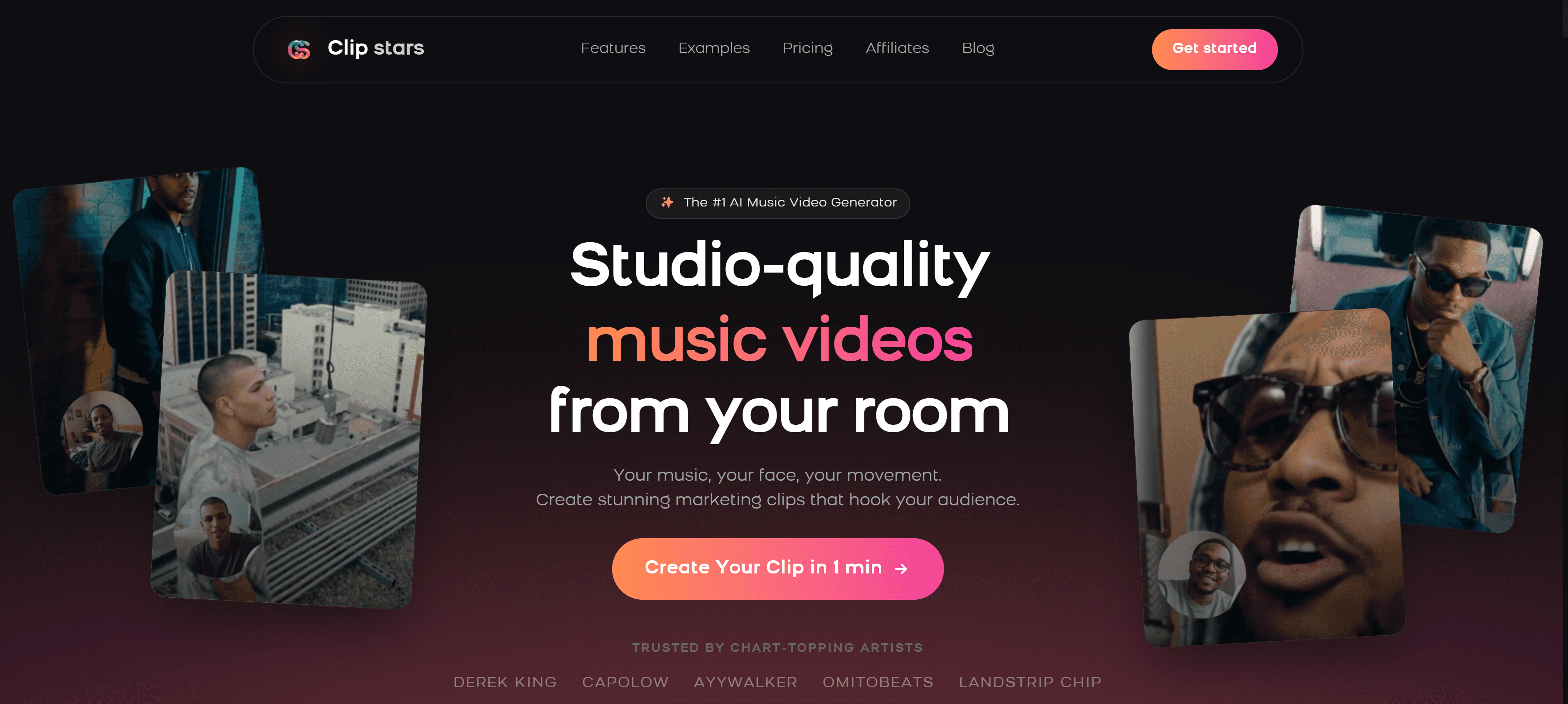
Clipstars.ai combines a beat visualizer mode with full AI scene generation, lyric overlays, and platform-specific social export — making it the most complete option for producers who need a beat visualizer that is actually ready to post on TikTok, Instagram Reels, or YouTube Shorts without any additional editing.
Upload your MP3 or WAV, select Beat Visualizer mode, set your aspect ratio, and export. The frequency-reactive animations sync to the actual beat data of your track. Genre-Aware Pacing adapts the visual intensity to the genre — EDM gets high-frequency visual bursts at drops, lo-fi gets slow, atmospheric motion.
What stands out:
Beat visualizer mode with frequency-reactive animations built for social export
Genre-Aware Pacing adapts visual energy to genre — not just BPM
Direct export presets for TikTok (9:16), Instagram Reels, YouTube Shorts, and YouTube (16:9) with correct platform compression
Image-to-Video (I2V) mode for visual consistency across a full release campaign (Pro)
Free tier: up to 90 seconds, no watermark
Pro plan from $14/month
What to know:
Not designed for live performance visuals — this is a content creation tool, not a real-time VJ tool
3D rendering depth is less than dedicated 3D tools like Beatsee
Best for: Producers posting beat videos to TikTok, YouTube Shorts, and Instagram Reels. The social export handling alone saves significant time compared to tools that require manual re-exporting per platform.
Also read: Top 7 AI Music Video Generators for Social Media in 2026 — if you want AI-generated scenes on top of your beat visualizer, this guide covers all options in detail.
2. Beatsee — Best 3D Beat Visualizer
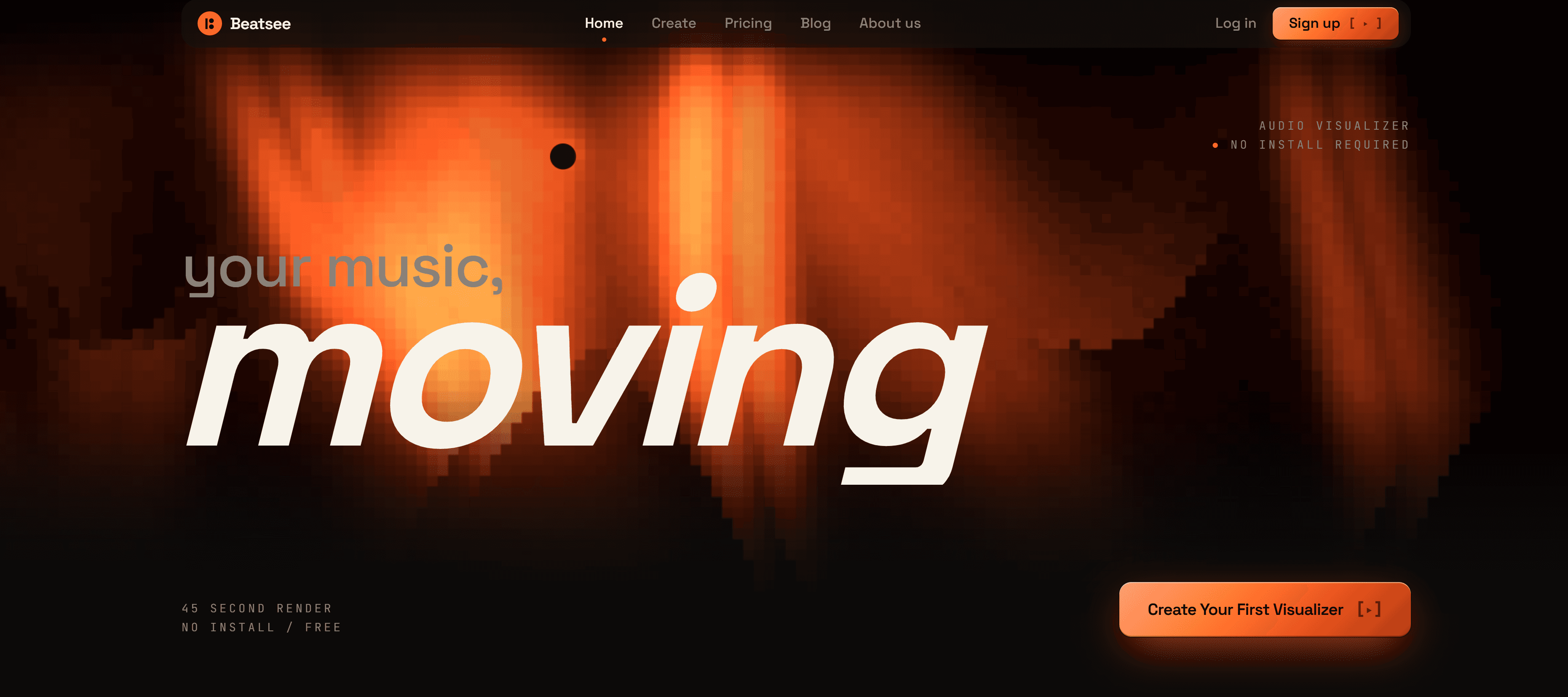
Beatsee is a browser-based beat visualizer built on WebGL — it renders true 3D geometry in real time, including spectrum bars, waveforms, and 3D geometric visualizers with camera animation. According to Beatsee's own March 2026 testing, it is specifically designed for "music producers, beat makers, and artists who want their visuals to stand out with real 3D depth and audio reactivity — without learning After Effects or Blender."
What stands out:
True 3D WebGL rendering — beat-reactive 3D objects, text, images, and particle effects
Real-time audio analysis with frequency mapping, beat detection, and BPM-aware animation
Multiple visualizer types: spectrum bars, waveforms, 3D geometric visualizers
Camera animation and scene management with multiple "pages" that transition during the track
Works in any modern browser — no software installation required
What to know:
Smaller template library than Renderforest — the tradeoff of custom 3D vs. pre-made templates
Requires WebGL support (any recent Chrome, Firefox, or Edge)
Free plan with watermark; Creator plan at €4.99/month
Best for: Beat makers and producers who want genuine 3D visual depth without learning Blender or After Effects.
3. Neural Frames — Best Beat Visualizer for Audio Reactivity Depth
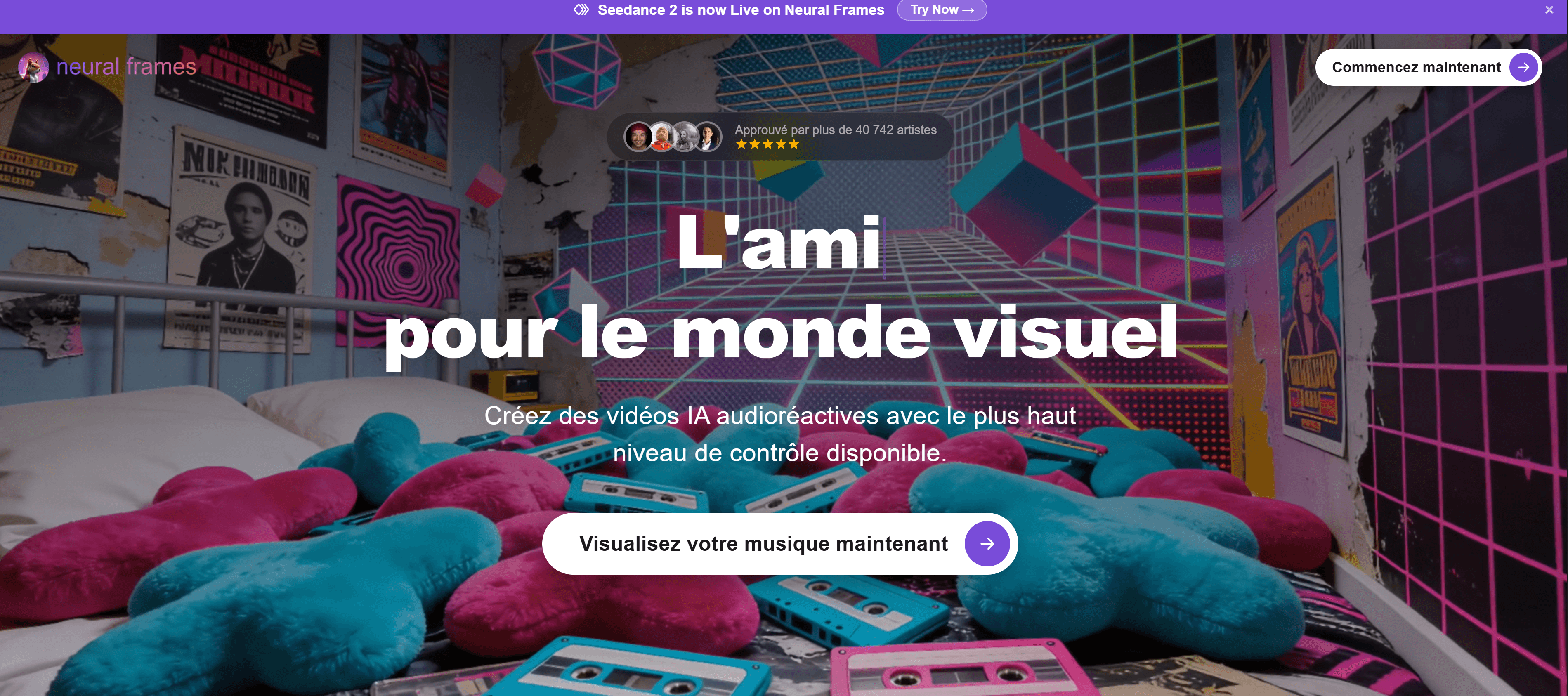
Neural Frames splits every audio track into 8 stems — vocals, drums, bass, synths, and four additional elements — so visuals respond to specific components of the mix rather than the overall loudness envelope. As Bravewords' April 2026 review describes: this produces visuals that respond to "a hi-hat pattern, a vocal phrase, a bass drop" rather than just the waveform.
For producers with complex arrangements — layered synths, intricate percussion, dynamic bass lines — 8-stem separation produces a significantly more musically intelligent visual than standard beat detection.
What stands out:
8-stem audio separation — the deepest beat-reactive analysis available in a consumer tool
4K export — highest resolution in this market segment
Chat-based direction: describe visual changes in natural language
Strong for electronic, ambient, and experimental genres
What to know:
Meaningful use requires a paid plan (~$15/month)
More technical than upload-and-export tools
Not designed for live performance
Best for: Electronic producers and experimental artists who want the most musically precise audio-reactive visuals available.
4. HeavyM — Best Beat Visualizer for Live DJ Sets
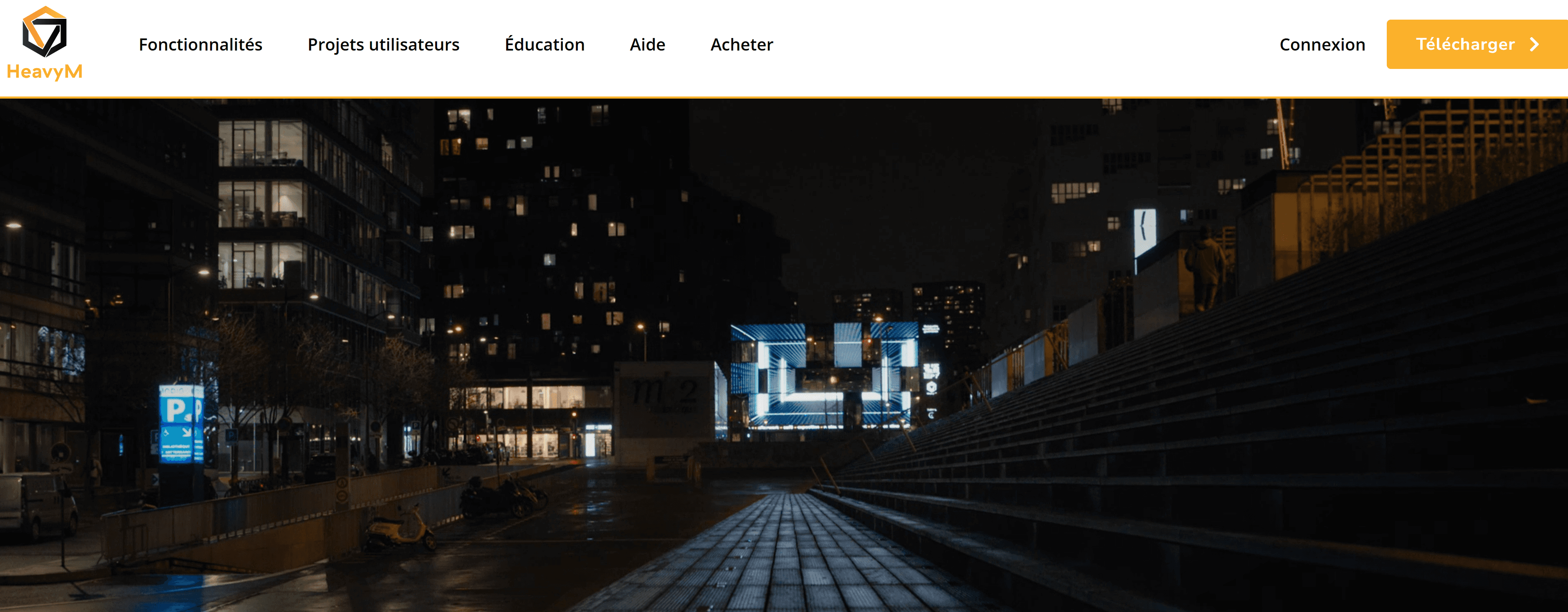
HeavyM is the leading tool for live music visuals and projection mapping — a fundamentally different use case from content creation tools. According to HeavyM's 2026 guide, it offers over 1,000 built-in audio-reactive effects with a plug-and-play interface designed for live performance without coding.
What stands out:
1,000+ built-in audio-reactive effects
Real-time sync to live audio output — designed for DJ sets and live performances
3D projection mapping for immersive stage setups
Plug-and-play interface — no coding, no VJ experience required
Works with any audio interface or DAW output
What to know:
Not designed for content creation or social media export — this is a live performance tool
Higher price point than content creation tools
Requires a laptop connected to a projector or LED setup during performance
Best for: DJs and live electronic artists who need real-time beat-reactive visuals for stage performances, club sets, or festival appearances.
5. Kaiber — Best Beat Visualizer for Stylized Loops
Kaiber produces stylized, mood-driven animated visuals that respond to audio — not cinematic realism, not pure waveform data, but a distinctive aesthetic loop that works particularly well for ambient, electronic, and lo-fi content. As Bravewords' 2026 review notes, Kaiber "produces visually striking outputs that respond to sound, making it popular among artists looking for a strong aesthetic."
What stands out:
Highly distinctive stylized visual output — stands out from generic visualizer tools
Audio-reactive animations synchronized to the track
Strong for Spotify Canvas loops and short-form social clips
Low entry cost — plans from $5/month
What to know:
Visuals tend to loop rather than evolve with the track's structure
Less suited to full-length uploads where visual progression matters
No live performance capability
Best for: Producers releasing ambient, lo-fi, or electronic music who want a consistent aesthetic visual identity across their releases.
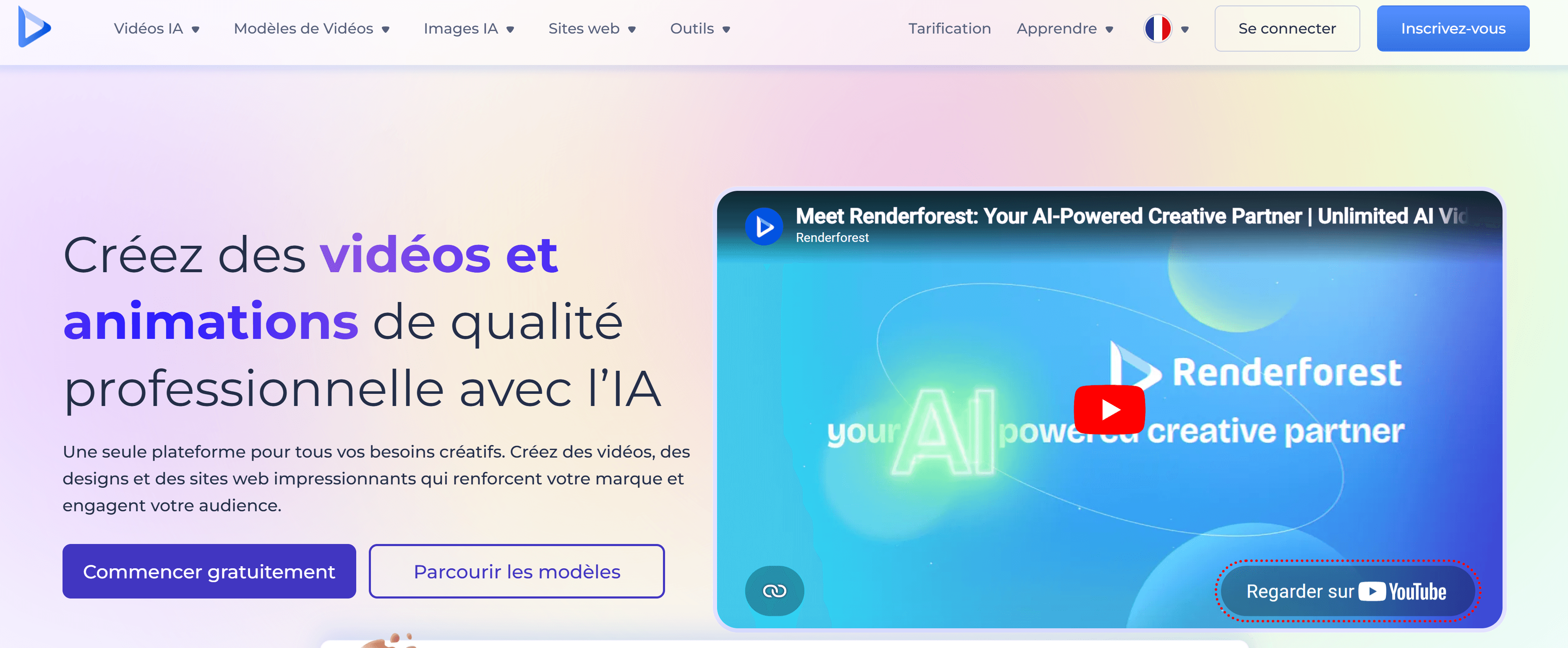
6. Renderforest — Best Beat Visualizer Template Library
Renderforest is one of the most established online video creation platforms, with a large library of beat visualizer templates — frequency bars, waveforms, particle effects, and abstract animations. As Beatsee's comparative testing notes, it offers significantly more pre-made templates than custom 3D tools, making it the fastest option for producers who want a specific established look.
What stands out:
Massive library of beat visualizer templates — the largest in the category
Simple workflow: upload audio, pick a template, export
Multiple color and style customization options within each template
No 3D rendering required — runs in the browser
What to know:
Less customization depth than Beatsee or Neural Frames
Templates can look similar to other creators using the same platform
Free tier available with limited resolution; paid plans from ~$9.99/month
Best for: Producers who need a fast, polished beat visualizer from an established template and do not need 3D rendering or deep audio reactivity.
7. Specterr — Best Beat Visualizer for Clean Professional Output
Specterr focuses on clean, professional audio visualization — waveforms, spectrum bars, and reactive animations with a strong emphasis on visual clarity and brand consistency. According to Beatsee's 2026 comparative testing, Specterr sits alongside Beatsee in the $5–10/month range for meaningful use.
What stands out:
Clean, professional visual output — no visual clutter
Strong for branded content where visual consistency with artist identity matters
Customizable color palettes, typography, and background options
Good for producers who want a recognizable visual style across all uploads
What to know:
Less 3D depth than Beatsee
More focused on clean professional output than experimental visuals
Best for: Producers and labels building a consistent visual brand across a catalog of releases.
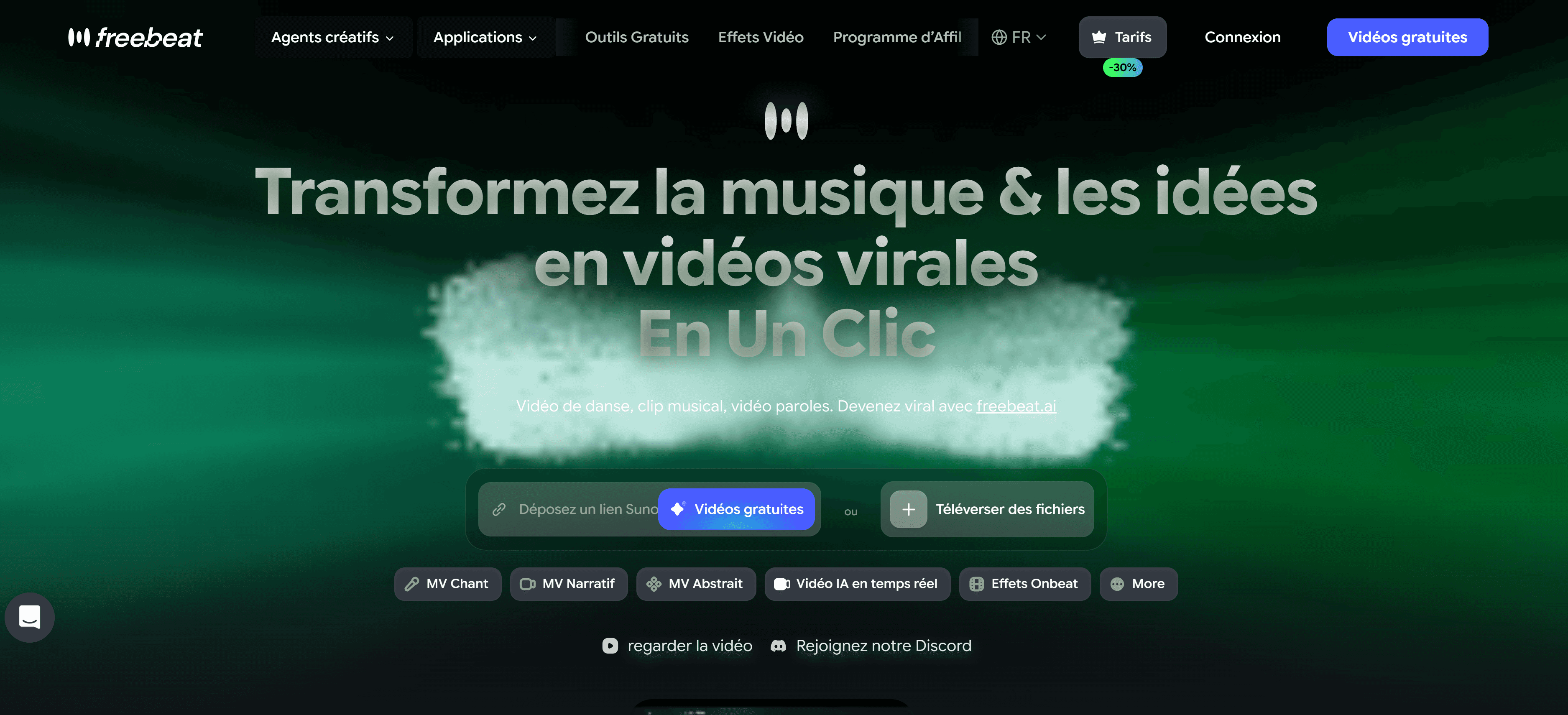
8. Freebeat.ai — Best Beat Visualizer with Lyric Integration
Freebeat.ai approaches beat visualization differently — rather than pure frequency-reactive animation, it analyzes the full track as a structured composition (verse, chorus, bridge, emotional arc) and generates visual scenes that evolve with the music's structure. According to Bravewords' April 2026 review: "Most AI audio visualizer software produces reactive visuals, but Freebeat produces videos that feel intentionally edited."
What stands out:
Structure-aware visualization — visuals evolve with verse/chorus/bridge sections, not just BPM
Abstract Video mode for ambient, electronic, and instrumental content
Lyric overlay integration — beat visualizer + lyric video in one workflow
Broadest audio input support: MP3, WAV, SoundCloud, YouTube, Suno, Udio links
What to know:
Free plan includes watermark
Less frequency-level customization than Neural Frames or Beatsee
No live performance capability
Best for: Producers who want a beat visualizer that understands musical structure rather than just raw frequency data, especially for releases that also need lyric overlays.
Head-to-Head Comparison
Tool | Visual Type | Audio Reactivity | Live Performance | Social Export | Free Tier | Best For |
|---|---|---|---|---|---|---|
AI + Visualizer | ✅ Genre-Aware | ❌ No | ✅ All platforms | ✅ 90s no watermark | Social media posting | |
Beatsee | 3D WebGL | ✅ Frequency mapping | ❌ No | ✅ Good | ✅ Watermark | 3D visual depth |
Neural Frames | AI Scenes | ✅ 8-stem separation | ❌ No | ✅ 4K | ⚠️ Limited | Max audio reactivity |
HeavyM | 3D Projection | ✅ Real-time live | ✅ Yes | ❌ No | ⚠️ Trial | Live DJ sets |
Kaiber | Stylized Loops | ✅ Audio-reactive | ❌ No | ⚠️ Limited | ✅ 100 credits | Aesthetic loops |
Renderforest | Templates | ✅ Basic | ❌ No | ✅ Good | ✅ Limited res | Fast template output |
Specterr | Clean 2D/3D | ✅ Good | ❌ No | ✅ Good | ⚠️ Limited | Brand consistency |
Structure-aware | ✅ Section-aware | ❌ No | ⚠️ Manual | ✅ Watermark | Structure + lyrics |
Step-by-Step: How to Create a Beat Visualizer Video with Clipstars
For producers who want a social-ready beat visualizer without any editing experience, here is the exact workflow using Clipstars.ai.
Step 1 — Prepare your audio file
Export your track as WAV or FLAC from your DAW for the best frequency analysis accuracy. MP3 at 320 kbps is also accepted. Trim any silence from the start — the first 2 seconds of any social video are the most important for viewer retention.
Genre-specific tip: For EDM, make sure your mix has clear transient peaks at drops and build-ups — this is what the beat detection algorithm uses to trigger visual intensity changes. A overly compressed master with no dynamic range will produce a flatter visual result.
Step 2 — Upload and select Beat Visualizer mode
Go to Clipstars.ai and upload your file. Select Beat Visualizer from the visual style options. The AI reads the waveform and begins frequency analysis immediately.
Step 3 — Set your aspect ratio
Platform | Ratio | Resolution |
|---|---|---|
TikTok | 9:16 | 1080 × 1920 |
Instagram Reels | 9:16 | 1080 × 1920 |
YouTube Shorts | 9:16 | 1080 × 1920 |
YouTube (standard) | 16:9 | 1920 × 1080 |
Spotify Canvas | 9:16 | 720 × 1280 (3–8 sec) |
2026 note: YouTube extended Shorts to 3 minutes in 2025. A full-length beat visualizer for your track is now viable as a Shorts upload — competition in the 2–3 minute Shorts slot remains low.
Step 4 — Preview Genre-Aware Pacing
Clipstars adapts visual transition intensity to genre. For EDM, preview specifically at the drop — the visual should hit hard at the same moment as the bass. If it feels off, switching between visual style sub-modes (particle vs. frequency bar vs. abstract) can tighten the sync.
Step 5 — Export with platform preset
Select your platform preset. Clipstars handles per-platform compression automatically. Render time: approximately 2–4 minutes. Free tier covers up to 90 seconds with no watermark — sufficient for a hook clip, intro segment, or Spotify Canvas loop.
Also read: How to Use an AI Music Video Generator from Audio File in 2026 — for a detailed breakdown of how audio file format affects beat detection and visual output quality.
Beat Visualizer by Genre: Quick Reference
EDM and electronic: Frequency bar visualizers and particle systems at drops. High visual energy matching the track's energy peaks. Neural Frames' 8-stem separation is the most musically accurate. Clipstars' Genre-Aware Pacing handles drop-triggered intensity automatically.
Lo-fi and hip-hop beats: Slow, atmospheric waveform or abstract animations. Kaiber's stylized loops work well here. Clipstars' Genre-Aware Pacing produces slower, more contemplative motion for lower-BPM tracks.
Ambient and experimental: 3D geometric visualizers or abstract AI-generated scenes that evolve over long periods without repeating. Beatsee's camera animation and Neural Frames' abstract generation are the strongest options.
Trap and rap instrumentals: Strong bass-reactive elements. Frequency bars that respond to the 808 sub-bass range specifically. Neural Frames' stem separation — which can isolate the bass stem — produces the tightest bass-reactive visuals.
Classical and jazz: Waveform-based visualization with restrained motion. The challenge is variable tempo — most beat detection algorithms struggle with rubato sections. Freebeat's structure-aware approach handles section transitions more naturally than pure BPM detection.
Drum and bass / jungle: Very high BPM with complex layered percussion. The fastest-reacting visualizers — Neural Frames (8-stem) and Beatsee (frequency mapping) — handle this genre best. Standard BPM detection tools blur into continuous motion at 170+ BPM.
2026 Trends in Beat Visualization
3D Is Becoming the Baseline Expectation
As Beatsee's March 2026 review notes, most "music visualizers" on the market are just 2D waveform overlays on static backgrounds. The audience expectation on YouTube has shifted — 3D depth, camera motion, and particle systems are increasingly what viewers consider standard for electronic music content. 2D frequency bars alone are beginning to look dated on channels with high production standards.
Stem Separation Is Raising the Bar for Audio Reactivity
Standard beat detection reads the overall waveform or loudness envelope. Neural Frames' 8-stem separation — isolating drums, bass, vocals, and synths individually — represents a meaningful step forward in visual accuracy. Expect this approach to become more widespread across platforms in 2026–2027 as the technology becomes cheaper to deploy.
Beat Visualizers as Primary Release Content
As Animaker's 2026 format guide notes, the hierarchy between filmed music videos and visualizers has flattened for independent producers. A beat visualizer released on the same day as a track consistently outperforms a filmed video released weeks later, because the algorithm rewards consistent posting more than occasional high-production releases.
Spotify Canvas Adoption Is Growing
Spotify Canvas — the 3–8 second looping video that plays behind a track in the Spotify player — has seen growing adoption among producers since the format became widely available. A short beat visualizer loop is the most natural content type for Canvas, and producers who use it consistently report higher listener engagement metrics. Kaiber's looping output and Clipstars' short-clip export both work well for this format.
The YouTube Shorts 3-Minute Window
YouTube extended Shorts to 3 minutes in 2025. Most producers still upload square or horizontal beat visualizers to standard YouTube out of habit. The vertical 9:16 Shorts format for full-length beat tracks is underutilized, creating an opportunity with low competition in that slot.
How to Choose the Right Beat Visualizer Tool
If you are a producer posting to social media daily: → Clipstars.ai — fastest path from audio file to published video, correct platform compression, no editing experience required.
If you want genuine 3D visual depth for YouTube: → Beatsee — WebGL rendering, camera animation, frequency mapping, €4.99/month.
If you produce complex electronic music and want maximum audio reactivity: → Neural Frames — 8-stem separation, 4K export, the most musically precise visualization available.
If you perform live as a DJ or electronic artist: → HeavyM — real-time beat sync, 1,000+ effects, projection mapping, designed for stage.
If you want a stylized aesthetic loop for Spotify Canvas and social: → Kaiber — distinctive visual style, audio-reactive loops, $5/month entry.
If you need a fast, template-based result with no learning curve: → Renderforest — largest template library, browser-based, no 3D rendering required.
15 Frequently Asked Questions
1. What is a beat visualizer? A beat visualizer is software that converts audio frequency data into synchronized visual output — waveforms, spectrum bars, particle systems, or 3D animations that react in real time to the music. It is designed to give audio a watchable visual form for YouTube, social media, live performances, and streaming platforms.
2. What is the best beat visualizer in 2026? Clipstars.ai for social-ready beat visualizer videos with direct platform export. Beatsee for 3D WebGL visuals. Neural Frames for maximum audio reactivity through 8-stem separation. HeavyM for live DJ set projection mapping.
3. What is the difference between a beat visualizer and a music video? A beat visualizer reacts to audio frequency data — it is a listening experience given visual form. A music video tells a story through filmed content. Visualizers are faster, cheaper, and better suited to regular posting; music videos are better for high-production hero releases.
4. Can I use a beat visualizer for TikTok? Yes — use 9:16 vertical format (1080 × 1920 pixels). Clipstars.ai exports directly to TikTok format with correct compression settings. Kaiber and Genmo also produce looping content suited to TikTok.
5. What is the best beat visualizer for EDM? Neural Frames for 8-stem separation and maximum frequency-level audio reactivity. Clipstars.ai for Genre-Aware Pacing that triggers hard visual cuts at drops. Beatsee for 3D particle and geometric effects.
6. Can I use a beat visualizer for Spotify Canvas? Yes — Spotify Canvas accepts 3–8 second looping vertical videos (720 × 1280 pixels). Kaiber's looping output and Clipstars' short-clip export are the most suited to this format.
7. What is the difference between a waveform visualizer and a spectrum visualizer? A waveform visualizer shows the amplitude of the audio signal over time — a single line that rises and falls. A spectrum visualizer shows the frequency content across the full range simultaneously — multiple bars representing bass, mid, and treble ranges independently.
8. Do I need software to create a beat visualizer? No. Browser-based tools including Clipstars.ai, Beatsee, and Renderforest run entirely in the browser — no download or installation required. Desktop software like HeavyM and Resolume is needed for live performance use cases.
9. What audio file format works best for beat visualizers? WAV or FLAC for the best frequency analysis accuracy — the AI has more data to work with, which produces tighter visual sync. MP3 at 320 kbps is also accepted on most platforms. Avoid MP3 below 192 kbps — beat detection degrades visibly.
10. What is Genre-Aware Pacing in a beat visualizer? Genre-Aware Pacing means the visualizer adapts visual intensity and transition style to the genre and emotional arc of the music, not just the BPM. An EDM drop gets a hard visual burst; a lo-fi beat gets slow, atmospheric motion. Clipstars.ai is currently the clearest example of this implemented in a social-first tool.
11. Can a beat visualizer handle variable tempo music? Standard BPM detection struggles with rubato or free-tempo sections. Freebeat.ai's structure-aware approach handles section transitions more naturally. Neural Frames' 8-stem separation also performs better than single-signal analysis on complex arrangements.
12. What aspect ratio should a beat visualizer be for YouTube? 16:9 horizontal (1920 × 1080 pixels) for standard YouTube uploads. 9:16 vertical (1080 × 1920 pixels) for YouTube Shorts — which now supports up to 3 minutes.
13. Are beat visualizers copyright safe? The visualizer itself does not create copyright issues — it is a visual representation of your own audio. The copyright risk comes from the audio track itself. If your track uses unlicensed samples, the visualizer will be flagged by Content ID on YouTube along with the audio.
14. What is stem separation and why does it matter for beat visualization? Stem separation splits the audio mix into individual components — drums, bass, vocals, synths. Standard visualizers react to the overall loudness. With stem separation, specific visual elements can respond to specific instruments — a bass drop triggers a visual differently than a hi-hat. Neural Frames offers 8-stem separation, currently the deepest available in a consumer tool.
15. How long does it take to generate a beat visualizer? Clipstars.ai: 2–4 minutes for a standard track. Beatsee: near-real-time in the browser. Neural Frames: 5–10 minutes for 4K renders. Renderforest: 2–3 minutes for template-based output. HeavyM: real-time (designed for live use, not pre-rendered export).
External Resources
Beatsee: 11 Best Free Music Visualizers in 2026 — independent testing of 11 tools across visual quality, customization, and audio reactivity
HeavyM: Best Music Visualizer Guide 2026 — authoritative breakdown of use cases from 2D web tools to 3D projection mapping
Animaker: Visualizer vs Music Video — Which Is the Best Fit? — practical guide to choosing between the two formats
Spotify for Artists: Canvas Guide — official specifications for beat visualizer loops on Spotify Canvas
Danetsoft: Best AI Music Visualizer Tools in 2026 — comprehensive tool comparison for creators and musicians
Internal Links
Top 5 Free Music Video Creator Tools for Independent Artists (2026)
Top 7 Lyric Video Generator Tools That Actually Sync to Your Music (2026)
How to Use an AI Music Video Generator from Audio File in 2026
Top 8 Music Video Maker Tools for Every Budget and Genre in 2026
Top 7 Best AI Platforms to Make Music Videos for Social Media (2026)
Methodology: 8 beat visualizer tools evaluated across March–May 2026. Testing criteria: visual output quality (3D depth, animation fluidity, beat-sync accuracy), audio reactivity (waveform-only vs. frequency mapping vs. stem separation), platform export handling, live performance capability, free tier value, and pricing. Audio reactivity tested on EDM, lo-fi, trap, drum and bass, and classical tracks to assess genre-specific performance.
Quick Answer: A beat visualizer turns your audio into audio-reactive visuals — waveforms, frequency bars, particle effects, and 3D animations that pulse and move in sync with your track. The best beat visualizer in 2026 depends on your use case: Clipstars.ai for social-ready beat visualizer videos with no editing experience, Beatsee for 3D WebGL visuals, Neural Frames for 8-stem audio-reactive depth, and HeavyM for live DJ set projection mapping.
What Is a Beat Visualizer — and Why Does It Matter in 2026?
A beat visualizer is software that reads the frequency data of an audio track in real time and converts it into synchronized visual output — animated waveforms, spectrum bars, particle systems, geometric shapes, and abstract patterns that react to the music as it plays.
This is distinct from a music video. As Animaker's 2026 breakdown of the two formats explains: visualizers keep the focus on the music, designed to complement the track rather than overshadow it. Music videos aim to tell a story. A beat visualizer is a listening experience given visual form.
In practice, producers and DJs use beat visualizers for four main purposes:
1. YouTube and streaming uploads — YouTube requires something on screen. A static image hurts watch time and algorithmic distribution. A beat visualizer provides motion without requiring filming, actors, or a production budget.
2. Social media content — TikTok, Instagram Reels, and YouTube Shorts reward motion. A beat visualizer posted the same day as a release is more valuable than a filmed video posted three weeks later.
3. Live performance visuals — DJs and electronic artists use real-time beat visualizers to drive projected visuals during sets, synced live to the audio output.
4. Spotify Canvas — Spotify accepts 3–8 second looping vertical videos. A short beat visualizer loop is the most natural content format for this placement.
The market for these tools has grown significantly. According to HeavyM's 2026 music visualizer guide, the category now spans from simple 2D browser-based waveform overlays to real-time 3D projection mapping systems with over 1,000 built-in audio-reactive effects. The gap between entry-level and professional tools has widened — choosing the right one for your use case saves significant time and money.
Beat Visualizer vs Music Video: Which Do You Actually Need?
Before comparing tools, this distinction matters practically. According to Beatwave's format analysis:
A beat visualizer is right when:
You are releasing a track and need a visual up on the same day
Your content is instrumental, lo-fi, EDM, or electronic — genres where the audio is the primary experience
You want something for YouTube, Spotify Canvas, or a DJ set visual
You have no filming budget or crew
You are posting regularly and need speed over cinematic quality
A music video is right when:
You have a specific visual narrative tied to the lyrics
You are investing in a hero release where visual quality is the priority
You have budget for production and post-production
For most producers posting to YouTube and social media in 2026, a high-quality beat visualizer is not a compromise — it is the correct creative choice. As Beatsee's March 2026 guide notes, most "music visualizers" on the market are just 2D waveform overlays on static backgrounds. The tools worth using produce genuinely dynamic, dimensional visuals that react to the music's actual structure.
The 5 Types of Beat Visualizer Output — Explained
Understanding what each visual type produces helps you choose the right tool before you upload anything.
1. Waveform Visualizer
The classic audio visualization — a line that rises and falls with the amplitude of the audio signal. Simple, clean, and recognizable. Best for: podcast clips, audiograms, and minimalist visual branding. Not ideal for EDM or high-energy tracks where the visual should match the energy.
2. Spectrum / Frequency Bar Visualizer
Vertical bars representing different frequency ranges — bass on the left, treble on the right — that rise and fall in real time. The "Monstercat bar" style made famous by YouTube electronic music channels is a variant of this. Best for: EDM, electronic, lo-fi, and any genre where the frequency content of the mix is musically interesting.
3. Particle System Visualizer
Thousands of particles that move, cluster, and explode in response to beat triggers and frequency data. High visual impact. Best for: drops, build-ups, and high-energy moments in electronic and hip-hop tracks. The most visually impressive type when executed well.
4. 3D Geometric Visualizer
Three-dimensional shapes — spheres, cubes, tunnels, abstract structures — that deform, rotate, and pulse to the audio. Requires WebGL rendering capability. Best for: ambient, experimental, and high-production-value content where visual distinction is the priority.
5. Abstract / AI-Generated Scene Visualizer
AI-generated visual scenes that shift and evolve with the musical structure — not just the beat, but the emotional arc of the track. This is where tools like Clipstars.ai and Neural Frames operate. Best for: full-length track uploads to YouTube and social platforms where the visual needs to hold attention across 3+ minutes.
Top 8 Beat Visualizer Tools in 2026
1. Clipstars.ai — Best Beat Visualizer for Social Media
Clipstars.ai combines a beat visualizer mode with full AI scene generation, lyric overlays, and platform-specific social export — making it the most complete option for producers who need a beat visualizer that is actually ready to post on TikTok, Instagram Reels, or YouTube Shorts without any additional editing.
Upload your MP3 or WAV, select Beat Visualizer mode, set your aspect ratio, and export. The frequency-reactive animations sync to the actual beat data of your track. Genre-Aware Pacing adapts the visual intensity to the genre — EDM gets high-frequency visual bursts at drops, lo-fi gets slow, atmospheric motion.
What stands out:
Beat visualizer mode with frequency-reactive animations built for social export
Genre-Aware Pacing adapts visual energy to genre — not just BPM
Direct export presets for TikTok (9:16), Instagram Reels, YouTube Shorts, and YouTube (16:9) with correct platform compression
Image-to-Video (I2V) mode for visual consistency across a full release campaign (Pro)
Free tier: up to 90 seconds, no watermark
Pro plan from $14/month
What to know:
Not designed for live performance visuals — this is a content creation tool, not a real-time VJ tool
3D rendering depth is less than dedicated 3D tools like Beatsee
Best for: Producers posting beat videos to TikTok, YouTube Shorts, and Instagram Reels. The social export handling alone saves significant time compared to tools that require manual re-exporting per platform.
Also read: Top 7 AI Music Video Generators for Social Media in 2026 — if you want AI-generated scenes on top of your beat visualizer, this guide covers all options in detail.
2. Beatsee — Best 3D Beat Visualizer
Beatsee is a browser-based beat visualizer built on WebGL — it renders true 3D geometry in real time, including spectrum bars, waveforms, and 3D geometric visualizers with camera animation. According to Beatsee's own March 2026 testing, it is specifically designed for "music producers, beat makers, and artists who want their visuals to stand out with real 3D depth and audio reactivity — without learning After Effects or Blender."
What stands out:
True 3D WebGL rendering — beat-reactive 3D objects, text, images, and particle effects
Real-time audio analysis with frequency mapping, beat detection, and BPM-aware animation
Multiple visualizer types: spectrum bars, waveforms, 3D geometric visualizers
Camera animation and scene management with multiple "pages" that transition during the track
Works in any modern browser — no software installation required
What to know:
Smaller template library than Renderforest — the tradeoff of custom 3D vs. pre-made templates
Requires WebGL support (any recent Chrome, Firefox, or Edge)
Free plan with watermark; Creator plan at €4.99/month
Best for: Beat makers and producers who want genuine 3D visual depth without learning Blender or After Effects.
3. Neural Frames — Best Beat Visualizer for Audio Reactivity Depth
Neural Frames splits every audio track into 8 stems — vocals, drums, bass, synths, and four additional elements — so visuals respond to specific components of the mix rather than the overall loudness envelope. As Bravewords' April 2026 review describes: this produces visuals that respond to "a hi-hat pattern, a vocal phrase, a bass drop" rather than just the waveform.
For producers with complex arrangements — layered synths, intricate percussion, dynamic bass lines — 8-stem separation produces a significantly more musically intelligent visual than standard beat detection.
What stands out:
8-stem audio separation — the deepest beat-reactive analysis available in a consumer tool
4K export — highest resolution in this market segment
Chat-based direction: describe visual changes in natural language
Strong for electronic, ambient, and experimental genres
What to know:
Meaningful use requires a paid plan (~$15/month)
More technical than upload-and-export tools
Not designed for live performance
Best for: Electronic producers and experimental artists who want the most musically precise audio-reactive visuals available.
4. HeavyM — Best Beat Visualizer for Live DJ Sets
HeavyM is the leading tool for live music visuals and projection mapping — a fundamentally different use case from content creation tools. According to HeavyM's 2026 guide, it offers over 1,000 built-in audio-reactive effects with a plug-and-play interface designed for live performance without coding.
What stands out:
1,000+ built-in audio-reactive effects
Real-time sync to live audio output — designed for DJ sets and live performances
3D projection mapping for immersive stage setups
Plug-and-play interface — no coding, no VJ experience required
Works with any audio interface or DAW output
What to know:
Not designed for content creation or social media export — this is a live performance tool
Higher price point than content creation tools
Requires a laptop connected to a projector or LED setup during performance
Best for: DJs and live electronic artists who need real-time beat-reactive visuals for stage performances, club sets, or festival appearances.
5. Kaiber — Best Beat Visualizer for Stylized Loops
Kaiber produces stylized, mood-driven animated visuals that respond to audio — not cinematic realism, not pure waveform data, but a distinctive aesthetic loop that works particularly well for ambient, electronic, and lo-fi content. As Bravewords' 2026 review notes, Kaiber "produces visually striking outputs that respond to sound, making it popular among artists looking for a strong aesthetic."
What stands out:
Highly distinctive stylized visual output — stands out from generic visualizer tools
Audio-reactive animations synchronized to the track
Strong for Spotify Canvas loops and short-form social clips
Low entry cost — plans from $5/month
What to know:
Visuals tend to loop rather than evolve with the track's structure
Less suited to full-length uploads where visual progression matters
No live performance capability
Best for: Producers releasing ambient, lo-fi, or electronic music who want a consistent aesthetic visual identity across their releases.
6. Renderforest — Best Beat Visualizer Template Library
Renderforest is one of the most established online video creation platforms, with a large library of beat visualizer templates — frequency bars, waveforms, particle effects, and abstract animations. As Beatsee's comparative testing notes, it offers significantly more pre-made templates than custom 3D tools, making it the fastest option for producers who want a specific established look.
What stands out:
Massive library of beat visualizer templates — the largest in the category
Simple workflow: upload audio, pick a template, export
Multiple color and style customization options within each template
No 3D rendering required — runs in the browser
What to know:
Less customization depth than Beatsee or Neural Frames
Templates can look similar to other creators using the same platform
Free tier available with limited resolution; paid plans from ~$9.99/month
Best for: Producers who need a fast, polished beat visualizer from an established template and do not need 3D rendering or deep audio reactivity.
7. Specterr — Best Beat Visualizer for Clean Professional Output
Specterr focuses on clean, professional audio visualization — waveforms, spectrum bars, and reactive animations with a strong emphasis on visual clarity and brand consistency. According to Beatsee's 2026 comparative testing, Specterr sits alongside Beatsee in the $5–10/month range for meaningful use.
What stands out:
Clean, professional visual output — no visual clutter
Strong for branded content where visual consistency with artist identity matters
Customizable color palettes, typography, and background options
Good for producers who want a recognizable visual style across all uploads
What to know:
Less 3D depth than Beatsee
More focused on clean professional output than experimental visuals
Best for: Producers and labels building a consistent visual brand across a catalog of releases.
8. Freebeat.ai — Best Beat Visualizer with Lyric Integration
Freebeat.ai approaches beat visualization differently — rather than pure frequency-reactive animation, it analyzes the full track as a structured composition (verse, chorus, bridge, emotional arc) and generates visual scenes that evolve with the music's structure. According to Bravewords' April 2026 review: "Most AI audio visualizer software produces reactive visuals, but Freebeat produces videos that feel intentionally edited."
What stands out:
Structure-aware visualization — visuals evolve with verse/chorus/bridge sections, not just BPM
Abstract Video mode for ambient, electronic, and instrumental content
Lyric overlay integration — beat visualizer + lyric video in one workflow
Broadest audio input support: MP3, WAV, SoundCloud, YouTube, Suno, Udio links
What to know:
Free plan includes watermark
Less frequency-level customization than Neural Frames or Beatsee
No live performance capability
Best for: Producers who want a beat visualizer that understands musical structure rather than just raw frequency data, especially for releases that also need lyric overlays.
Head-to-Head Comparison
Tool | Visual Type | Audio Reactivity | Live Performance | Social Export | Free Tier | Best For |
|---|---|---|---|---|---|---|
AI + Visualizer | ✅ Genre-Aware | ❌ No | ✅ All platforms | ✅ 90s no watermark | Social media posting | |
Beatsee | 3D WebGL | ✅ Frequency mapping | ❌ No | ✅ Good | ✅ Watermark | 3D visual depth |
Neural Frames | AI Scenes | ✅ 8-stem separation | ❌ No | ✅ 4K | ⚠️ Limited | Max audio reactivity |
HeavyM | 3D Projection | ✅ Real-time live | ✅ Yes | ❌ No | ⚠️ Trial | Live DJ sets |
Kaiber | Stylized Loops | ✅ Audio-reactive | ❌ No | ⚠️ Limited | ✅ 100 credits | Aesthetic loops |
Renderforest | Templates | ✅ Basic | ❌ No | ✅ Good | ✅ Limited res | Fast template output |
Specterr | Clean 2D/3D | ✅ Good | ❌ No | ✅ Good | ⚠️ Limited | Brand consistency |
Structure-aware | ✅ Section-aware | ❌ No | ⚠️ Manual | ✅ Watermark | Structure + lyrics |
Step-by-Step: How to Create a Beat Visualizer Video with Clipstars
For producers who want a social-ready beat visualizer without any editing experience, here is the exact workflow using Clipstars.ai.
Step 1 — Prepare your audio file
Export your track as WAV or FLAC from your DAW for the best frequency analysis accuracy. MP3 at 320 kbps is also accepted. Trim any silence from the start — the first 2 seconds of any social video are the most important for viewer retention.
Genre-specific tip: For EDM, make sure your mix has clear transient peaks at drops and build-ups — this is what the beat detection algorithm uses to trigger visual intensity changes. A overly compressed master with no dynamic range will produce a flatter visual result.
Step 2 — Upload and select Beat Visualizer mode
Go to Clipstars.ai and upload your file. Select Beat Visualizer from the visual style options. The AI reads the waveform and begins frequency analysis immediately.
Step 3 — Set your aspect ratio
Platform | Ratio | Resolution |
|---|---|---|
TikTok | 9:16 | 1080 × 1920 |
Instagram Reels | 9:16 | 1080 × 1920 |
YouTube Shorts | 9:16 | 1080 × 1920 |
YouTube (standard) | 16:9 | 1920 × 1080 |
Spotify Canvas | 9:16 | 720 × 1280 (3–8 sec) |
2026 note: YouTube extended Shorts to 3 minutes in 2025. A full-length beat visualizer for your track is now viable as a Shorts upload — competition in the 2–3 minute Shorts slot remains low.
Step 4 — Preview Genre-Aware Pacing
Clipstars adapts visual transition intensity to genre. For EDM, preview specifically at the drop — the visual should hit hard at the same moment as the bass. If it feels off, switching between visual style sub-modes (particle vs. frequency bar vs. abstract) can tighten the sync.
Step 5 — Export with platform preset
Select your platform preset. Clipstars handles per-platform compression automatically. Render time: approximately 2–4 minutes. Free tier covers up to 90 seconds with no watermark — sufficient for a hook clip, intro segment, or Spotify Canvas loop.
Also read: How to Use an AI Music Video Generator from Audio File in 2026 — for a detailed breakdown of how audio file format affects beat detection and visual output quality.
Beat Visualizer by Genre: Quick Reference
EDM and electronic: Frequency bar visualizers and particle systems at drops. High visual energy matching the track's energy peaks. Neural Frames' 8-stem separation is the most musically accurate. Clipstars' Genre-Aware Pacing handles drop-triggered intensity automatically.
Lo-fi and hip-hop beats: Slow, atmospheric waveform or abstract animations. Kaiber's stylized loops work well here. Clipstars' Genre-Aware Pacing produces slower, more contemplative motion for lower-BPM tracks.
Ambient and experimental: 3D geometric visualizers or abstract AI-generated scenes that evolve over long periods without repeating. Beatsee's camera animation and Neural Frames' abstract generation are the strongest options.
Trap and rap instrumentals: Strong bass-reactive elements. Frequency bars that respond to the 808 sub-bass range specifically. Neural Frames' stem separation — which can isolate the bass stem — produces the tightest bass-reactive visuals.
Classical and jazz: Waveform-based visualization with restrained motion. The challenge is variable tempo — most beat detection algorithms struggle with rubato sections. Freebeat's structure-aware approach handles section transitions more naturally than pure BPM detection.
Drum and bass / jungle: Very high BPM with complex layered percussion. The fastest-reacting visualizers — Neural Frames (8-stem) and Beatsee (frequency mapping) — handle this genre best. Standard BPM detection tools blur into continuous motion at 170+ BPM.
2026 Trends in Beat Visualization
3D Is Becoming the Baseline Expectation
As Beatsee's March 2026 review notes, most "music visualizers" on the market are just 2D waveform overlays on static backgrounds. The audience expectation on YouTube has shifted — 3D depth, camera motion, and particle systems are increasingly what viewers consider standard for electronic music content. 2D frequency bars alone are beginning to look dated on channels with high production standards.
Stem Separation Is Raising the Bar for Audio Reactivity
Standard beat detection reads the overall waveform or loudness envelope. Neural Frames' 8-stem separation — isolating drums, bass, vocals, and synths individually — represents a meaningful step forward in visual accuracy. Expect this approach to become more widespread across platforms in 2026–2027 as the technology becomes cheaper to deploy.
Beat Visualizers as Primary Release Content
As Animaker's 2026 format guide notes, the hierarchy between filmed music videos and visualizers has flattened for independent producers. A beat visualizer released on the same day as a track consistently outperforms a filmed video released weeks later, because the algorithm rewards consistent posting more than occasional high-production releases.
Spotify Canvas Adoption Is Growing
Spotify Canvas — the 3–8 second looping video that plays behind a track in the Spotify player — has seen growing adoption among producers since the format became widely available. A short beat visualizer loop is the most natural content type for Canvas, and producers who use it consistently report higher listener engagement metrics. Kaiber's looping output and Clipstars' short-clip export both work well for this format.
The YouTube Shorts 3-Minute Window
YouTube extended Shorts to 3 minutes in 2025. Most producers still upload square or horizontal beat visualizers to standard YouTube out of habit. The vertical 9:16 Shorts format for full-length beat tracks is underutilized, creating an opportunity with low competition in that slot.
How to Choose the Right Beat Visualizer Tool
If you are a producer posting to social media daily: → Clipstars.ai — fastest path from audio file to published video, correct platform compression, no editing experience required.
If you want genuine 3D visual depth for YouTube: → Beatsee — WebGL rendering, camera animation, frequency mapping, €4.99/month.
If you produce complex electronic music and want maximum audio reactivity: → Neural Frames — 8-stem separation, 4K export, the most musically precise visualization available.
If you perform live as a DJ or electronic artist: → HeavyM — real-time beat sync, 1,000+ effects, projection mapping, designed for stage.
If you want a stylized aesthetic loop for Spotify Canvas and social: → Kaiber — distinctive visual style, audio-reactive loops, $5/month entry.
If you need a fast, template-based result with no learning curve: → Renderforest — largest template library, browser-based, no 3D rendering required.
15 Frequently Asked Questions
1. What is a beat visualizer? A beat visualizer is software that converts audio frequency data into synchronized visual output — waveforms, spectrum bars, particle systems, or 3D animations that react in real time to the music. It is designed to give audio a watchable visual form for YouTube, social media, live performances, and streaming platforms.
2. What is the best beat visualizer in 2026? Clipstars.ai for social-ready beat visualizer videos with direct platform export. Beatsee for 3D WebGL visuals. Neural Frames for maximum audio reactivity through 8-stem separation. HeavyM for live DJ set projection mapping.
3. What is the difference between a beat visualizer and a music video? A beat visualizer reacts to audio frequency data — it is a listening experience given visual form. A music video tells a story through filmed content. Visualizers are faster, cheaper, and better suited to regular posting; music videos are better for high-production hero releases.
4. Can I use a beat visualizer for TikTok? Yes — use 9:16 vertical format (1080 × 1920 pixels). Clipstars.ai exports directly to TikTok format with correct compression settings. Kaiber and Genmo also produce looping content suited to TikTok.
5. What is the best beat visualizer for EDM? Neural Frames for 8-stem separation and maximum frequency-level audio reactivity. Clipstars.ai for Genre-Aware Pacing that triggers hard visual cuts at drops. Beatsee for 3D particle and geometric effects.
6. Can I use a beat visualizer for Spotify Canvas? Yes — Spotify Canvas accepts 3–8 second looping vertical videos (720 × 1280 pixels). Kaiber's looping output and Clipstars' short-clip export are the most suited to this format.
7. What is the difference between a waveform visualizer and a spectrum visualizer? A waveform visualizer shows the amplitude of the audio signal over time — a single line that rises and falls. A spectrum visualizer shows the frequency content across the full range simultaneously — multiple bars representing bass, mid, and treble ranges independently.
8. Do I need software to create a beat visualizer? No. Browser-based tools including Clipstars.ai, Beatsee, and Renderforest run entirely in the browser — no download or installation required. Desktop software like HeavyM and Resolume is needed for live performance use cases.
9. What audio file format works best for beat visualizers? WAV or FLAC for the best frequency analysis accuracy — the AI has more data to work with, which produces tighter visual sync. MP3 at 320 kbps is also accepted on most platforms. Avoid MP3 below 192 kbps — beat detection degrades visibly.
10. What is Genre-Aware Pacing in a beat visualizer? Genre-Aware Pacing means the visualizer adapts visual intensity and transition style to the genre and emotional arc of the music, not just the BPM. An EDM drop gets a hard visual burst; a lo-fi beat gets slow, atmospheric motion. Clipstars.ai is currently the clearest example of this implemented in a social-first tool.
11. Can a beat visualizer handle variable tempo music? Standard BPM detection struggles with rubato or free-tempo sections. Freebeat.ai's structure-aware approach handles section transitions more naturally. Neural Frames' 8-stem separation also performs better than single-signal analysis on complex arrangements.
12. What aspect ratio should a beat visualizer be for YouTube? 16:9 horizontal (1920 × 1080 pixels) for standard YouTube uploads. 9:16 vertical (1080 × 1920 pixels) for YouTube Shorts — which now supports up to 3 minutes.
13. Are beat visualizers copyright safe? The visualizer itself does not create copyright issues — it is a visual representation of your own audio. The copyright risk comes from the audio track itself. If your track uses unlicensed samples, the visualizer will be flagged by Content ID on YouTube along with the audio.
14. What is stem separation and why does it matter for beat visualization? Stem separation splits the audio mix into individual components — drums, bass, vocals, synths. Standard visualizers react to the overall loudness. With stem separation, specific visual elements can respond to specific instruments — a bass drop triggers a visual differently than a hi-hat. Neural Frames offers 8-stem separation, currently the deepest available in a consumer tool.
15. How long does it take to generate a beat visualizer? Clipstars.ai: 2–4 minutes for a standard track. Beatsee: near-real-time in the browser. Neural Frames: 5–10 minutes for 4K renders. Renderforest: 2–3 minutes for template-based output. HeavyM: real-time (designed for live use, not pre-rendered export).
External Resources
Beatsee: 11 Best Free Music Visualizers in 2026 — independent testing of 11 tools across visual quality, customization, and audio reactivity
HeavyM: Best Music Visualizer Guide 2026 — authoritative breakdown of use cases from 2D web tools to 3D projection mapping
Animaker: Visualizer vs Music Video — Which Is the Best Fit? — practical guide to choosing between the two formats
Spotify for Artists: Canvas Guide — official specifications for beat visualizer loops on Spotify Canvas
Danetsoft: Best AI Music Visualizer Tools in 2026 — comprehensive tool comparison for creators and musicians
Internal Links
Top 5 Free Music Video Creator Tools for Independent Artists (2026)
Top 7 Lyric Video Generator Tools That Actually Sync to Your Music (2026)
How to Use an AI Music Video Generator from Audio File in 2026
Top 8 Music Video Maker Tools for Every Budget and Genre in 2026
Top 7 Best AI Platforms to Make Music Videos for Social Media (2026)
Methodology: 8 beat visualizer tools evaluated across March–May 2026. Testing criteria: visual output quality (3D depth, animation fluidity, beat-sync accuracy), audio reactivity (waveform-only vs. frequency mapping vs. stem separation), platform export handling, live performance capability, free tier value, and pricing. Audio reactivity tested on EDM, lo-fi, trap, drum and bass, and classical tracks to assess genre-specific performance.


import StickyCTA from "https://framer.com/m/StickyCTA-oTce.js@Ywd2H0KGFiYPQhkS5HUJ"